Pursuing Lost Sheep With ChurchTrac


According to Gallup, we are now at an all-time low for regular church attendance. And that trend isn't showing signs of slowing down.
The parable of the lost sheep is among the most famous of all that Jesus shared. Just like sheep, we are all prone to wander. But some folks wander more literally, leaving the church altogether.
Thankfully, ChurchTrac offers tools to help ministers reflect Christ by pursuing lost sheep.
Attendance Tracking
With ChruchTrac, attendance tracking is effortless. We offer multiple avenues for logging attendance. Child check-in, a live kiosk mode, and a standard checklist. These are to give you the tools necessary to manage attendance records over time.
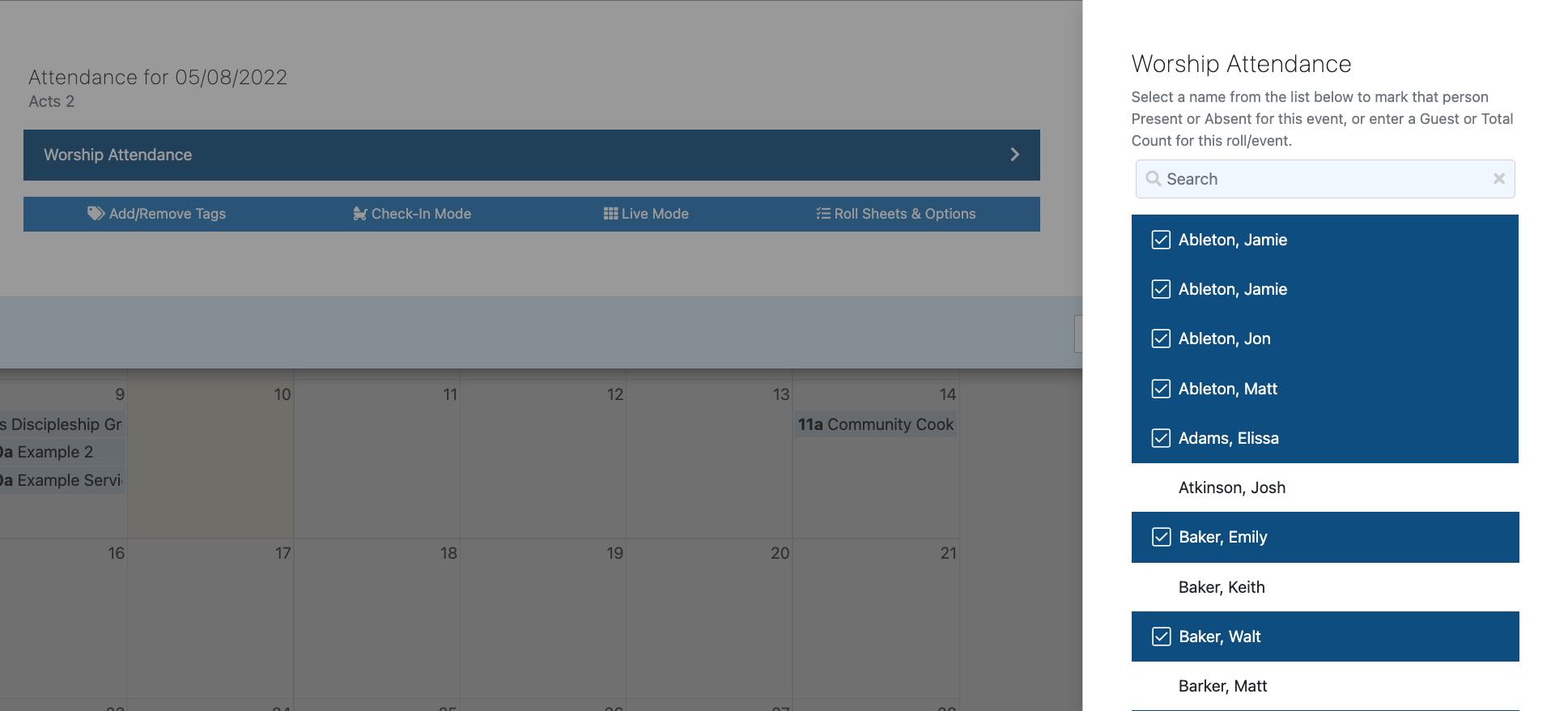
I enter attendance for my church, and it's easy. I quickly scan the sanctuary, log into ChurchTrac on my phone and tap the name of each member as the service wraps up. It literally takes me less than 60 seconds to have everyone accounted for. This feature allows you to be specific with who is attending church and when.
Larger ministries can use this feature for specific Sunday school classes and small groups.
Attendance Reports
What's the use of entering attendance if you can't compile the data?
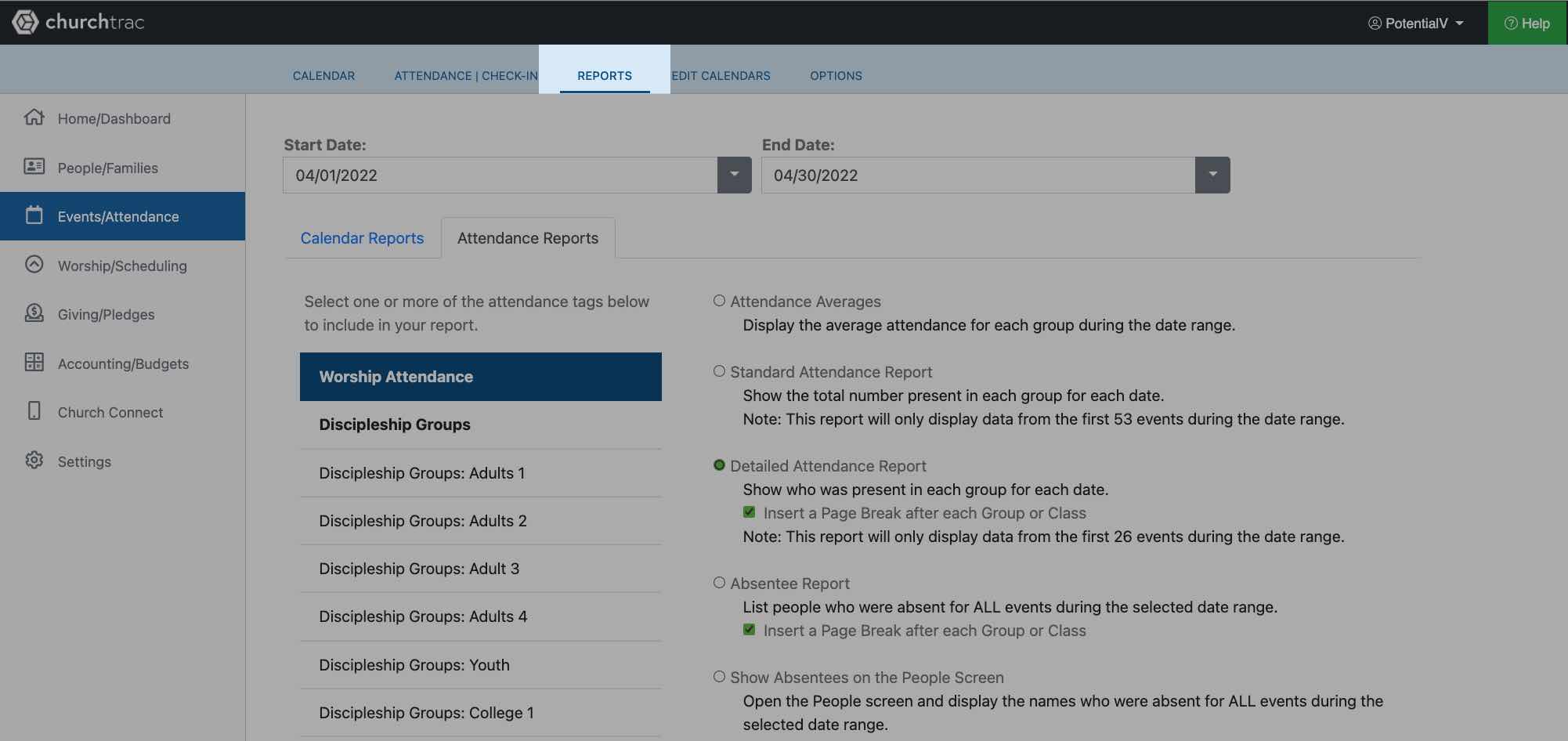
Your ChurchTrac account gives you reports around your attendance data. I especially appreciate the Detailed Attendance Report. It gives me a list of each worship event within the date range I select and a record of who attended that day. I also get a total of how many times each person has attended.
Absentee Reports
Beyond a list of who shows up, you also get an Absentee Report in ChurchTrac. This report lists everyone who was absent for all events within the selected date range.
The list offers their phone number and address, so you can call or send a note to re-establish contact with them.
Messaging Absentees
ChurchTrac makes it easy to send out mass emails and text messages to your absentees. Here's how it works:
Step 1: Select the "Show Absentees on the People Screen" option
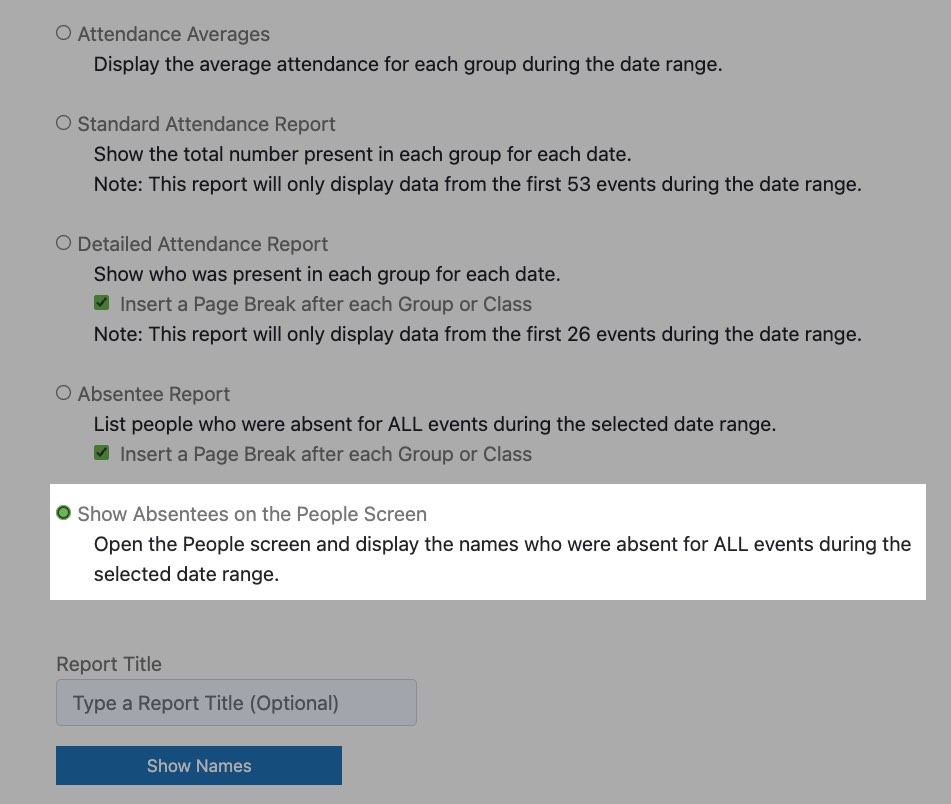
Select the last option on the list of reports, then click the "Show Names" button.
Step 2: Click the "Check all the names on this list" button
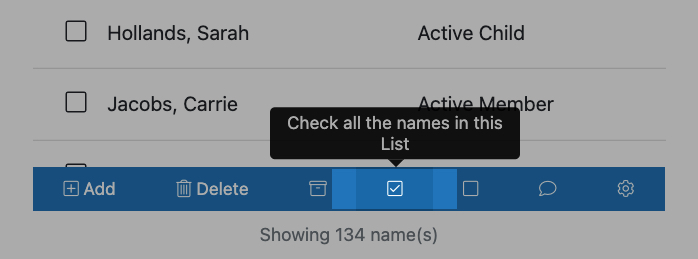
In the toolbar below the list of names, click the "Check all the names on this list" button. The checkbox to the left of each name will be checked.
Step 3: Go to the Messaging tab
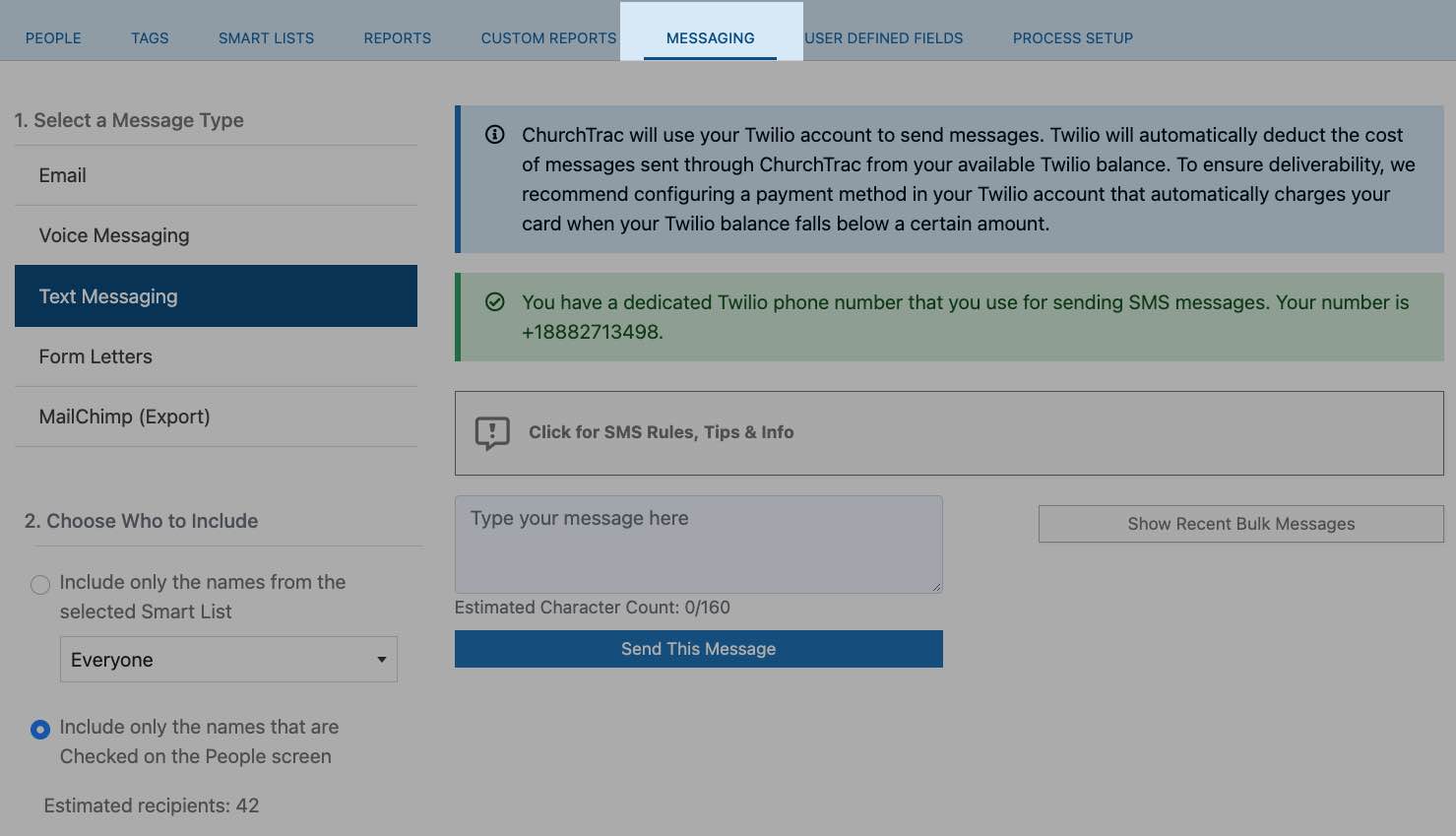
Once all the names of absentees are checked on the People screen, click the Messaging tab.
You'll notice in the bottom-left corner of the screen, there's an option under the "Choose Who To Include" section titled "Include only the names that are Checked on the People screen". It's already selected for you, meaning when you send your message, only the absentees will get it.
Type an email or text letting them know you miss them and would love for them to come to church this Sunday. We recommend texting since it has the best chance of being read.
Takeaway
With the tools ChurchTrac offers, it's never been easier to keep an eye on your flock and reach out to those who have wandered from the fold.
'Til next time! 👋