SHAPE Ministry Profiles
ChurchTrac includes example Groups that can be used to create a comprehensive SHAPE ministry profile on each member of your congregation. You can choose whether to use these groups, edit them, or delete them from your church database.
SHAPE Groups
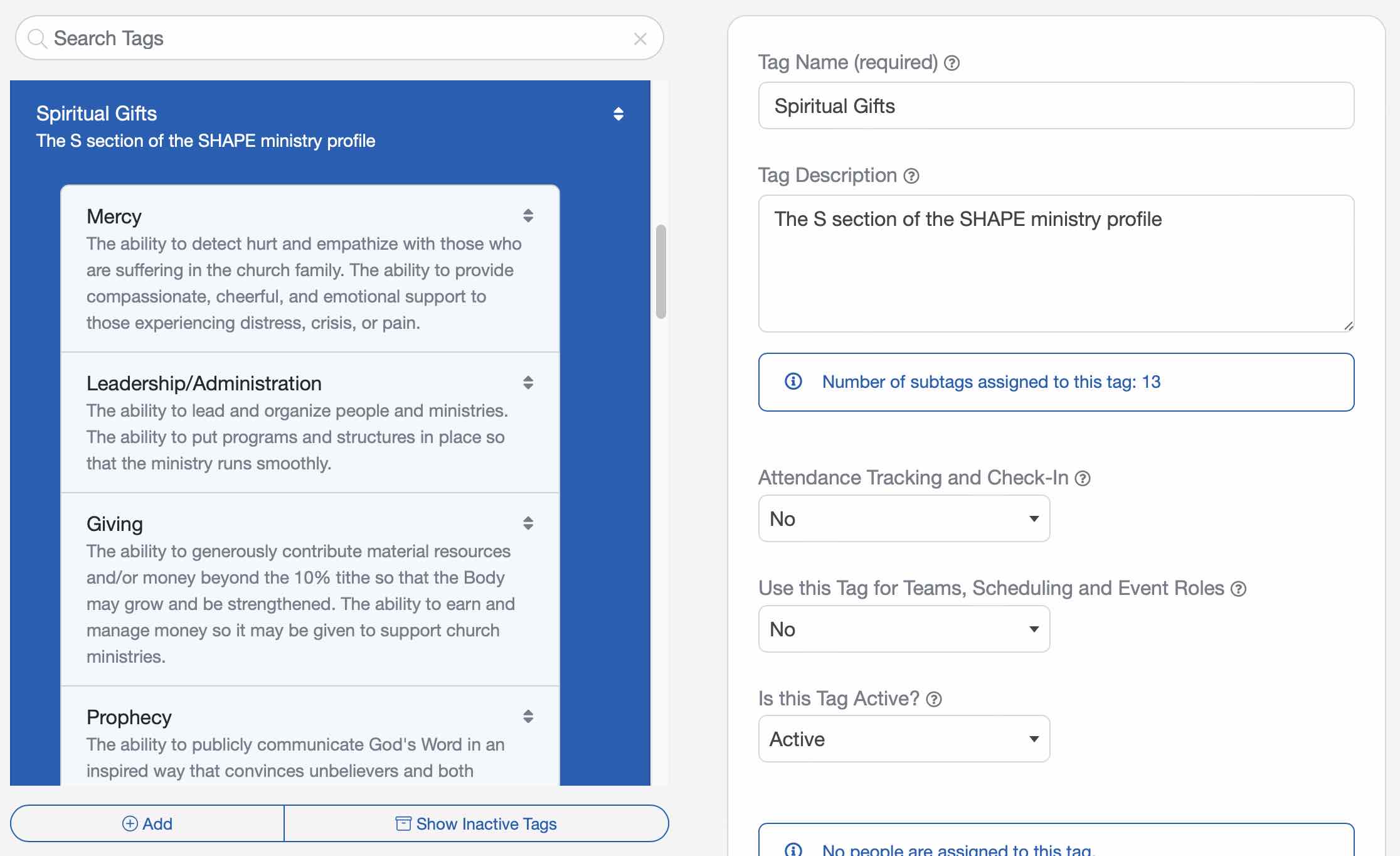
On the Groups screen you'll find five parent Groups representing the 5 areas of the popular SHAPE ministry profile tool (Spiritual gifts, Heart/Desire for service, Abilities and talents, Personality, and Experiences).
SHAPE Subgroups
Under each of these five parent Groups you'll also find quite a few subgroups that we have created for you. You may use as many or as few of these items (or customize them) as you wish when developing the ministry profiles of your congregation.
Assigning SHAPE Groups
You can assign people to SHAPE Groups the same way you do with other Groups. Learn more about Assigning People to Groups ›

Use Cases
This tool can help you fill vacant volunteer positions, or help to plug people into serving or ministry in areas they are gifted. It can help you connect with your people and help them to stay connected to your church.
Churches sometimes use a spiritual gift inventory or questionnaire to help members determine their spiritual gifts. The results of this inventory can be entered into ChurchTrac using the Spiritual Gifts groups. You can also enter a note or member for each person's groups by clicking that Group in their People Screen profile.
You can collect additional SHAPE profile data from members of your congregation by having them complete a form indicating what areas they want to serve, or where they feel they are gifted. You can generate this form by using the report at [People Reports Group Reports Group Profile Report]. Some churches collect this information during their new member classes, or by conducting an interview with their members.