Messaging Your Church
ChurchTrac Messaging gives you the ability to send Emails, Text Messages, Voice Messages, and Push Notifcations to your members. To begin, select the "Messaging" tab at the top of the People screen.
Church Email
There are two ways to send emails with ChurchTrac:
-
ChurchTrac Mail (Built-In)
ChurchTrac Mail is a minimal-configuration bulk email tool. This is the easiest way to email your people using ChurchTrac. All you have to do is set up your unique keyword and you're ready to go! Learn more about ChurchTrac Mail ›
-
Email Integration (3rd-Party)
Link your current 3rd-Party church email account to ChurchTrac. Learn more about Email Options and Settings ›

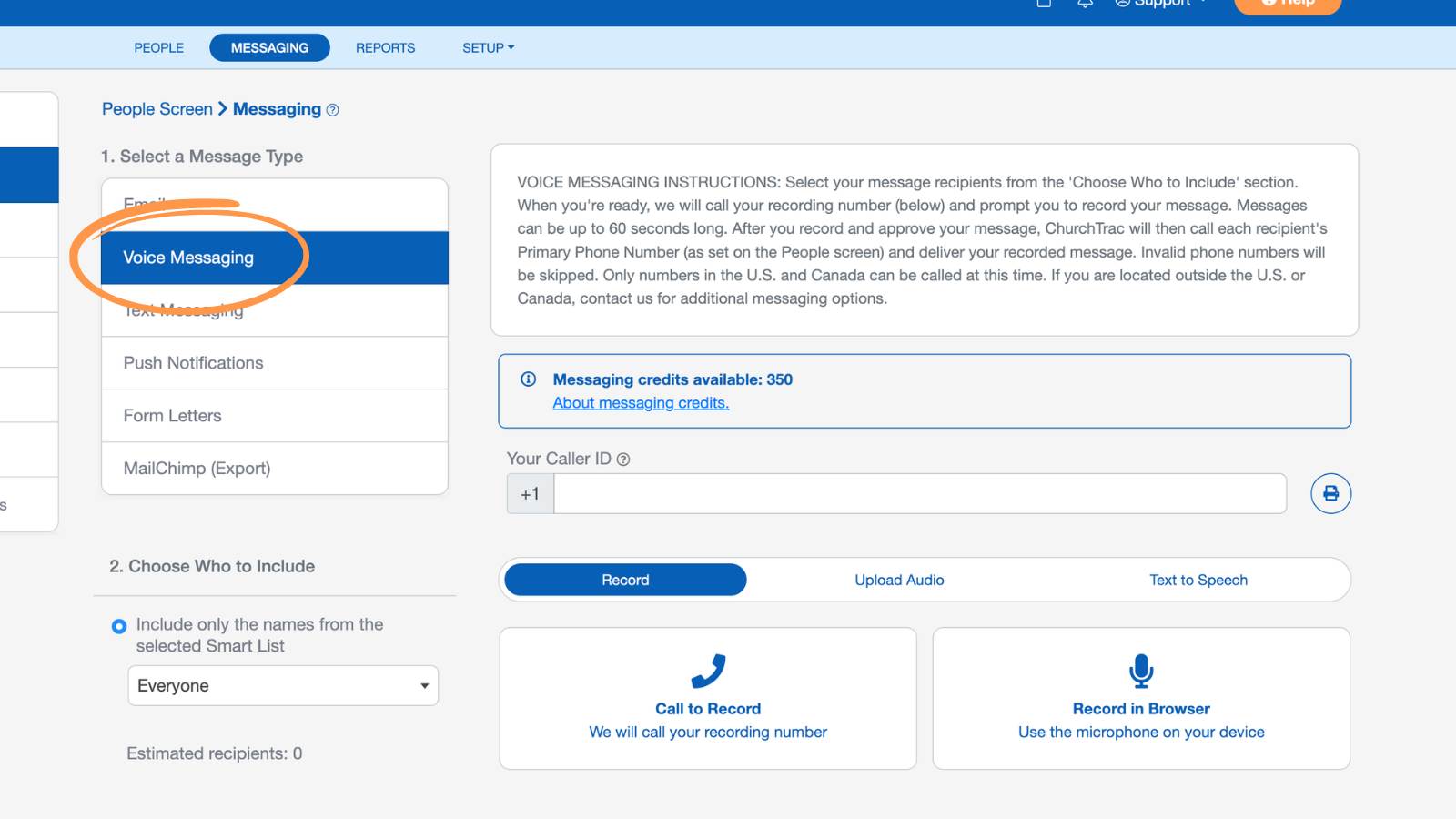
Voice Messaging
With Enhanced Messaging, your church has a dedicated toll-free number that gives you the ability to create voice messages by uploading a recording, recording in your browser, using text-to-speech, or calling in to record.
Churches on legacy plans can only use Call to Record; to access the new options, upgrade to a current plan.
Before sending voice messages, your church must complete a one-time verification. Learn more about Enhanced Messaging Verification ›
Once your SMS verification is approved, you can send voice messages from your account right away. Learn more about Voice Messages ›
Text Messaging
To use Text Messaging, you must upgrade to our Enhanced Messaging feature. With our Enhanced Messaging features, you'll have your own dedicated toll-free number for your church, be able to have two-way conversations, send voice messages, and set up automatic keyword replies. Before you can send SMS messages, your church must be verified first. Learn more about Enhanced Messaging Verification ›
Once your SMS verification is approved, you can send text messages to your members immediately. Learn more about Text Messaging ›

Push Notifications
Push Notifications are a quick and effective way to reach your people instantly through the Church Connect app. For a person to receive Push Notifications, make sure they meet all the following:
- Installed the Church Connect app on their mobile device
- Allowed push notifications for the app
- Logged into their Church Connect account
Push Notifications can be a great supplement to email and SMS messaging, especially for last-minute reminders, event updates, or urgent announcements. Learn more about Push Notifications › 
Additional Messaging Options
In addition to sending messages from your ChurchTrac account, you can also manage other avenues of communication from the Messaging screen:
Form Letters
You can create Form Letters and store them in your ChurchTrac account. These form letters act as a template for printed letters.

Mailchimp (Export)
If your church has a Mailchimp account, you can export all of your contact information from your People screen to the Mailchimp account with a click of the mouse. Select a Mailchimp List to export to, then select the "Export to Mailchimp" button. Learn more about Mailchimp ›
