Customize Your Church Connect Keyword
Before using Church Connect or ChurchTrac Mail, you’ll want to ensure your keyword is set up correctly.
Why Customize Your Keyword?
Personalizing your Church Connect keyword simplifies access for members and leaders, making it easier to visit your website and communicate via email without deliverability issues.
Easier to Find
A customized keyword makes your church’s Connect page more recognizable and easier to find.
Clearer Communication
A custom keyword ensures smoother communication with members and visitors by improving email deliverability and reducing the risk of messages being blocked.
How to Customize Your Keyword
If you haven’t customized your keyword yet, follow these steps:
Step 1. Go to Church Connect
Navigate to your Church Connect screen.
Step 2. Customize Your URL
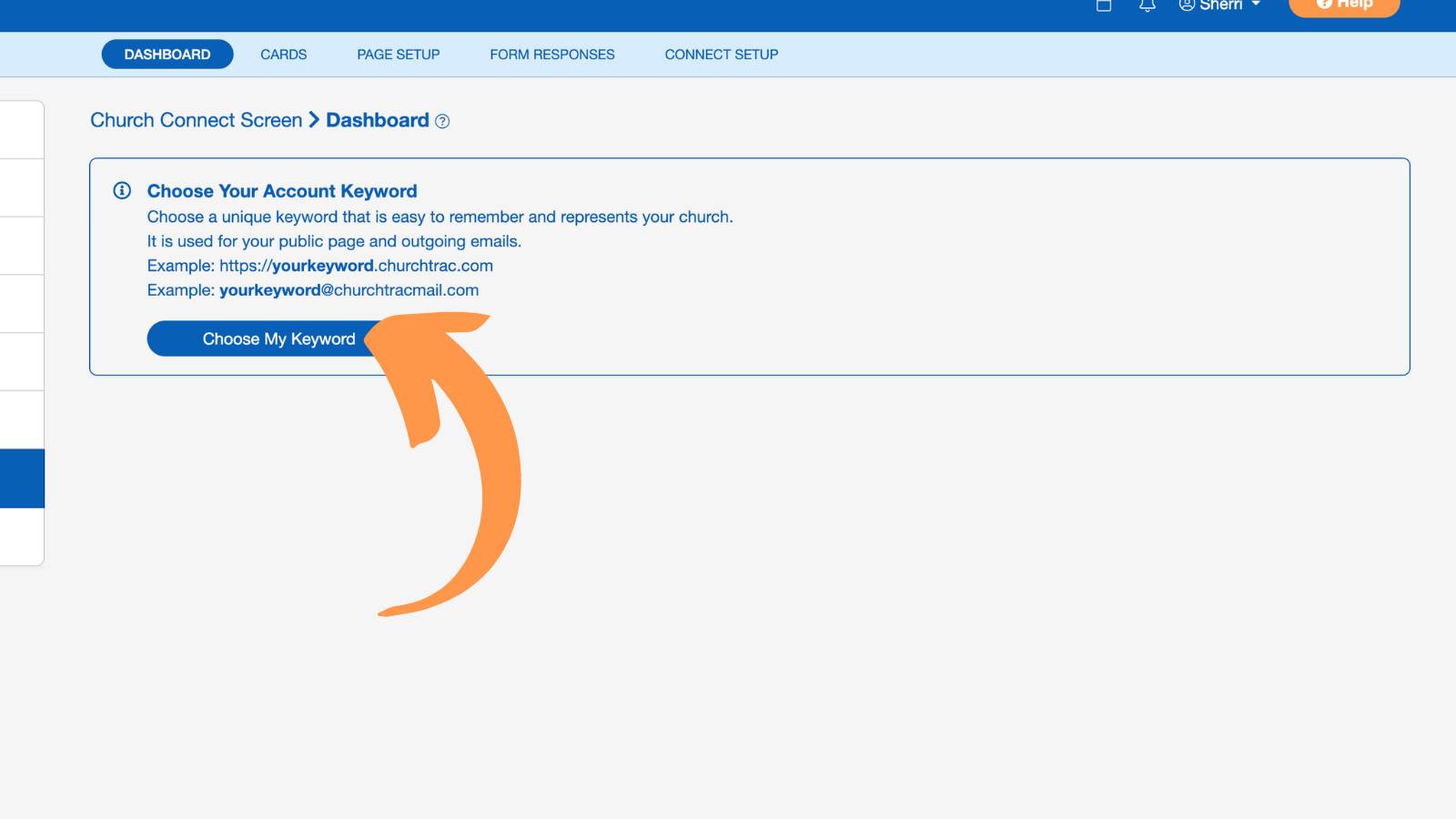
Select "Choose My Keyword." This allows you to search for a unique keyword for your church.
Step 3. Pick a Keyword
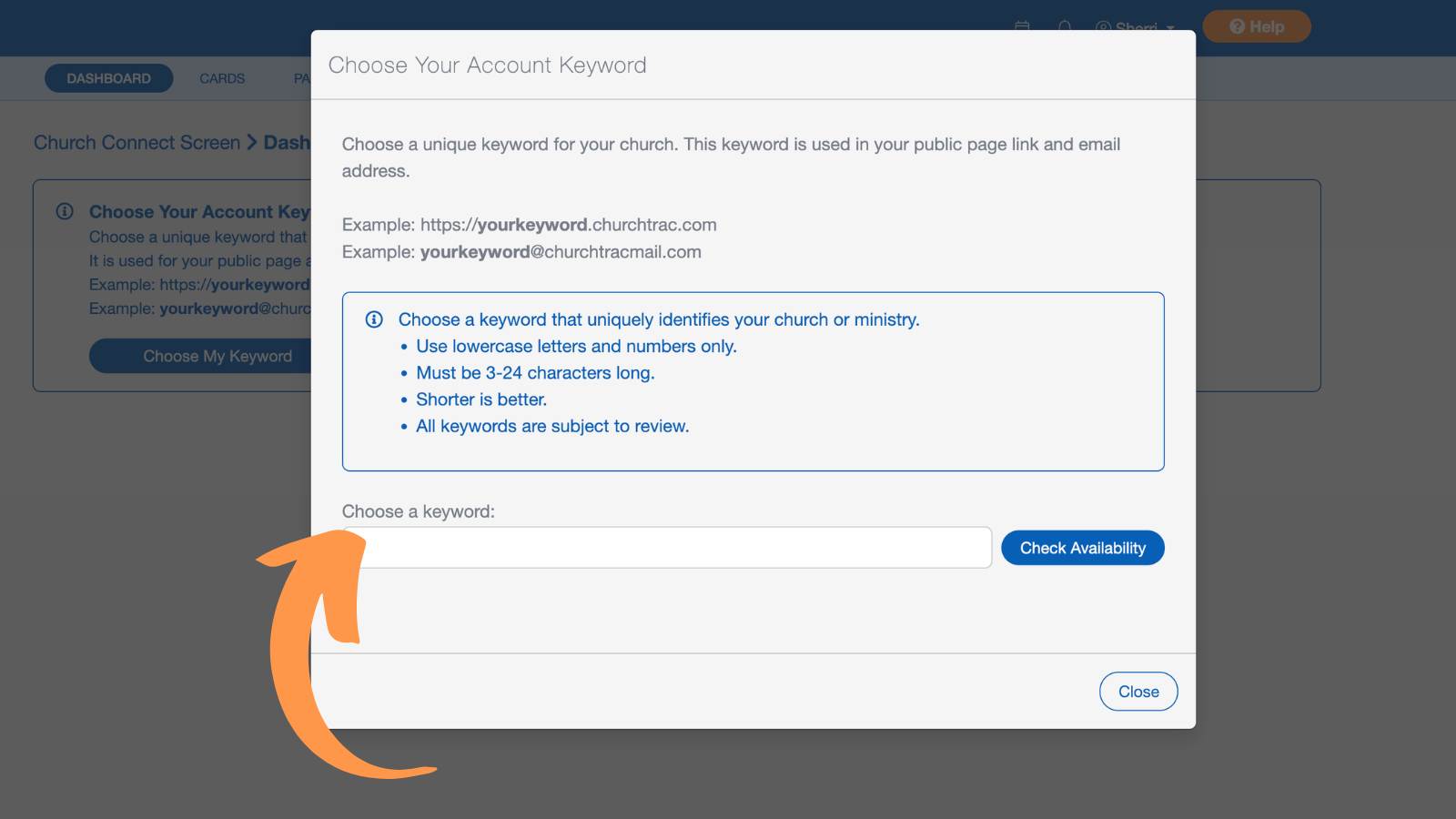
Choose a short, lowercase word (letters and numbers only, no spaces or symbols) that best represents your church or ministry.
Step 4. Confirm Your Keyword
Once set, your Church Connect URL will look like this: https://yourkeyword.churchtrac.com.
Your ChurchTrac Mail address is automatically generated using the same keyword. For example, if your URL is "https://sample.churchtrac.com", your church email address will be sample@churchtracmail.com.