Tracking Attendance With Church Connect
Leaders can record attendance directly in Church Connect, ideal for small group leaders, Sunday school teachers, and other ministry staff. Parents can also use Church Connect to speed up check-in by scanning their family QR code.
Allowing a Person to Track Attendance
For a person to enter attendance, they need to be assigned to the Group for the event they are entering attendance for. Once the Group tag has been applied to their profile, select their Group and turn on attendance tracking for that individual.
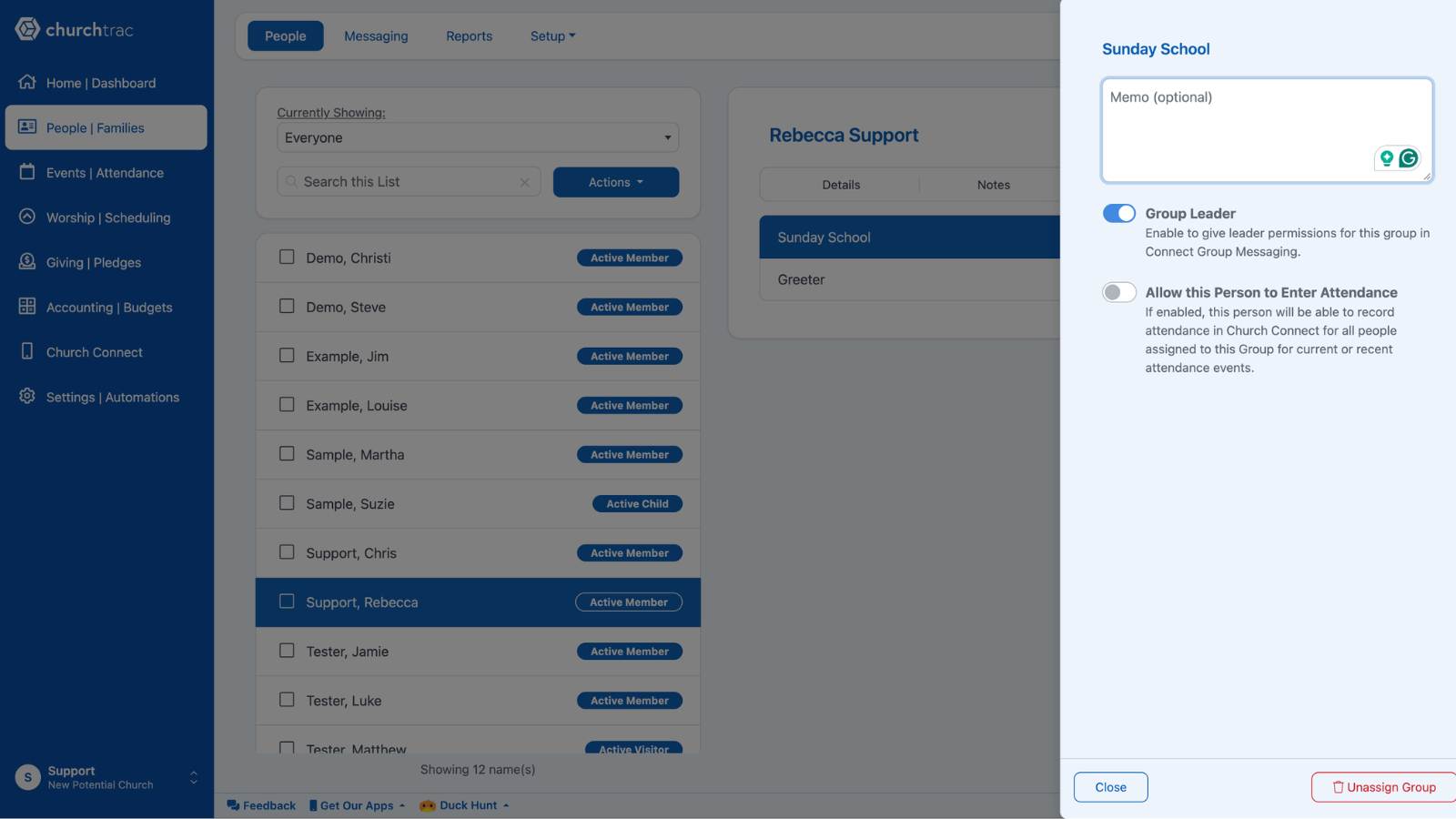
Once enabled, your leaders can log in to their Church Connect accounts to track attendance. The attendance event will be accessible by them on the day of the event and 24 hours after. You can also assign additional individuals to have attendance tracking privileges by repeating the above steps.
Pro Tip: You can also set this person as a group leader from the same screen, giving them access to additional features like group messaging in the Church Connect app.
Church Connect (Attendance)
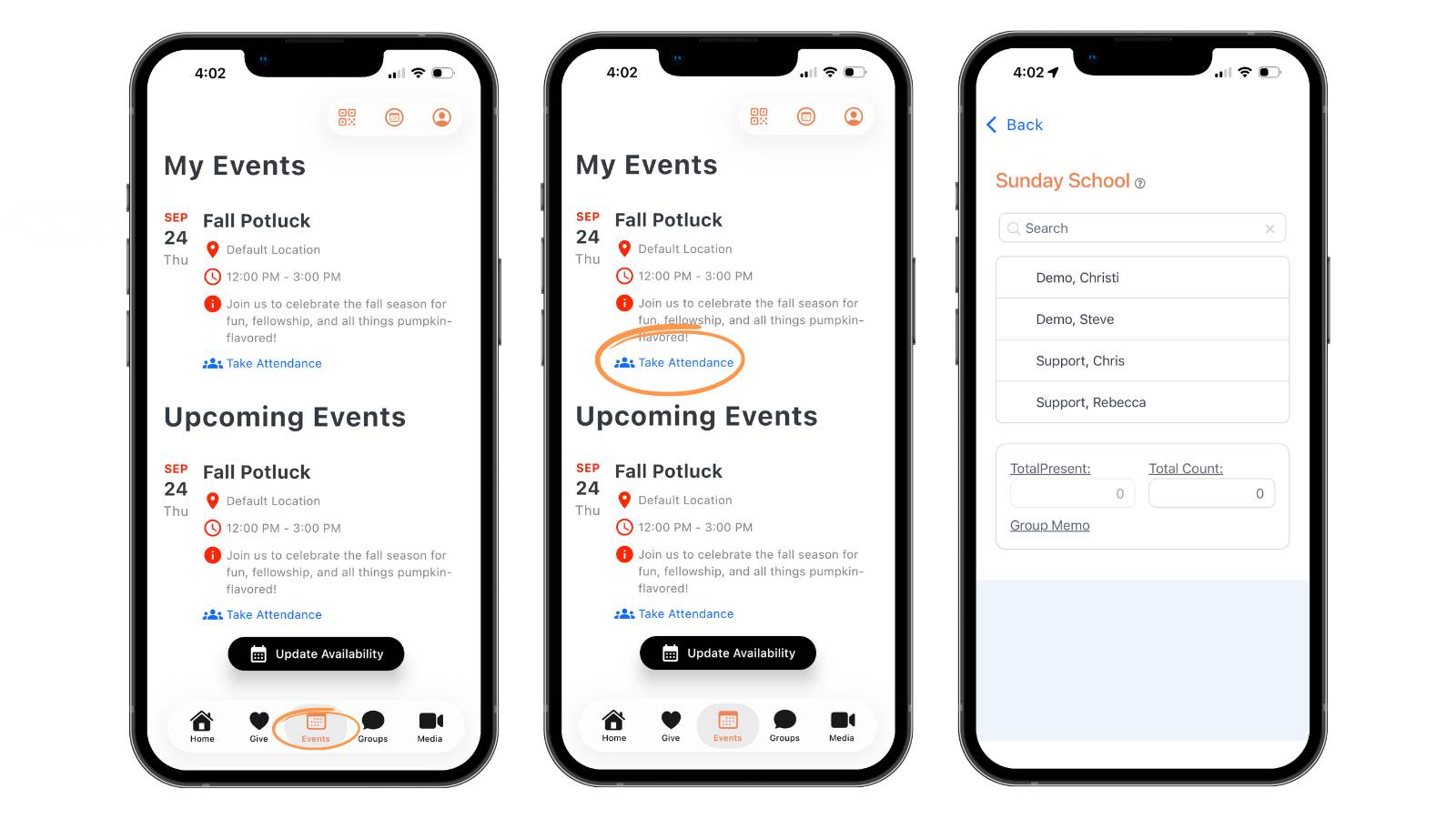
To access attendance tracking with Church Connect, a leader will need to log in to Church Connect and view their upcoming events. From there, they can access the event and record attendance.
Church Connect (Check-In)
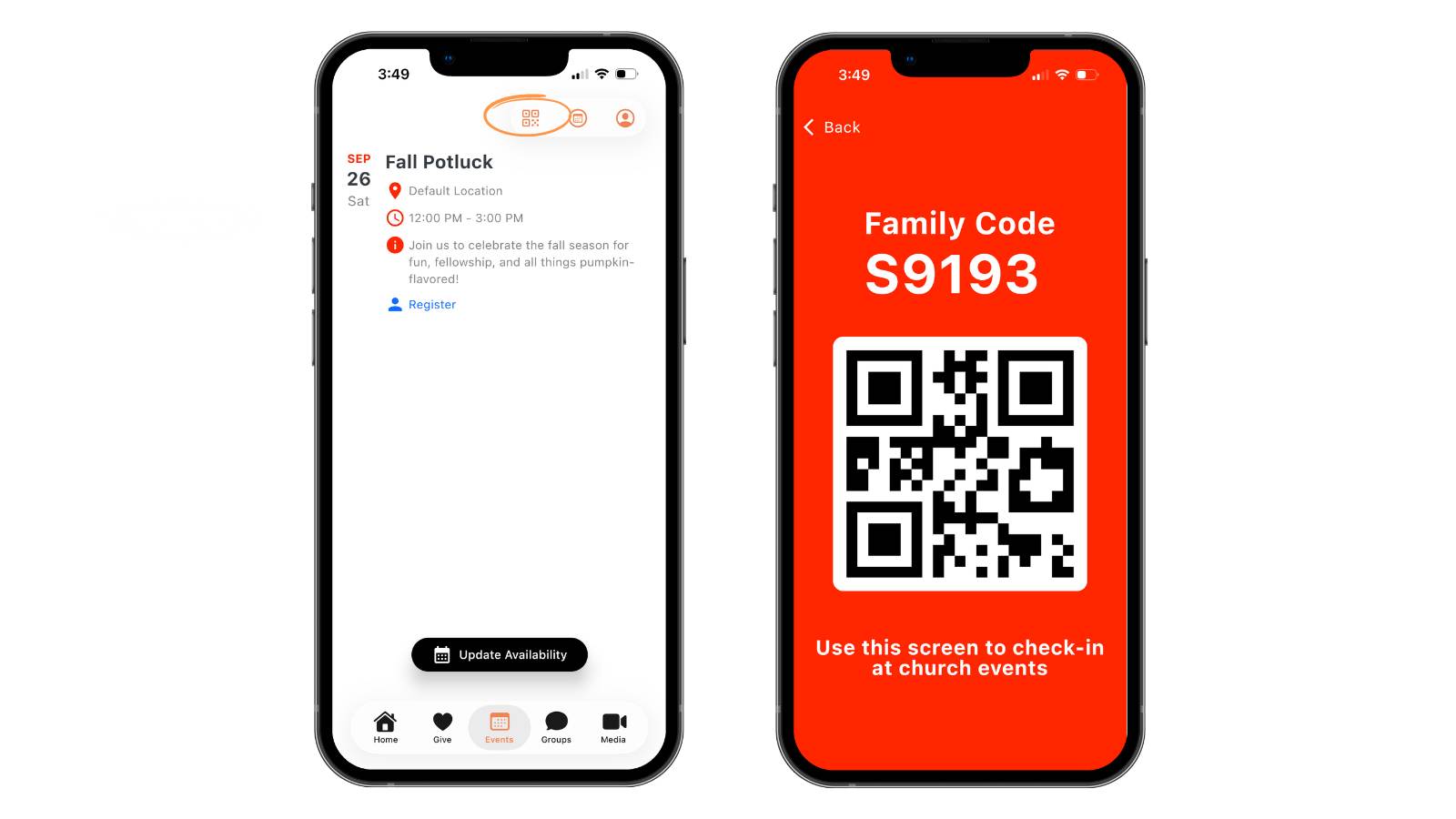
For check-in, parents who have the Church Connect app downloaded can also scan their family QR code to instantly pull up their child’s information for a faster check-in process.
To view their family QR code, parents just need to log in to Church Connect, go to "Events", and select the "QR code" icon in the top right corner.
At the check-in station, they’ll be prompted to enter their phone number, name, or scan their QR code.

When they choose the scan option, it will open a screen for them to display their code to the scanner.
