ChurchTrac Logo
 Help Topics / Attendance / Entering an Attendance Count

Entering an Attendance Count

There are many church events that do not require keeping track of each individual. For these situations, you want to take a total headcount. This is done by creating a Group with no people assigned to it.

For example, if you want to keep a total headcount for your worship attendance, you could create a Group titled something like "Worship Attendance".

When creating this Group, you still need to select "Yes" for "Attendance Tracking and Check-In".
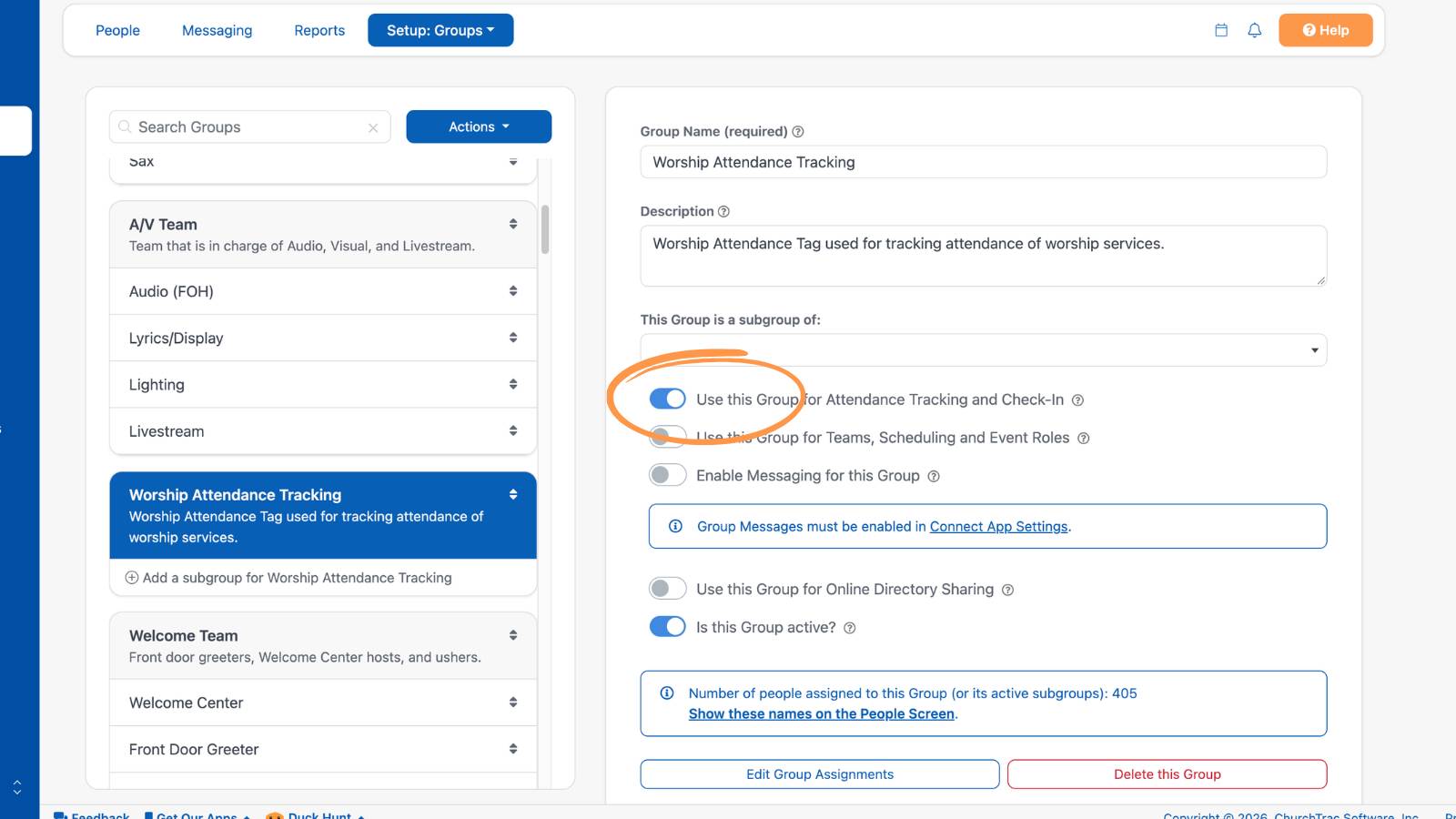
Create Tag

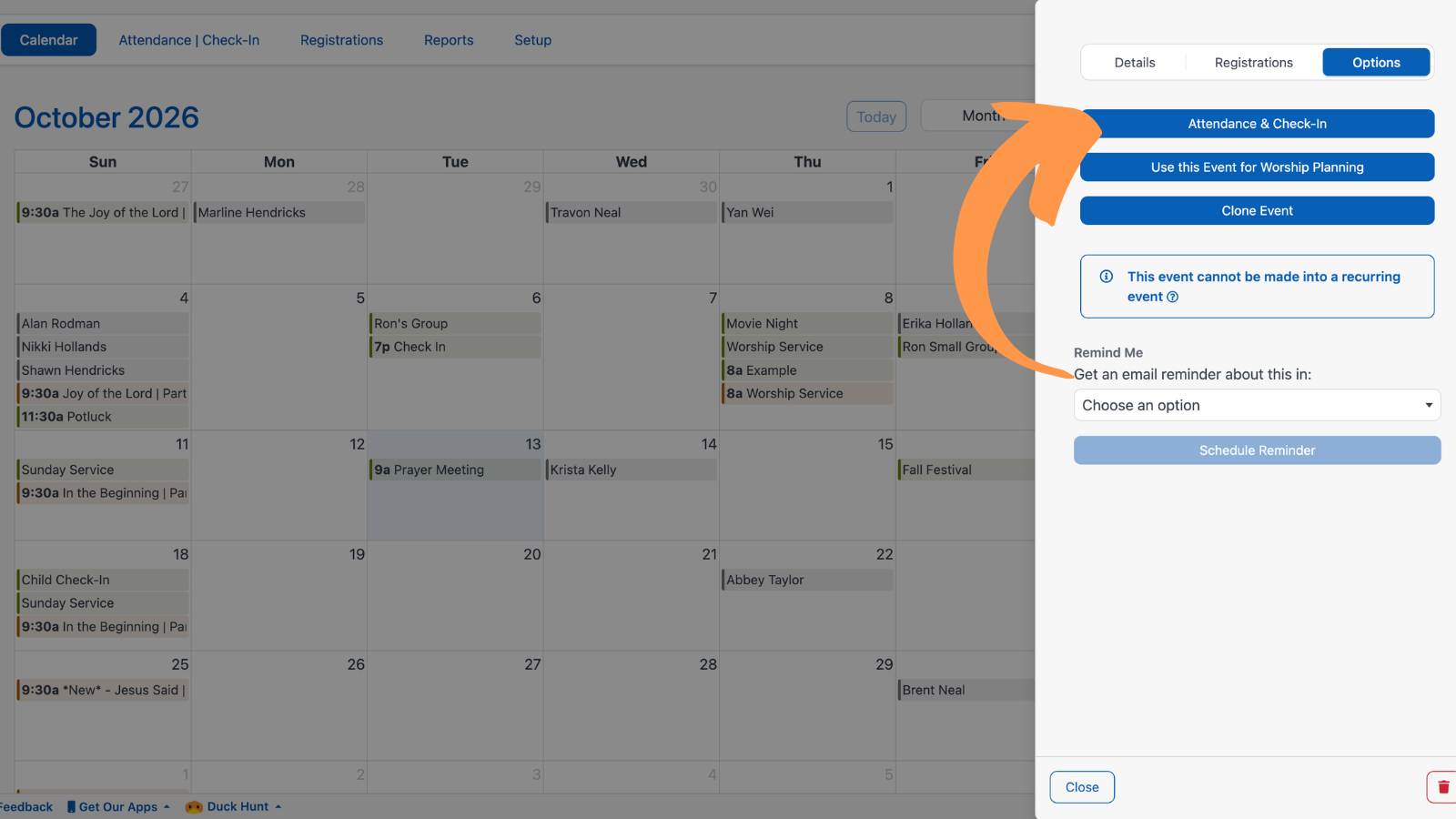
With a Group created, create your event and select the "Attendance & Check-In" button.

Attendance

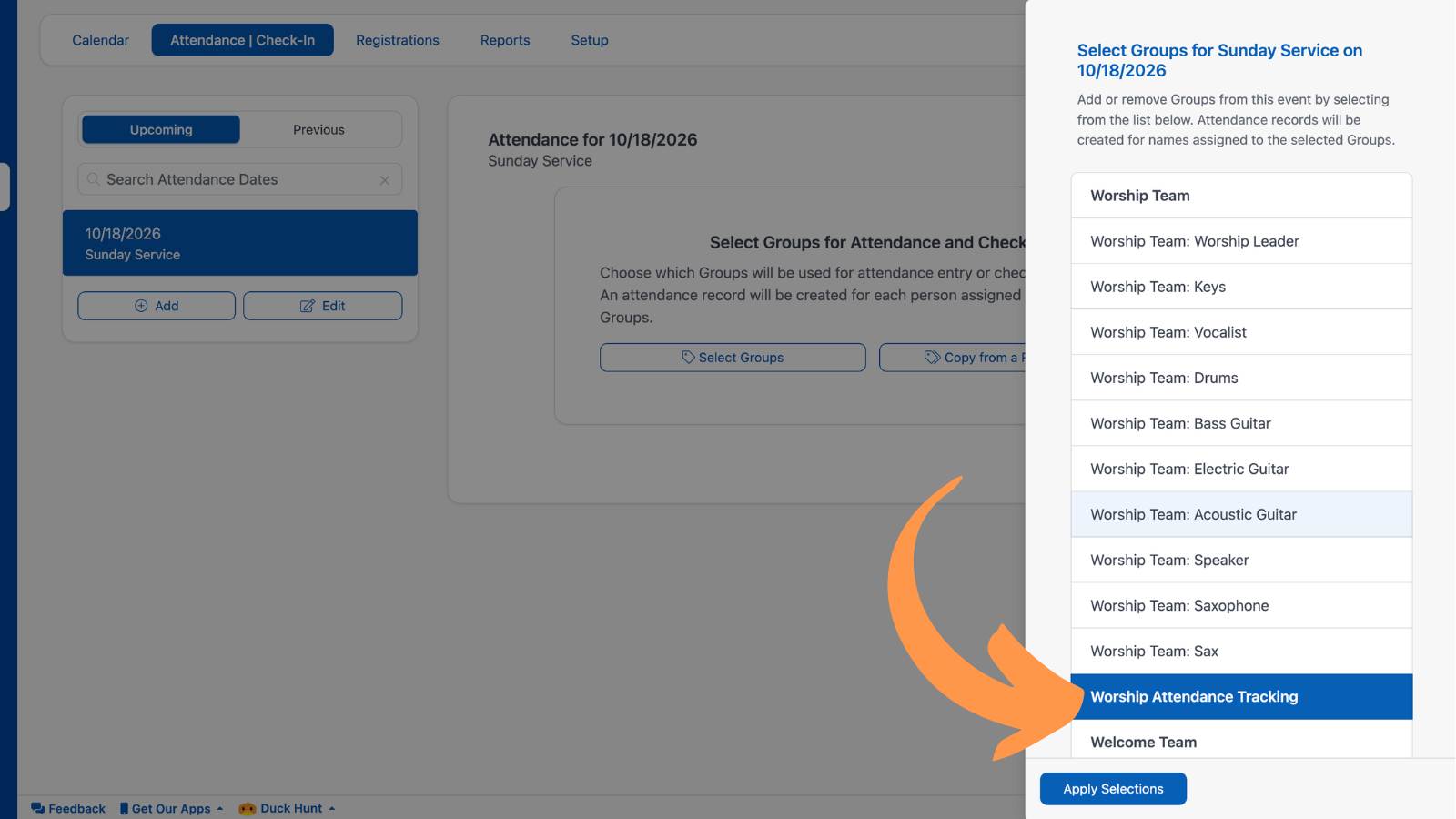
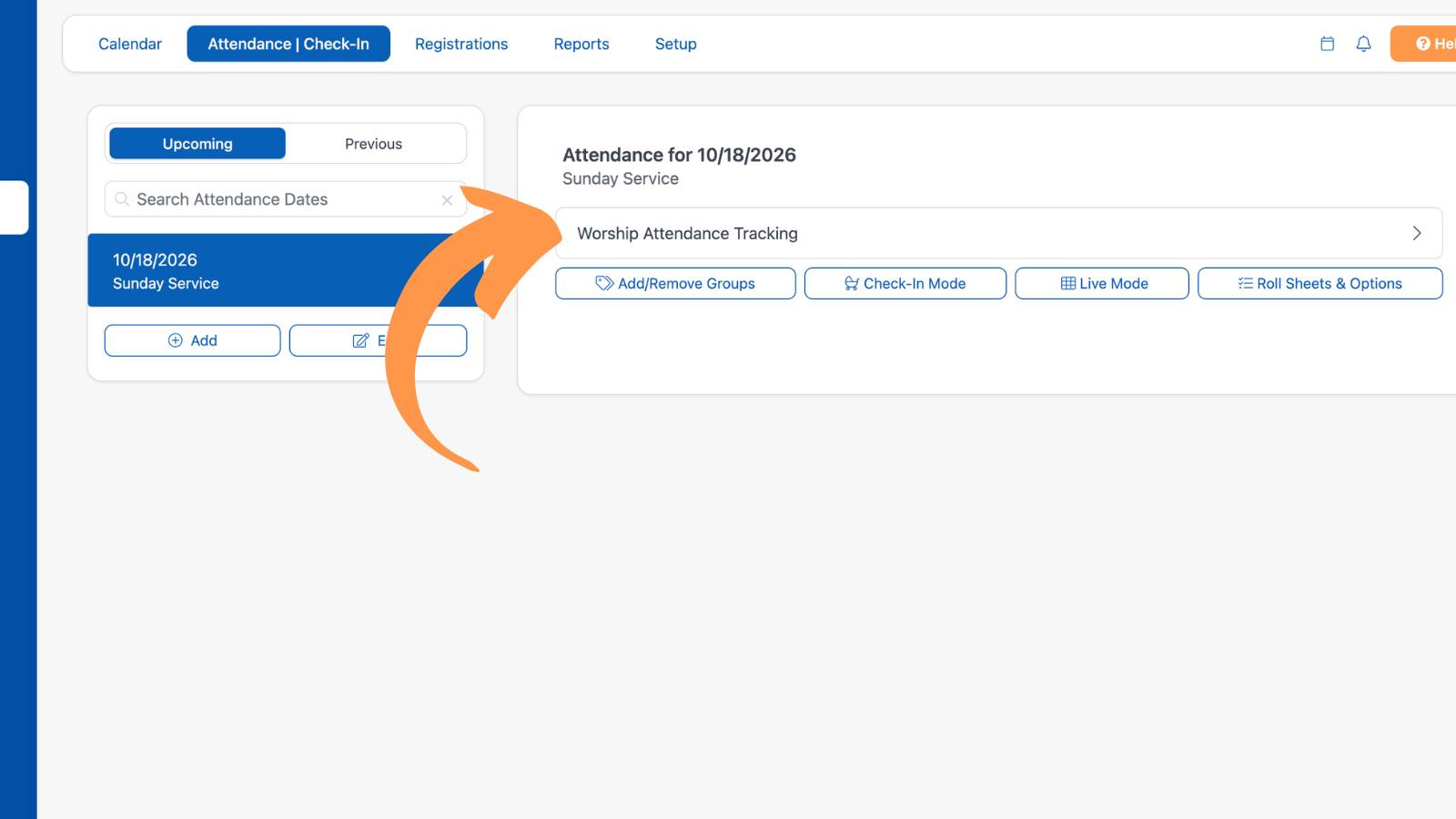
Assign your Group to the event.

Select Tag

Select the Group.

Select Tag

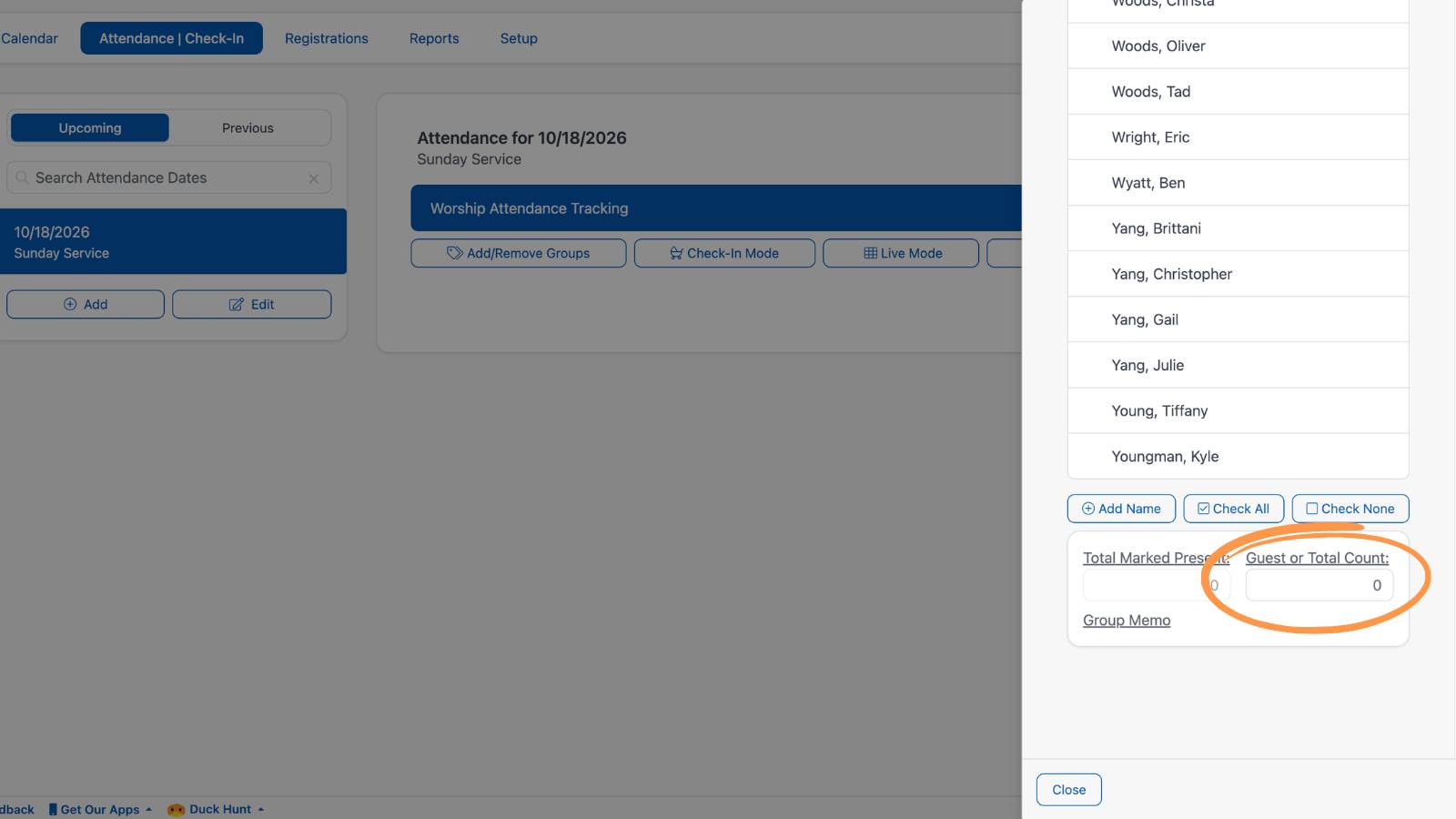
Record your count and select "Close".

Enter Attendance
Attendance & Child Check-In

There are many different ways to take attendance in ChurchTrac. Watch the short clip below to see them in action!

Learn More about Entering Attendance ›
 
ChurchTrac Logo

Your All-In-One Church Software.

Facebook Twitter Youtube Vimeo

Products & Features

Giving & Fundraising Church Website Builder Church App Builder People & Messaging Events & Attendance Child Check-In Church Automations Church Accounting Worship and Scheduling Custom Built Websites Accounting Service Security & Integrations

How We Compare

ChurchTrac vs Planning Center ChurchTrac vs Tithe.ly ChurchTrac vs Realm ChurchTrac vs Breeze ChurchTrac vs QuickBooks See all comparisons

Company

About ChurchTrac Terms of Service Privacy Policy

Quick Links

Login to Your Account ChurchTrac Pricing Start a Trial Getting Started Join a Live Demo Contact Us | Tech Support

Recent Posts

  • Resurrection Power: 7 Powerful Easter Sermon Ideas
  • The State of Church Attendance: Trends and Statistics [2026]
  • 5 Impactful Youth Sermon Ideas
  • 1099 VS W2: A Guide For Churches
  • The Perfect Church Plan Your Visit Page
  • View more articles...