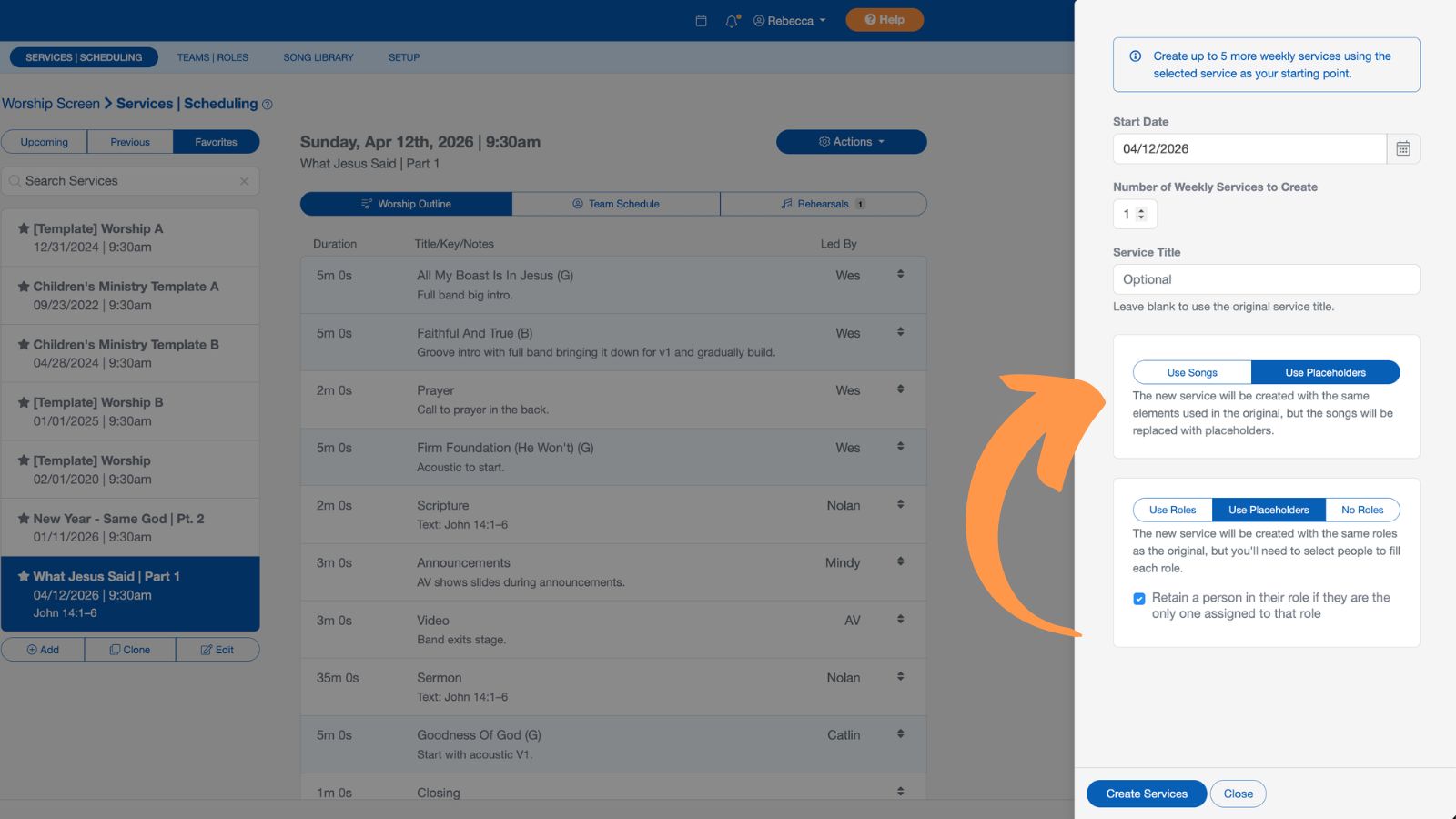
Cloning Services
You can quickly reuse any worship service by favoriting it and then cloning it for future services. This copies the songs, service elements, roles, and assigned people, making it easy to set up similar services without starting from scratch.
Favorites Services
To favorite a worship service, select the star icon next to the service.
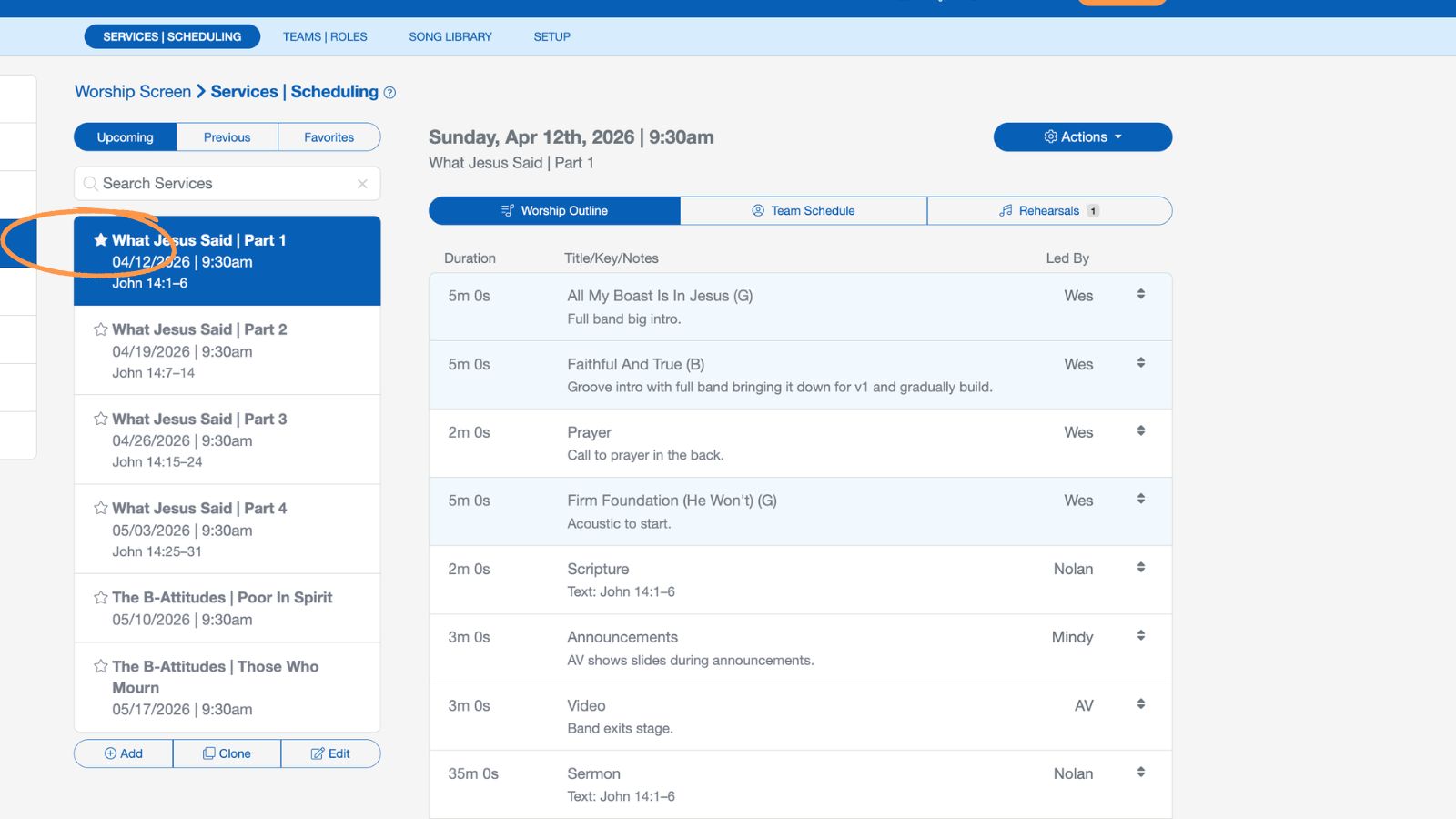
This adds the service to your Favorites tab, located alongside your Upcoming and Previous services.
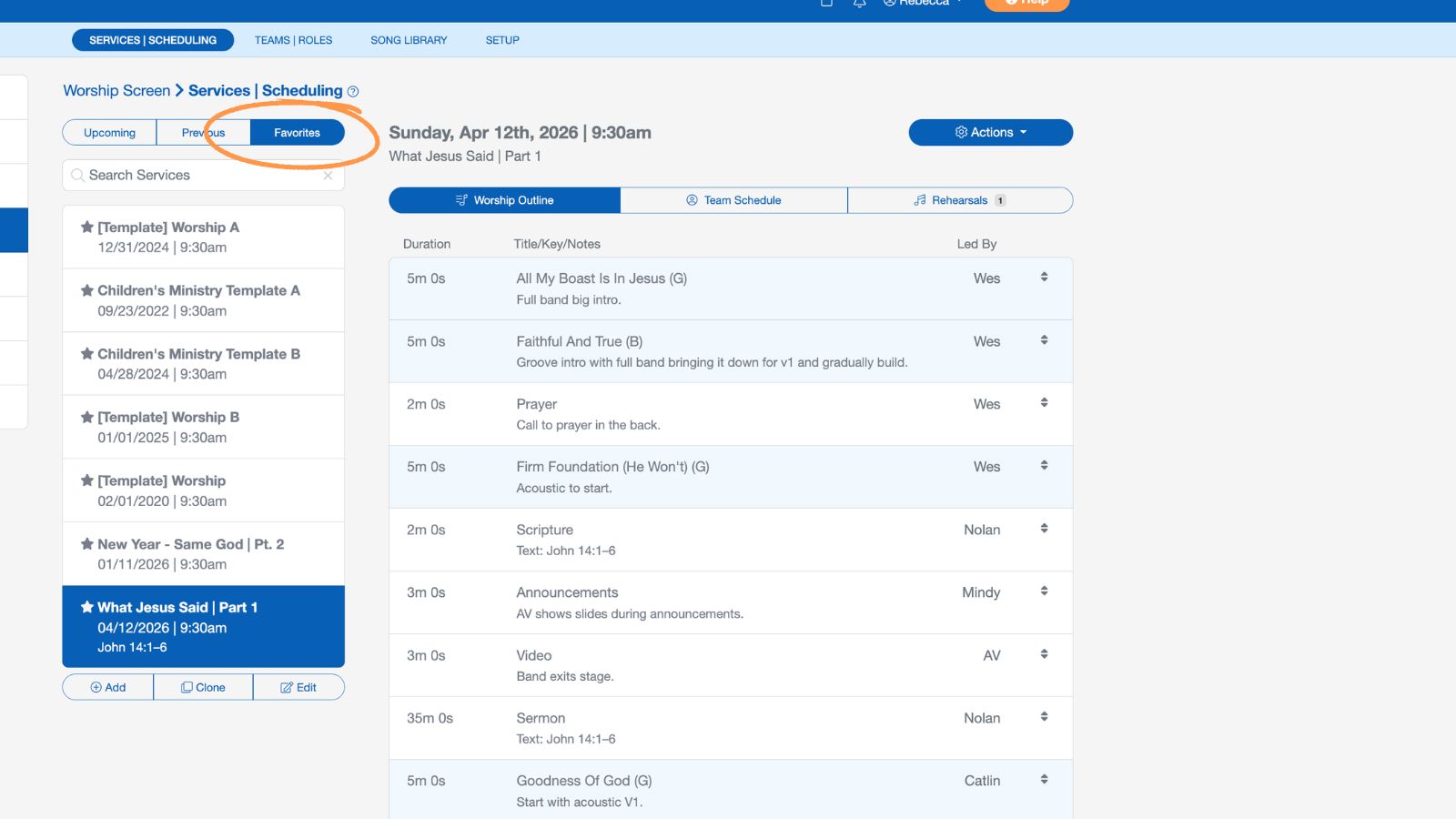
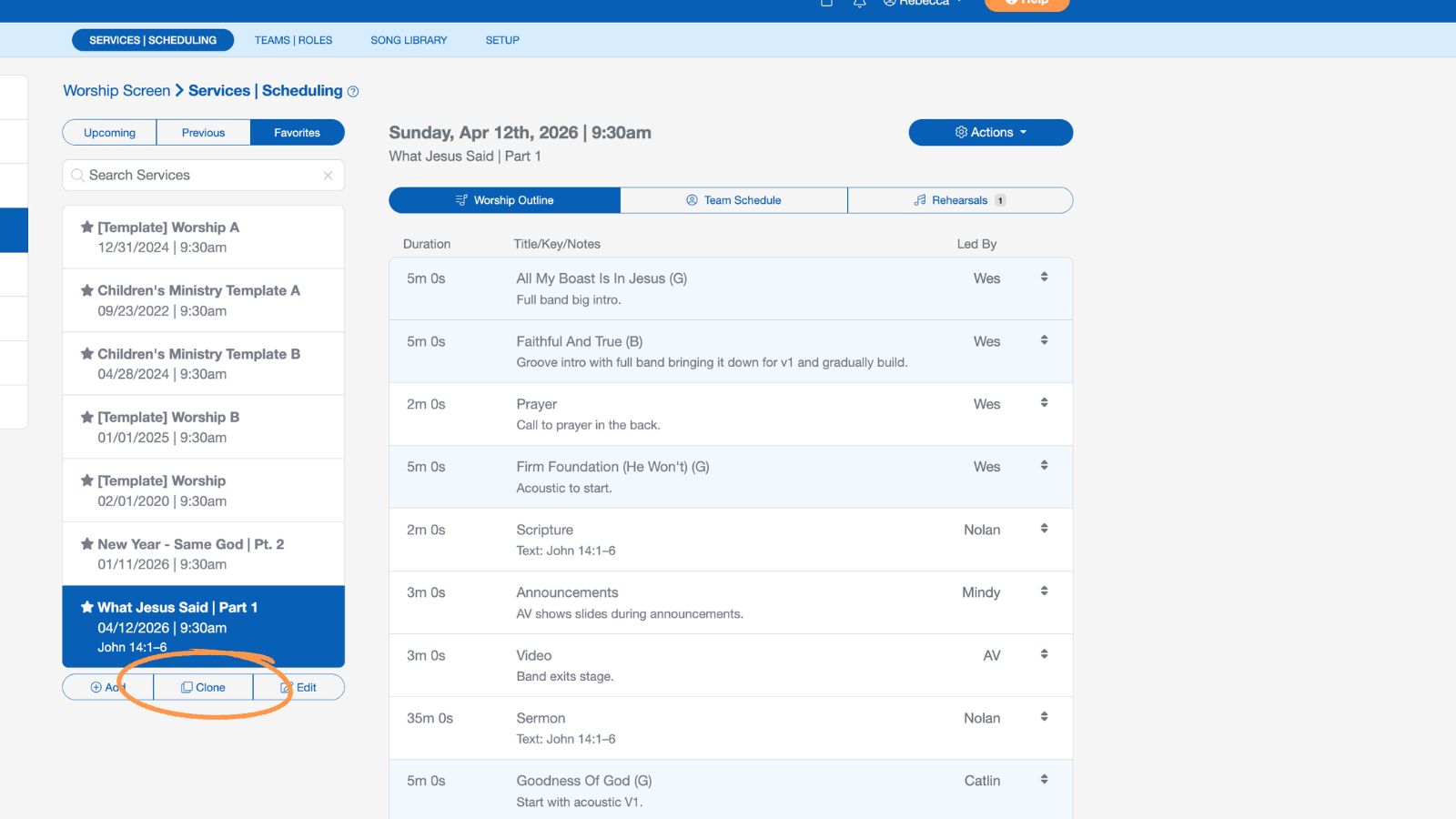
Cloning Services
From your Favorites, you can easily clone any service to reuse songs, service elements, roles, and assigned people for future services.
You can clone up to five services starting from the selected service date. Set your start date, the number of weekly services to create, and specify the service title for each new service.
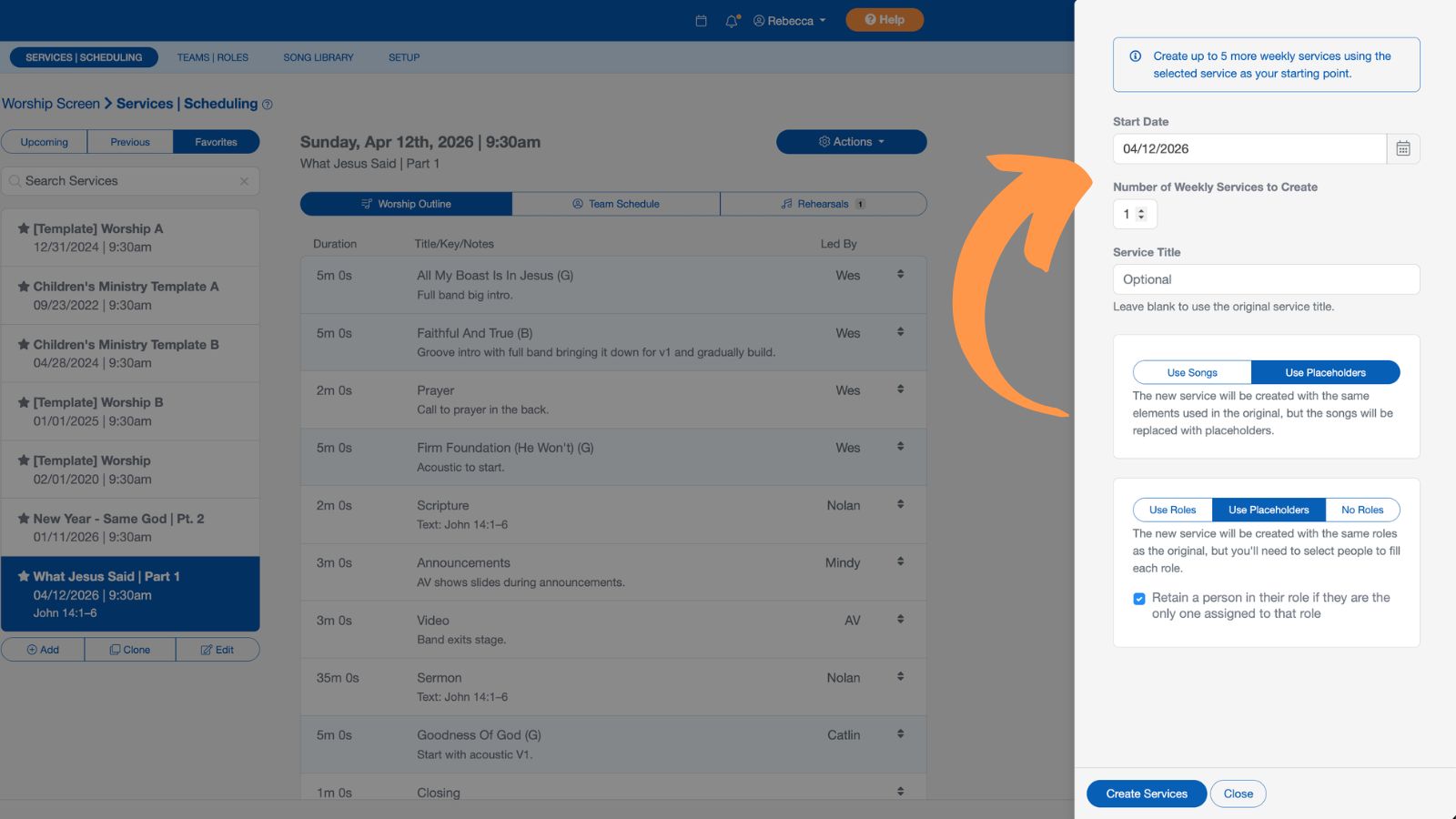
Choose whether to use the original songs or placeholders, and whether to use the original roles or placeholders. You can also enable the option to retain a person in their role if they are the only one assigned to it.