PraiseCharts Integration
With the PraiseCharts integration, you can quickly add songs to your Song Library without manually entering song details.
Connecting PraiseCharts with ChurchTrac
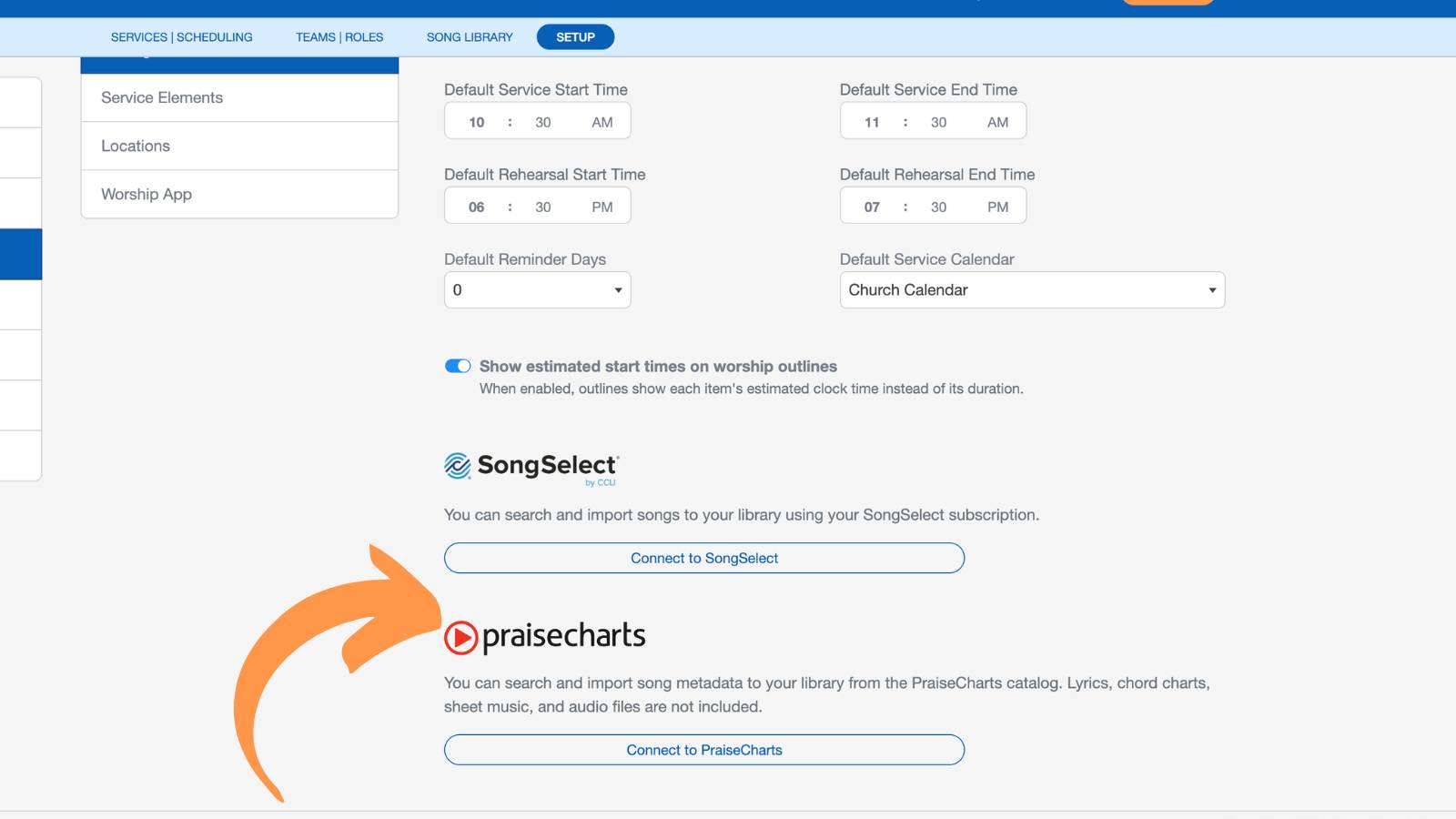
To connect your PraiseCharts account, navigate to the Setup tab on the Worship|Scheduling screen. Under Settings and Preferences, select the option to connect PraiseCharts and sign in with your PraiseCharts credentials.
Importing Songs from PraiseCharts
To import a song from PraiseCharts, go to the “Actions” menu in the top right corner of the Song Library page and choose “Add a New Song.” From there, select the “Search PraiseCharts” option.
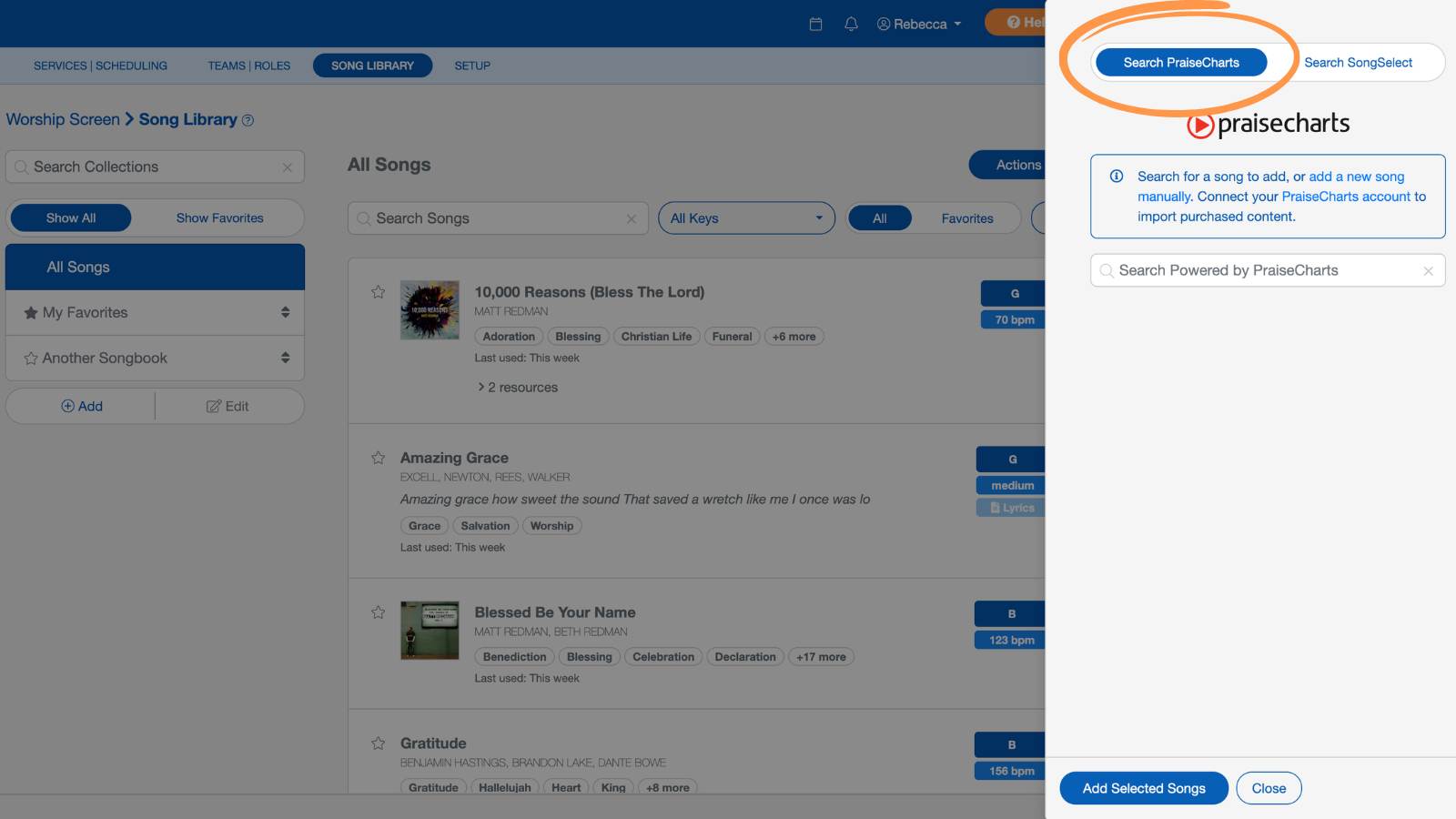
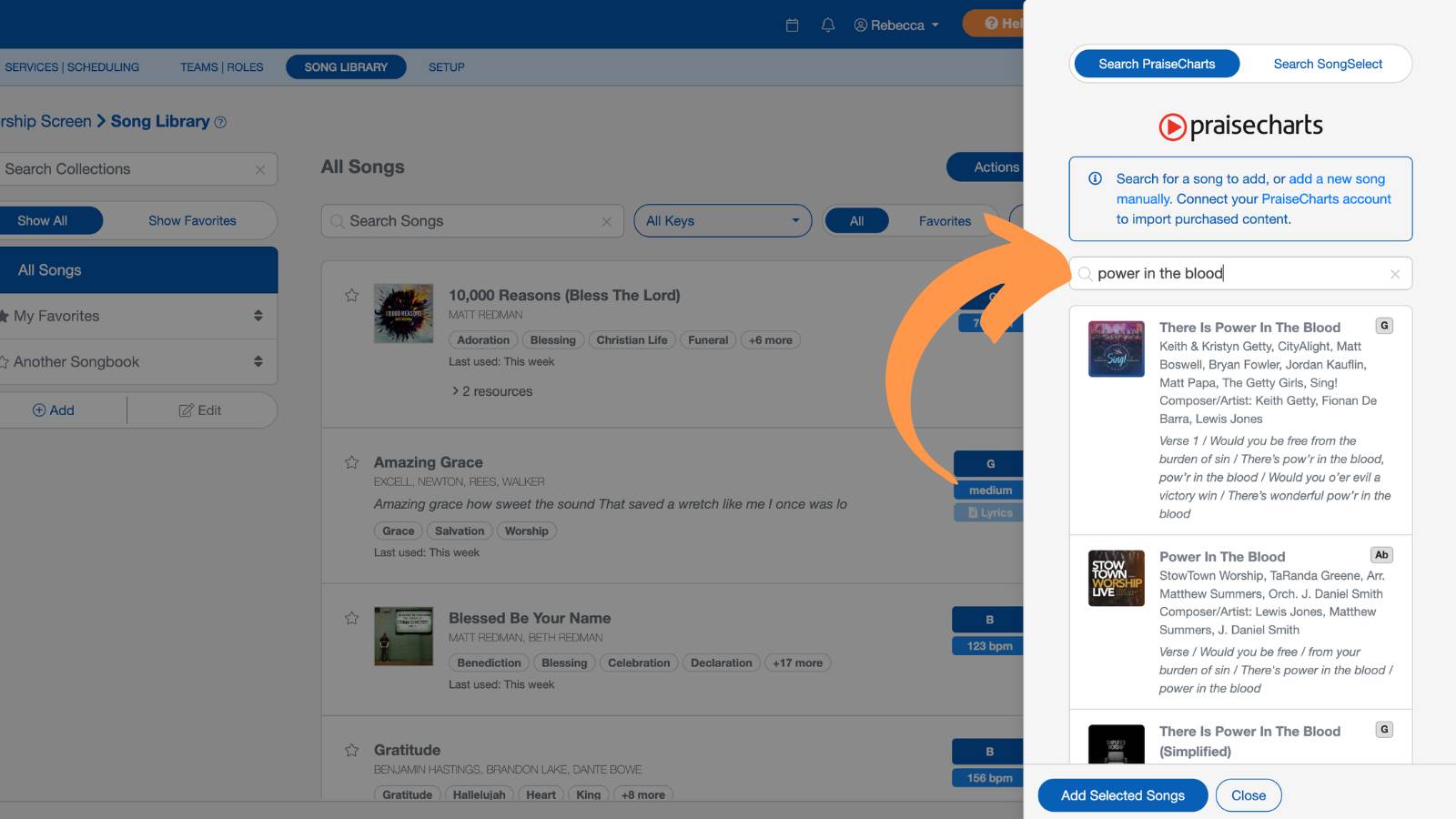
Search for a song by title or other available metadata. Once you find the song you want, select "Add Selected Songs" to add it to your song library.
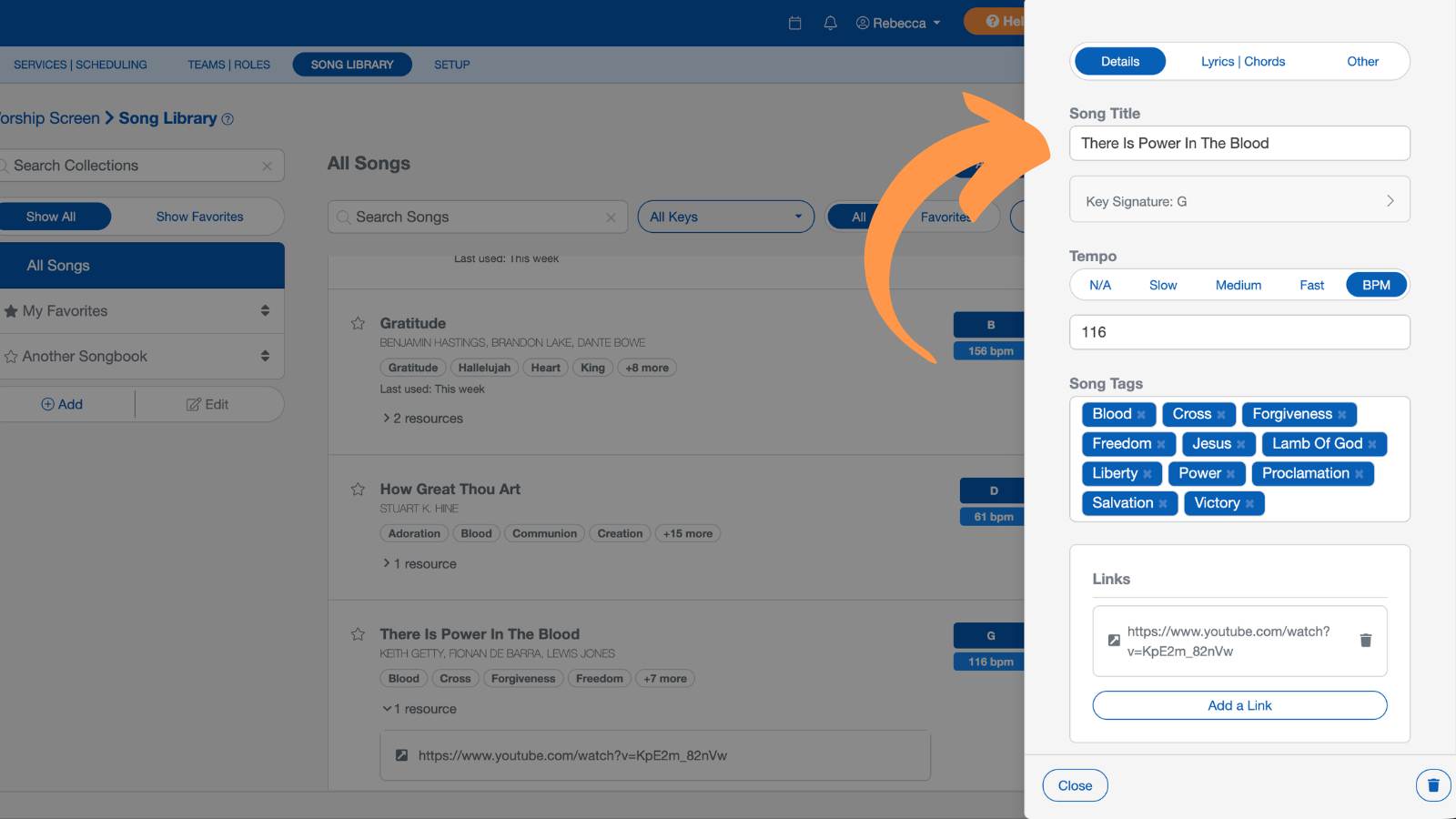
After importing, the song will be added to your library with available details automatically filled in where possible.
Managing Imported Songs
Imported PraiseCharts songs can be edited or updated from within your Song Library. You can adjust song details, keys, and attached resources at any time.
FAQs
Pricing varies based on the plan and download options you choose. View current pricing on PraiseCharts Pricing.