ChurchTrac Logo
 Help Topics / Attendance / Entering Attendance With Check-In

Entering Attendance With Check-In


This is a quick overview of how our Family Check-In Mode functions. Learn More about Check-In ›

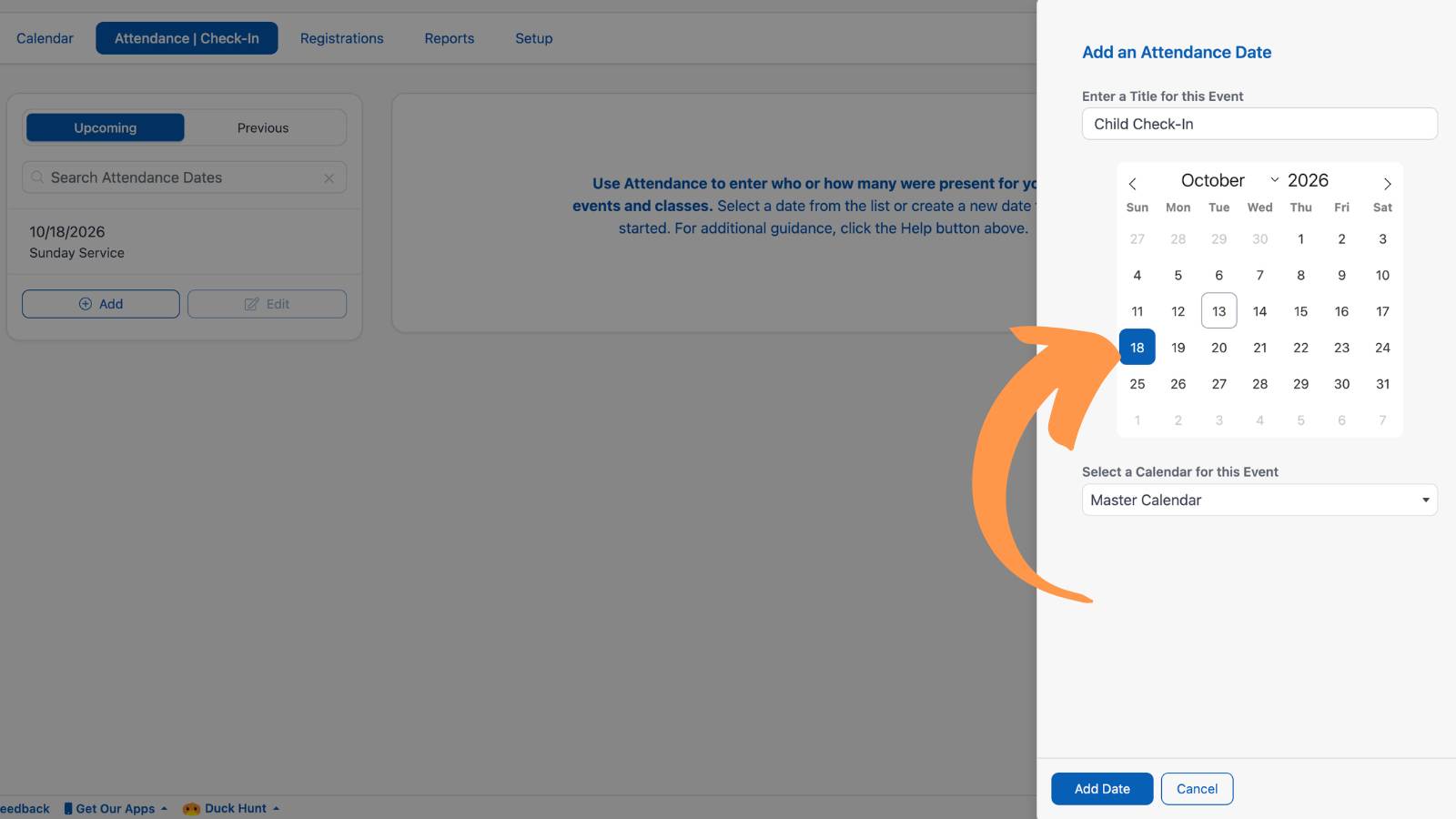
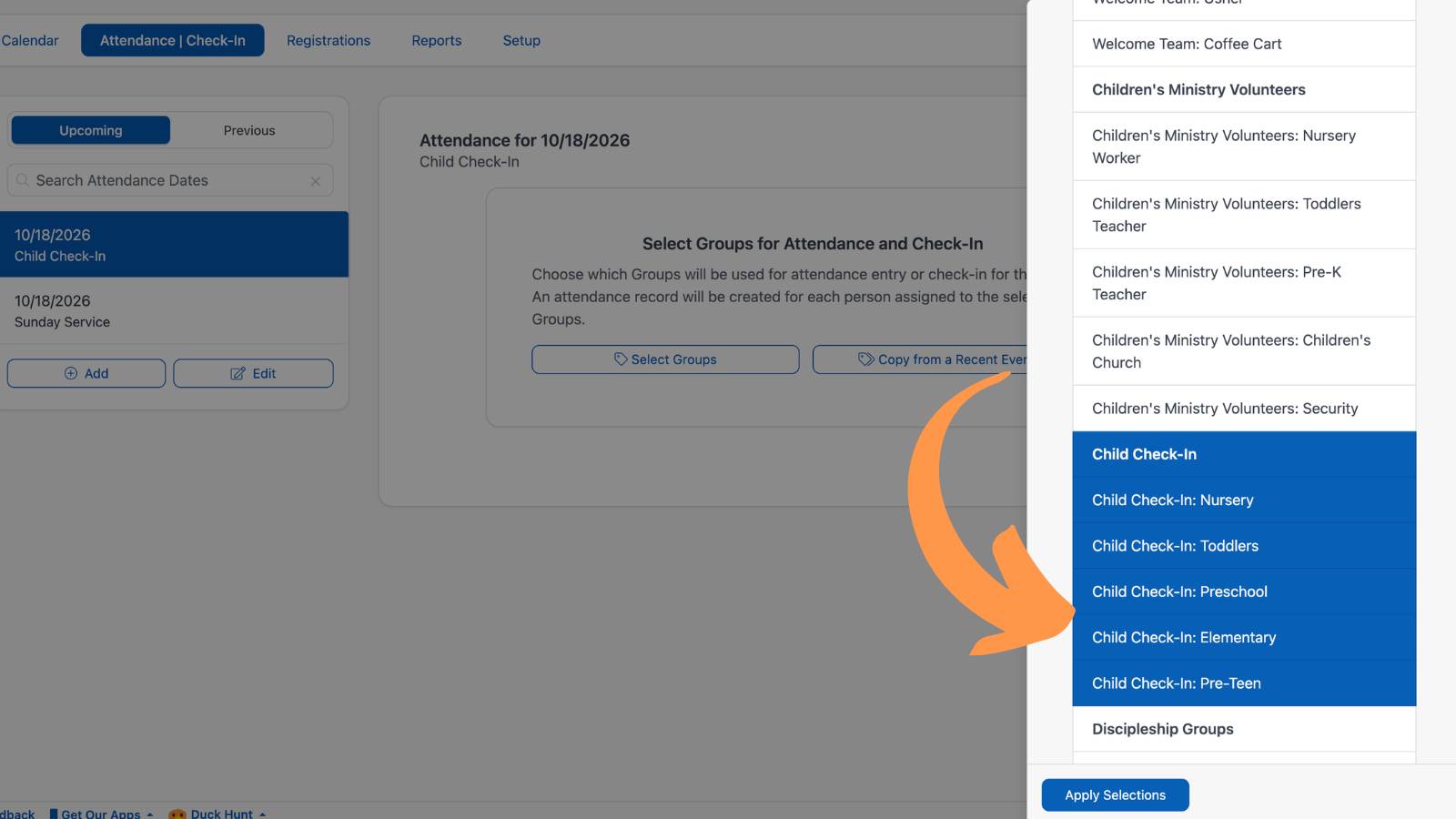
1. Select the "Attendance & Check-in" tab on the Events/Attendance Screen and select a date to enter attendance.

Church Check In Software

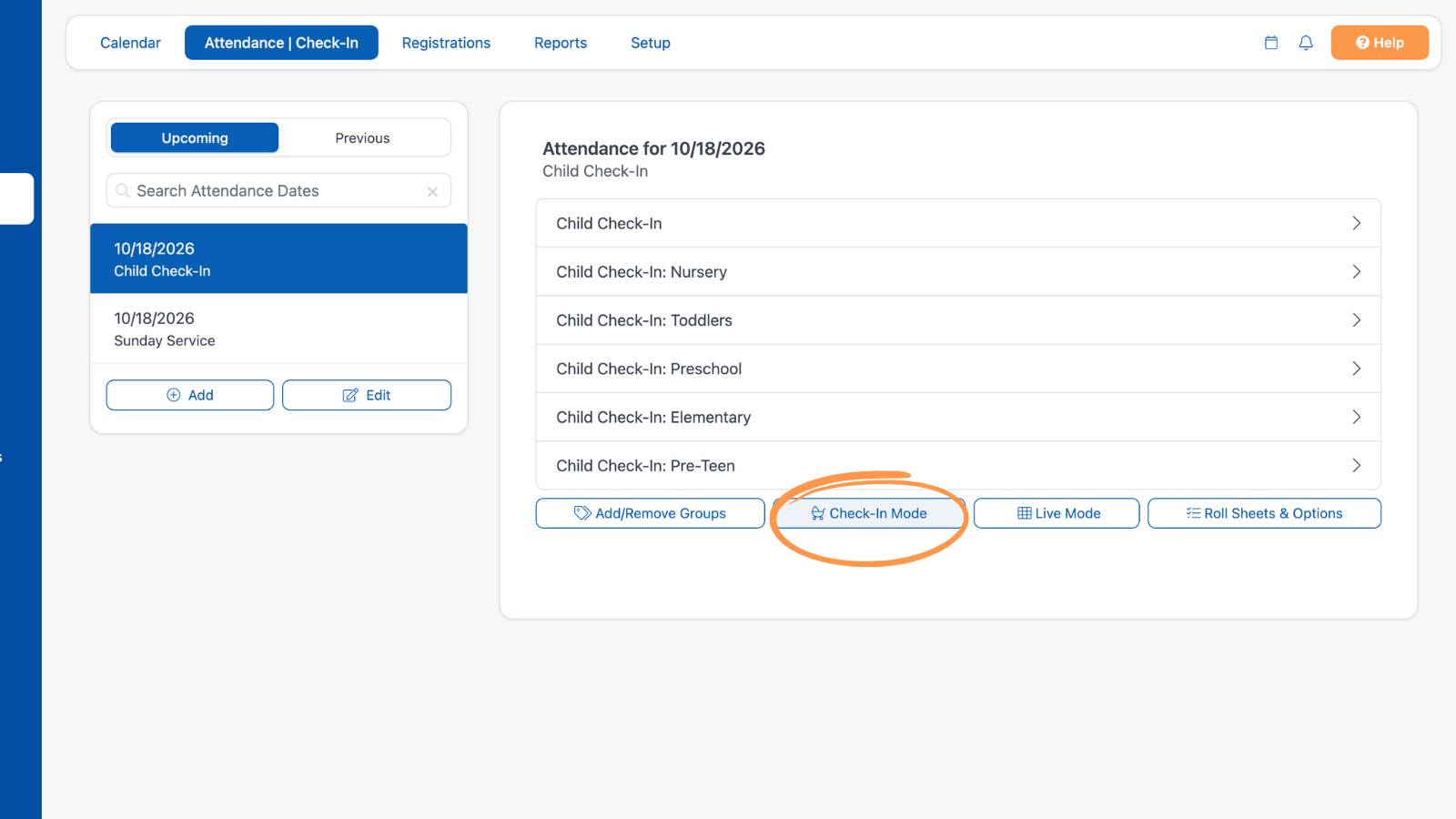
2. Select the "Check-In Mode" button.

Nursery Check In Software

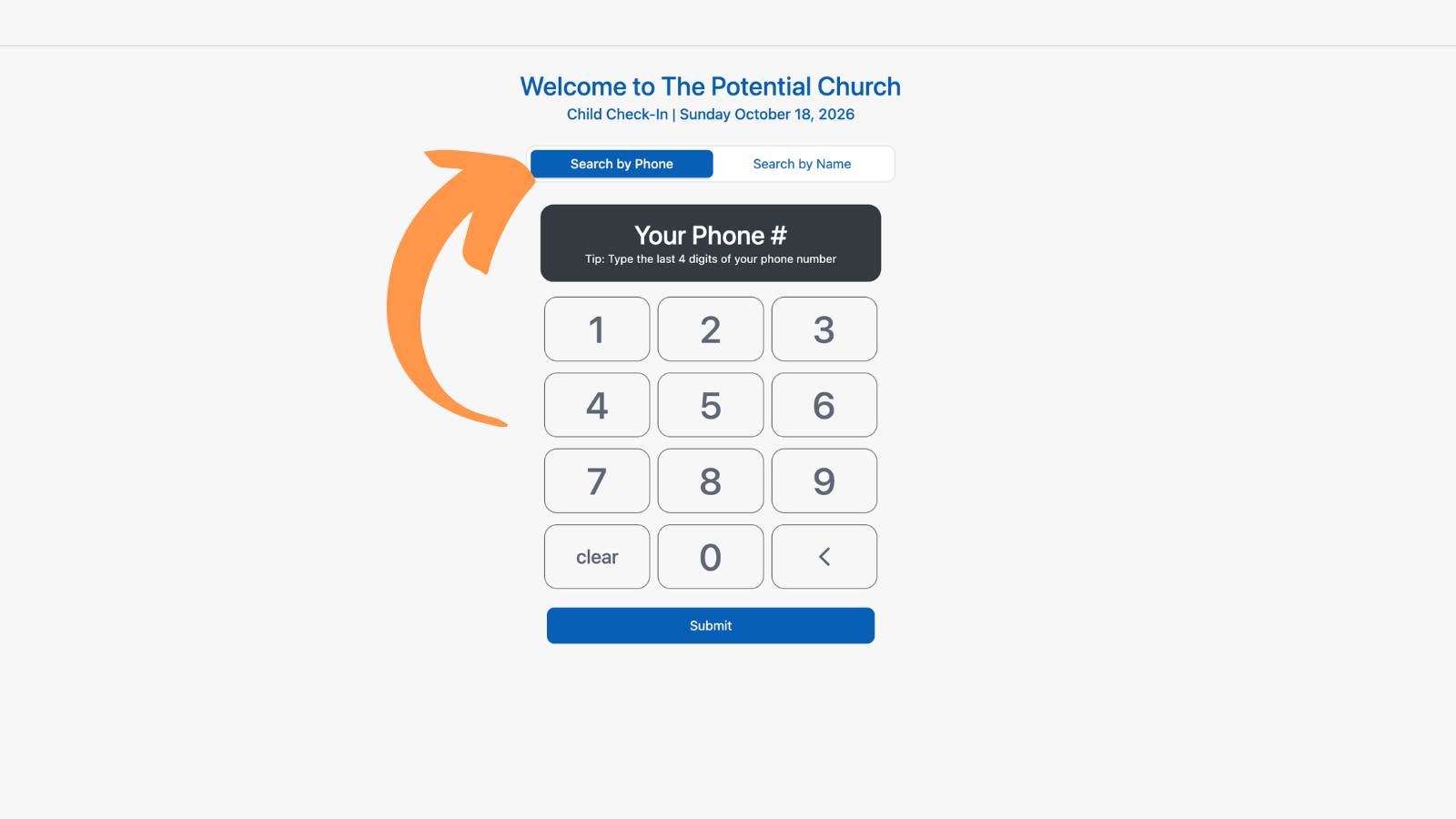
3. Search for your family by Phone Number or By Name and select the Submit button

Children's Ministry Software Church Check In Software

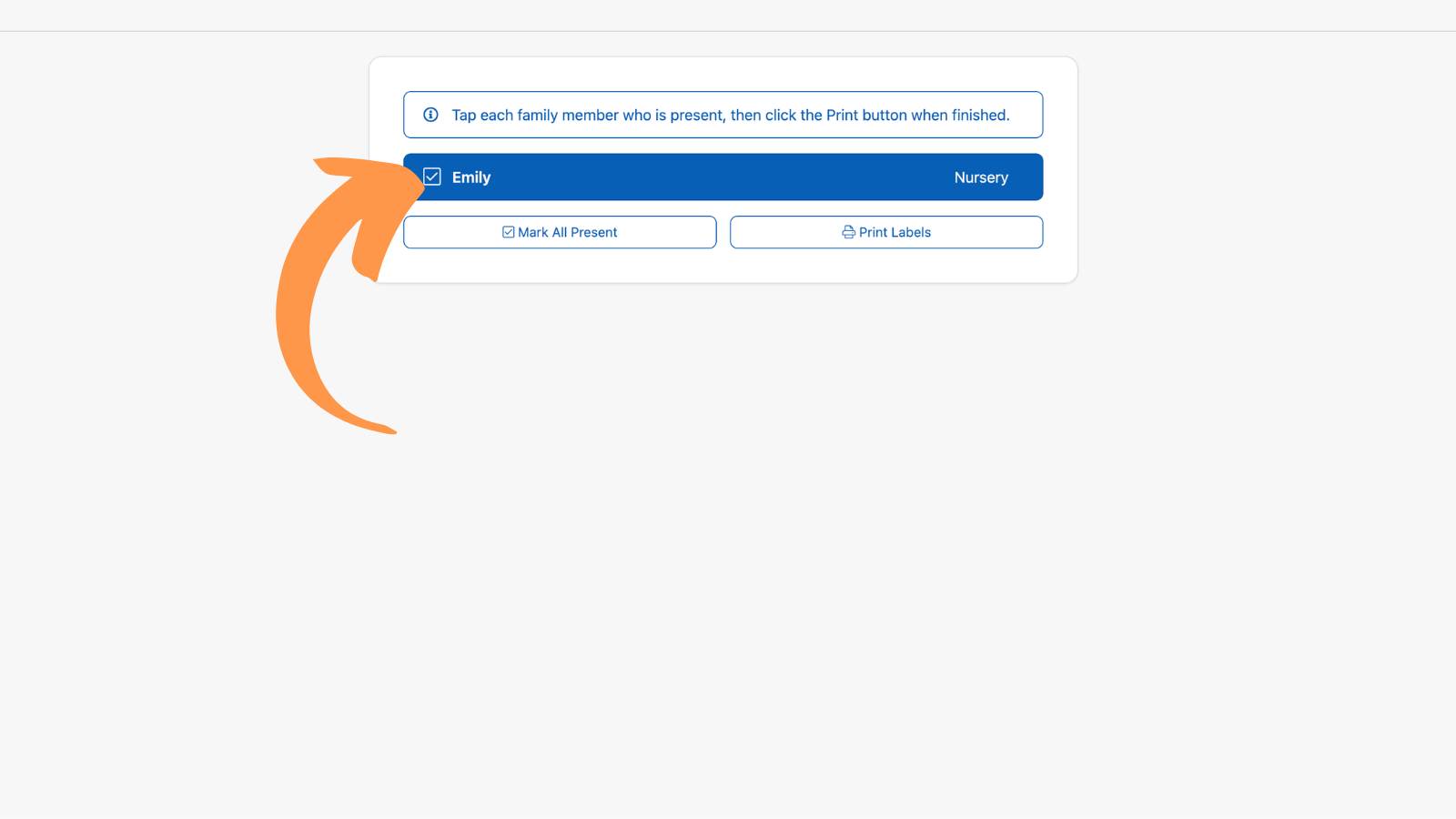
4. Select each member who is present or choose the "Mark All Present" button to enter attendance.
Nursery Software
Not Using Check In Yet?

Nursery check in software isn't just for big churches... it's for churches of all sizes.

Learn More about Check-In ›

 
ChurchTrac Logo

Your All-In-One Church Software.

Facebook Twitter Youtube Vimeo

Products & Features

Giving & Fundraising Church Website Builder Church App Builder People & Messaging Events & Attendance Child Check-In Church Automations Church Accounting Worship and Scheduling Custom Built Websites Accounting Service Security & Integrations

How We Compare

ChurchTrac vs Planning Center ChurchTrac vs Tithe.ly ChurchTrac vs Realm ChurchTrac vs Breeze ChurchTrac vs QuickBooks See all comparisons

Company

About ChurchTrac Terms of Service Privacy Policy

Quick Links

Login to Your Account ChurchTrac Pricing Start a Trial Getting Started Join a Live Demo Contact Us | Tech Support

Recent Posts

  • Upbeat Easter Worship Songs [2026]
  • Top 20 Good Friday Songs and Hymns for Worship
  • Free Church Texting: Is It Actually Free?
  • The $2,000 Rule: How OBBBA Changes 1099's for Churches
  • 5 Common Church Website Mistakes (How to Fix Them)
  • View more blog posts...