Brother 820NWB Printer Setup - Mac
The following instructions will assist you in setting up the Brother QL-820NWB printer driver for your Mac to use with the Family Check-In feature in ChurchTrac.
Before you download the driver below, make sure you go through the settings on the QL-820NWB to connect to your local wireless network. Learn more ›
Please use the link below to download your specific printer driver:
Brother 820NWB DriverStep 1
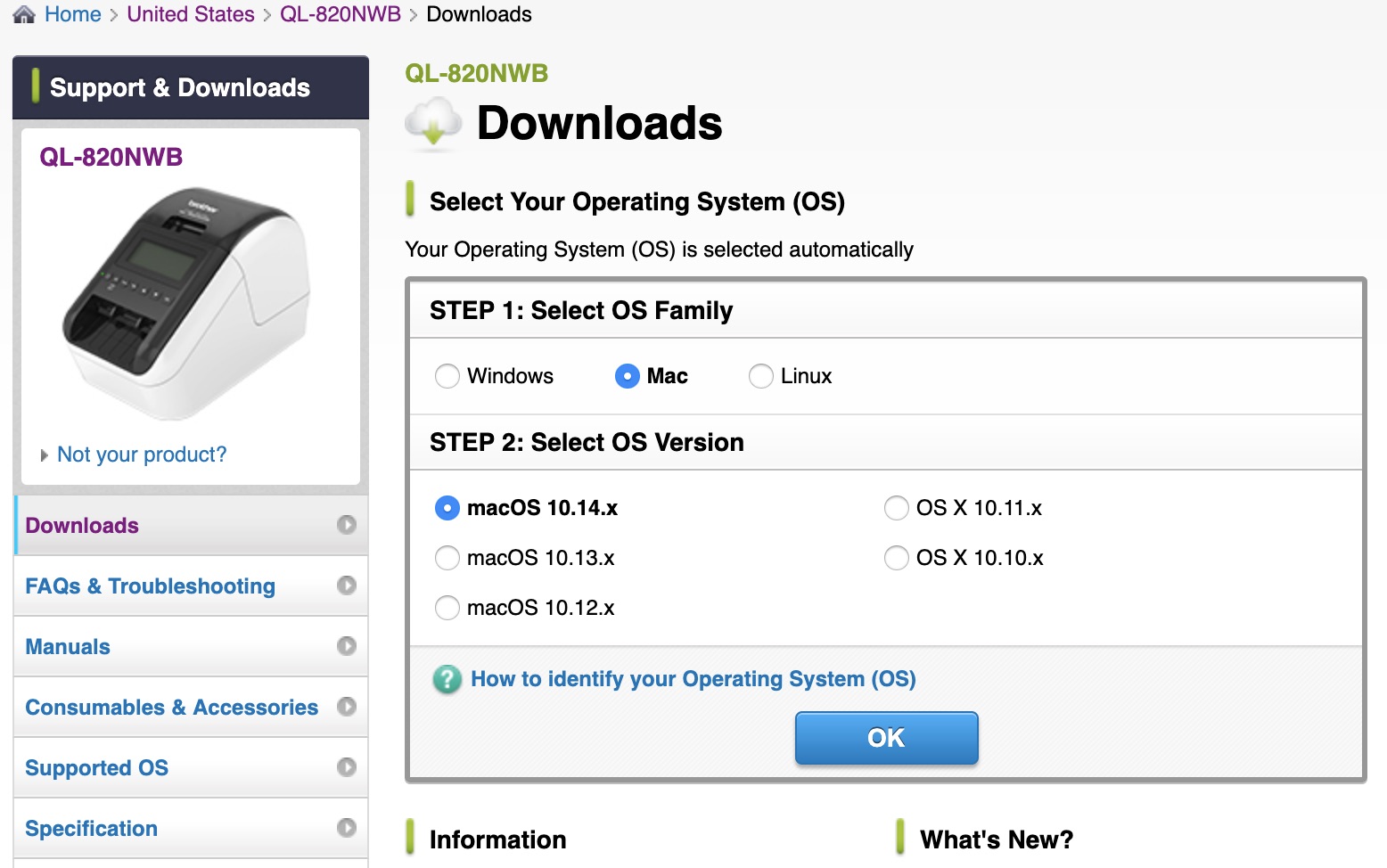
The device you are using will automatically be recognized and you will be prompted to download the correct driver for your device. In order to print wirelessly to your 820NWB, you will need to download the Full Software Package.
Step 2
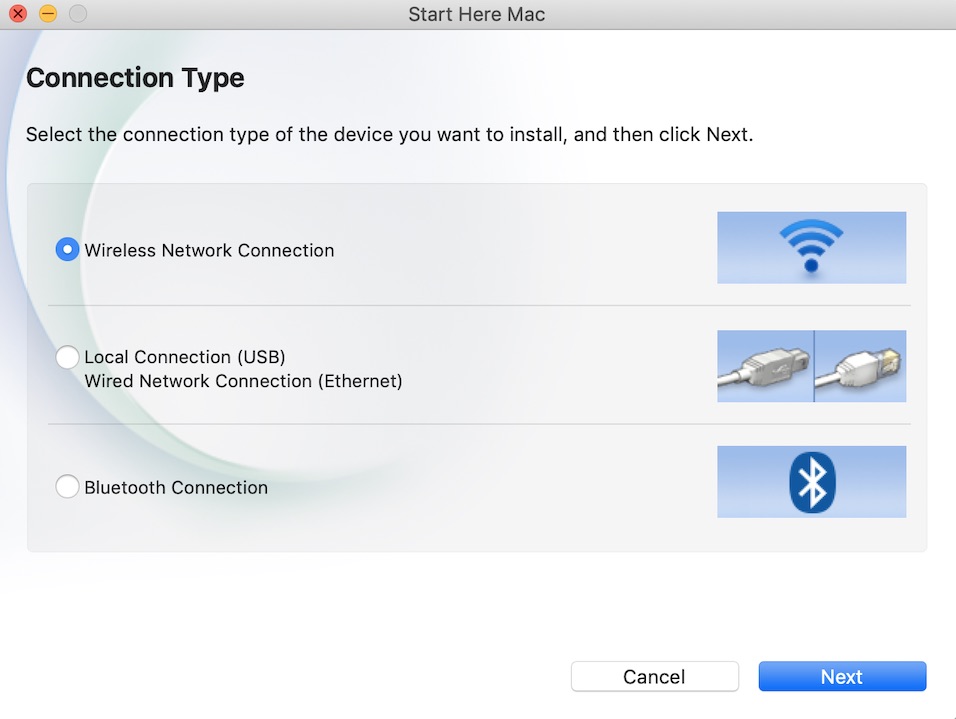
Once the installation has started, select the Wireless Network Connection. From there you will want to choose the QL-820NWB from the list of devices to install.
Step 3
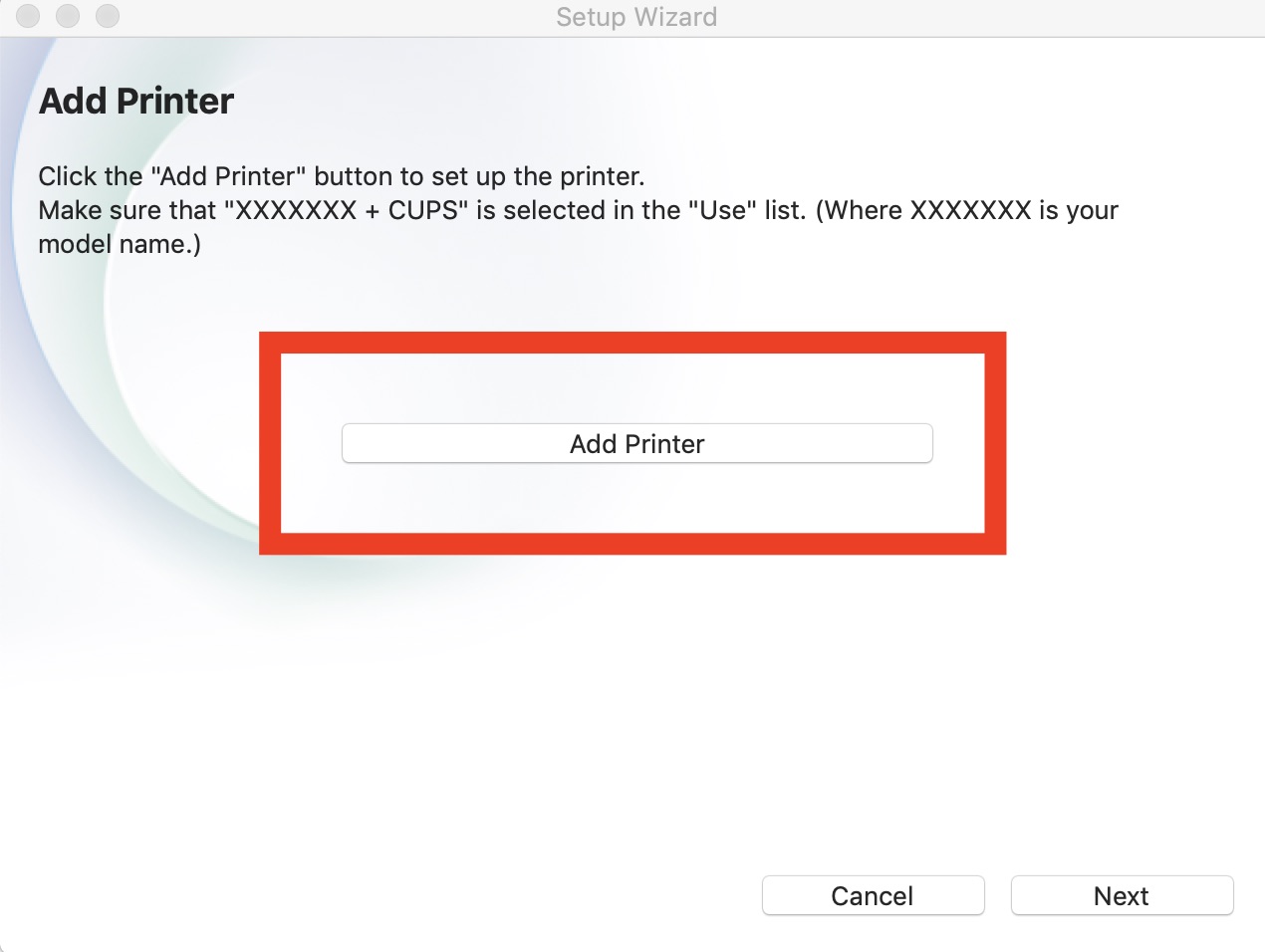
Now that your printer is setup on your computer, you will then be prompted to add the printer.
Step 4
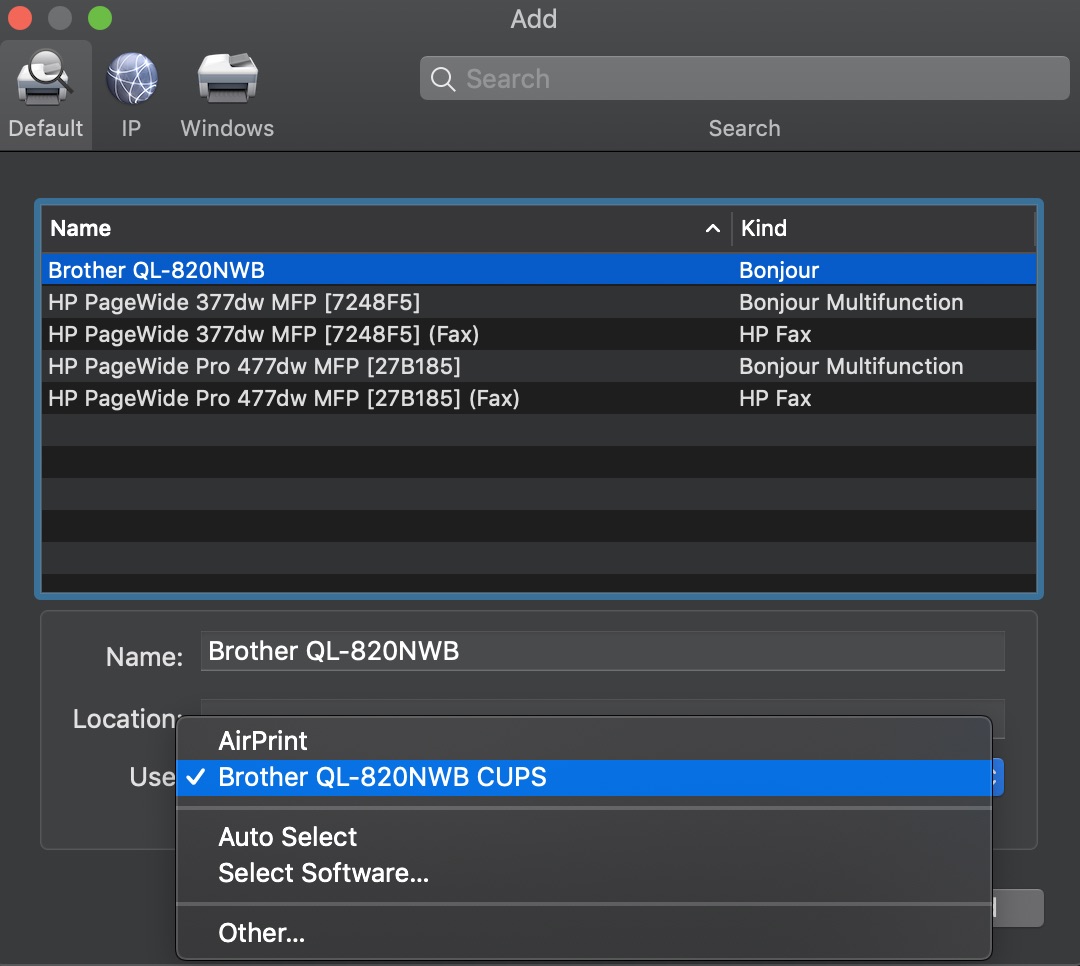
Select your printer from the list of printers available. Once selected, select “Brother QL-8xxx CUPS” from the 'Use:' selection.
Step 5
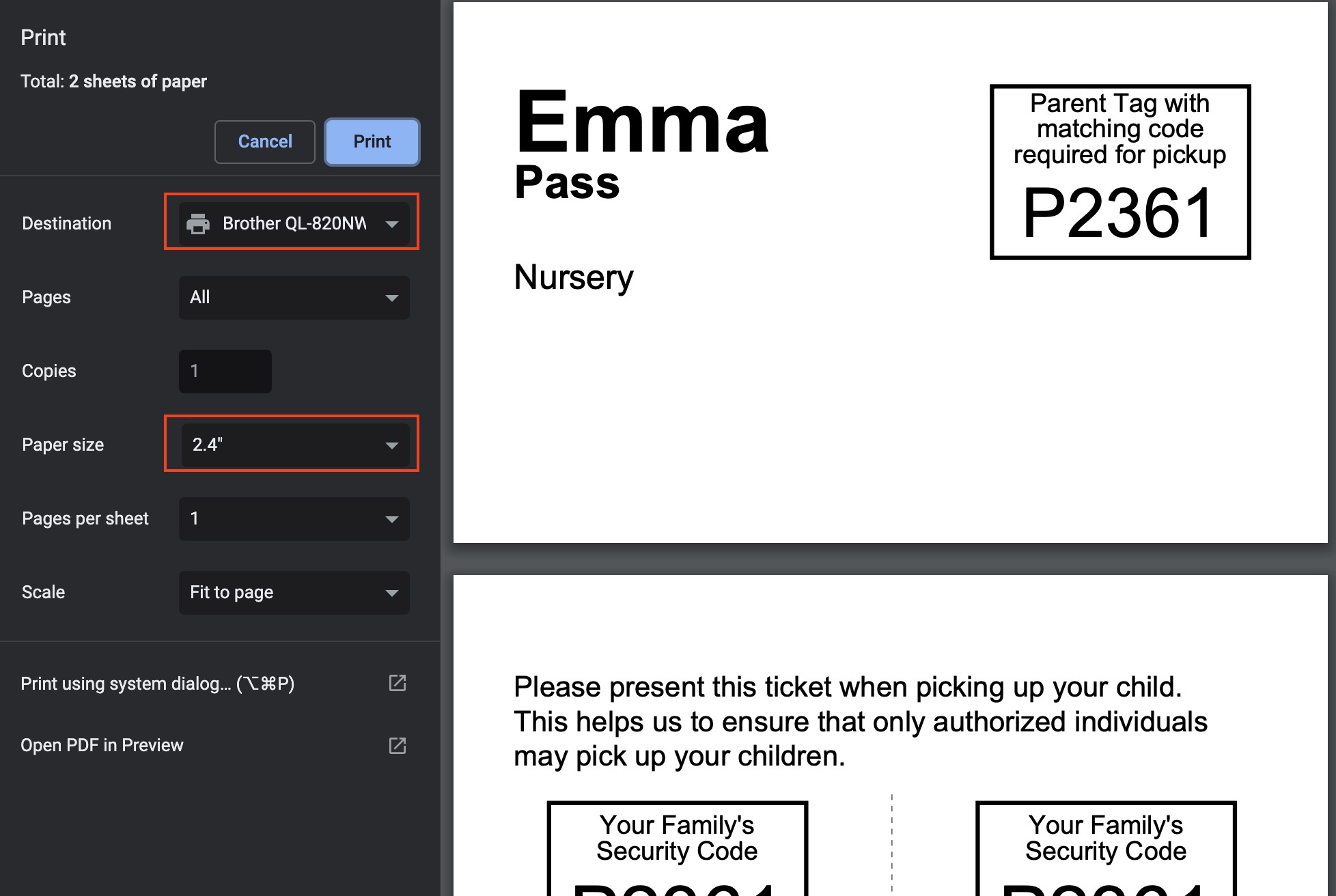
When you print labels for the first time through the application, you will have to select the printer and paper size from the initial print screen dialog. Depending upon which of the two labels you are using, you will choose either:
- 2.4" for continuous feed labels
- 2.4" x 3.9" for name badge labels
Once your printer has been added with the steps above, you are all set to go with printing your labels. Please refer to our Using Check-in article for how to get started!