Enhanced Messaging
ChurchTrac’s built-in messaging lets you send emails and push notifications directly to your congregation. For even more reach, the Enhanced Messaging add-on unlocks mass texting, voice messages, and interactive group chats within your Church Connect app.
Enhanced Messaging Features
Enhanced Messaging features include:
- 2-Way Text Messaging: Receive replies and hold conversations.
- Voice Messaging: Send voice messages by recording, uploading a file, or using text-to-speech.
- Keyword Automation: Use custom messaging keywords to automate replies and sign-ups.
- Group Messaging: Let members of your groups chat with each other and their group leaders in the Church Connect app.
Adding Enhanced Messaging
Enhanced Messaging is an optional add-on you can add to your ChurchTrac subscription at any time.
- Open Messaging. Go to People | Families and select the Messaging tab.
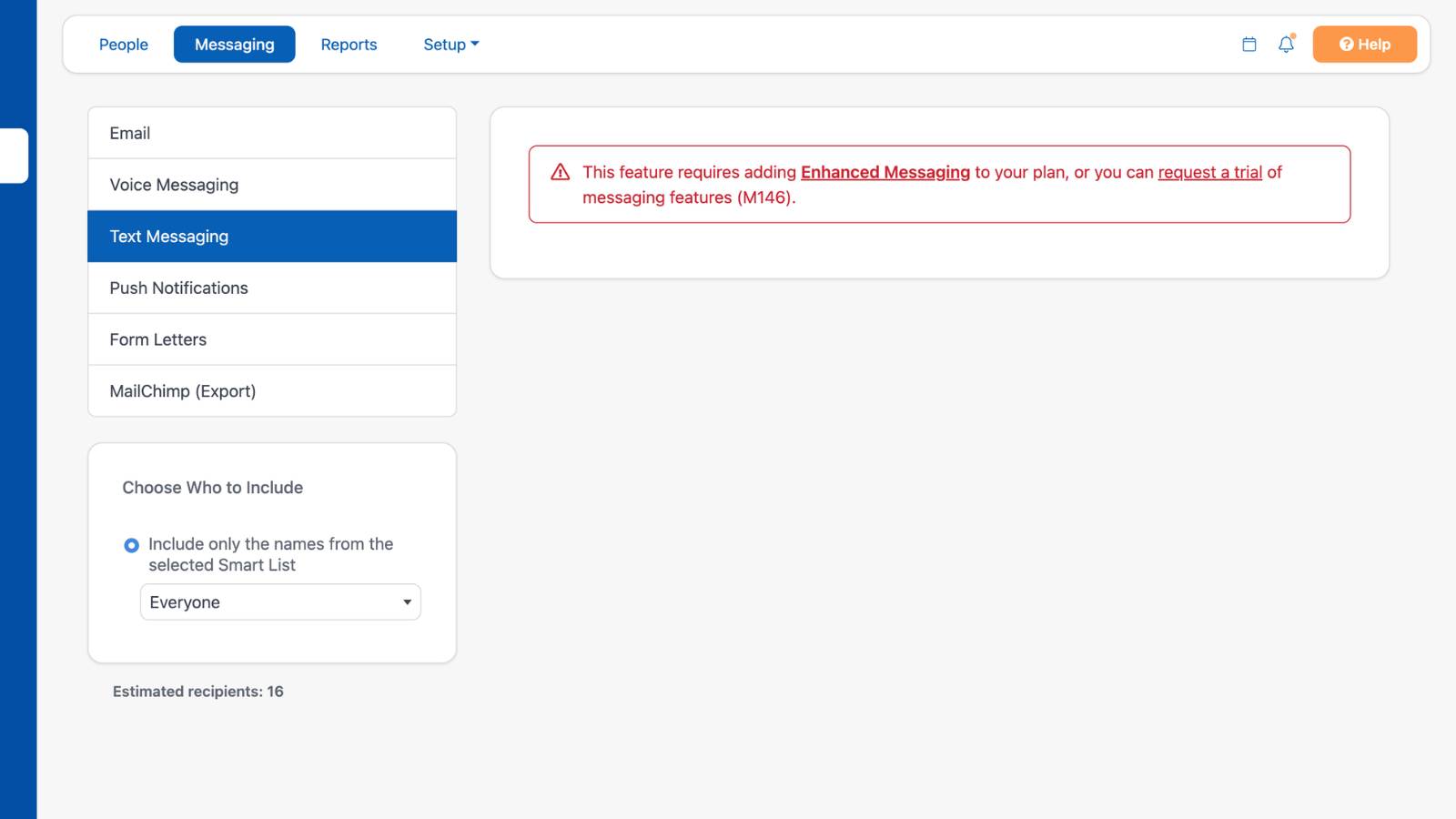
- Select Text Messaging or Voice Messaging. If Enhanced Messaging isn't a part of your subscription yet, you'll see a notice that the feature requires it.
- Add it to your plan. Select the Enhanced Messaging link in the notice and confirm the $7/month add-on. Select request a trial to try the messaging features first.
- Complete SMS setup. Once enhanced messaging is added, follow the steps below to verify your church and get your dedicated number.
SMS Messaging Setup
- Apply. In Admin Settings, provide some basic information about your church. You'll need your church's EIN (Employer Identification Number) to complete this step. Learn more about the verification process ›
- Verification. Your application goes through a verification process, which takes roughly 2–4 business days.
- Start messaging. Once you're verified, your dedicated toll-free number is ready to use.

Simple, Transparent Pricing
Enhanced Messaging starts at $7/month, and includes a dedicated number with 250 messaging credits.
- 1 SMS recipient = 1 Messaging Credit
- 1 Voice recipient = 2 Messaging Credits
- Group messages in Church Connect don't use any messaging credits
Example: Sending a text to 75 people uses 75 credits. A voice message sent to 50 people uses 100 credits.
Need to send more messages? You can purchase an additional block of 250 credits for $7. While your initial included 250 credits reset each month, any additional credits will roll over for up to 120 days.
Enhanced Messaging FAQS
Enhanced messaging costs $7/month for 250 message credits. Additional credits can be purchased in blocks of 250 for only $7 each block.
Yes. Please reach out to our support team for further details.
For most ministries sending SMS messages, ChurchTrac’s Enhanced Messaging is roughly half the monthly cost of Text In Church.
No, group messages sent in the Church Connect app don't use any messaging credits, so your groups can chat as much as they'd like.
You can record in your browser, upload an audio file, use text-to-speech, or call in to record your message.
Browser recording, file uploads, and text-to-speech are available with Enhanced Messaging on a current plan. If your church is on a legacy plan or sends voice messages through Twilio, only Call to Record is available. Learn more about current plans ›
Check that the Groups tab is enabled in your Connect App Settings, messaging is turned on for the group, and the group has at least 3 members using Church Connect. People with the Child family role can't participate in group chats.