Group Messaging
Group messaging gives each of your groups its own chat in the Church Connect app, so members can talk with each other and their group leaders throughout the week.
- What Is Group Messaging?
- Who Can Participate?
- How to Set Up Group Messaging
- Setting Group Leaders
- Sending a Group Message (For Members)
- Group Messaging FAQs
Group Messaging is only available to churches on a current plan with the Enhanced Messaging add-on. This feature is not available on legacy plans. Learn more about current plans ›
What Is Group Messaging?
Group messaging is a group chat that lives inside your Church Connect app. Members of a group can send messages, reply to each other, and stay connected, without needing anyone's phone number or going through the church office.
Group messages are sent in the app only. They don't use messaging credits, so your groups can chat as much as they'd like.
Group messaging works well for small groups, Sunday school classes, volunteer teams, worship teams, and any other ministry that needs to coordinate during the week.
Who Can Participate?
For someone to take part in a group chat, they'll need to:
- Be assigned to the group on the People screen
- Have a Church Connect account and be logged in
- Not have the Child family role, since children's accounts can't participate in group messaging
A group also needs at least 3 Church Connect users before a chat becomes available. If a group has fewer than that, it will not be viewable in the app.
How to Set Up Group Messaging
1. Enable the Groups tab in your app
In the Church Connect screen, go to Connect Settings → Connect App Settings and enable Group Messages. This adds the Groups tab to the bottom of your members' app.
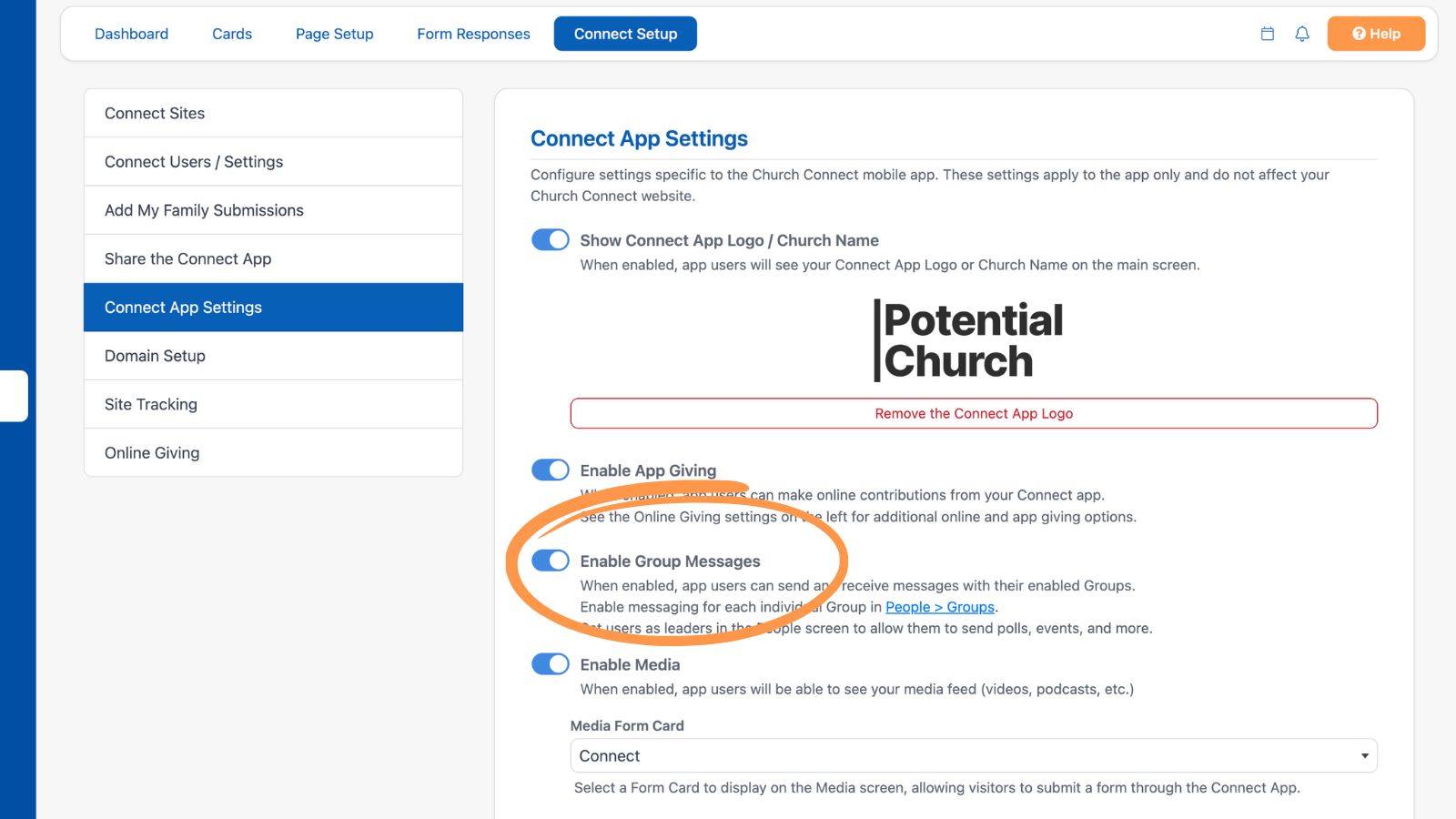
2. Enable messaging for each group
On the People screen, go to Setup → Groups and select a group. Under Group Details, enable the toggle for Group Messaging.
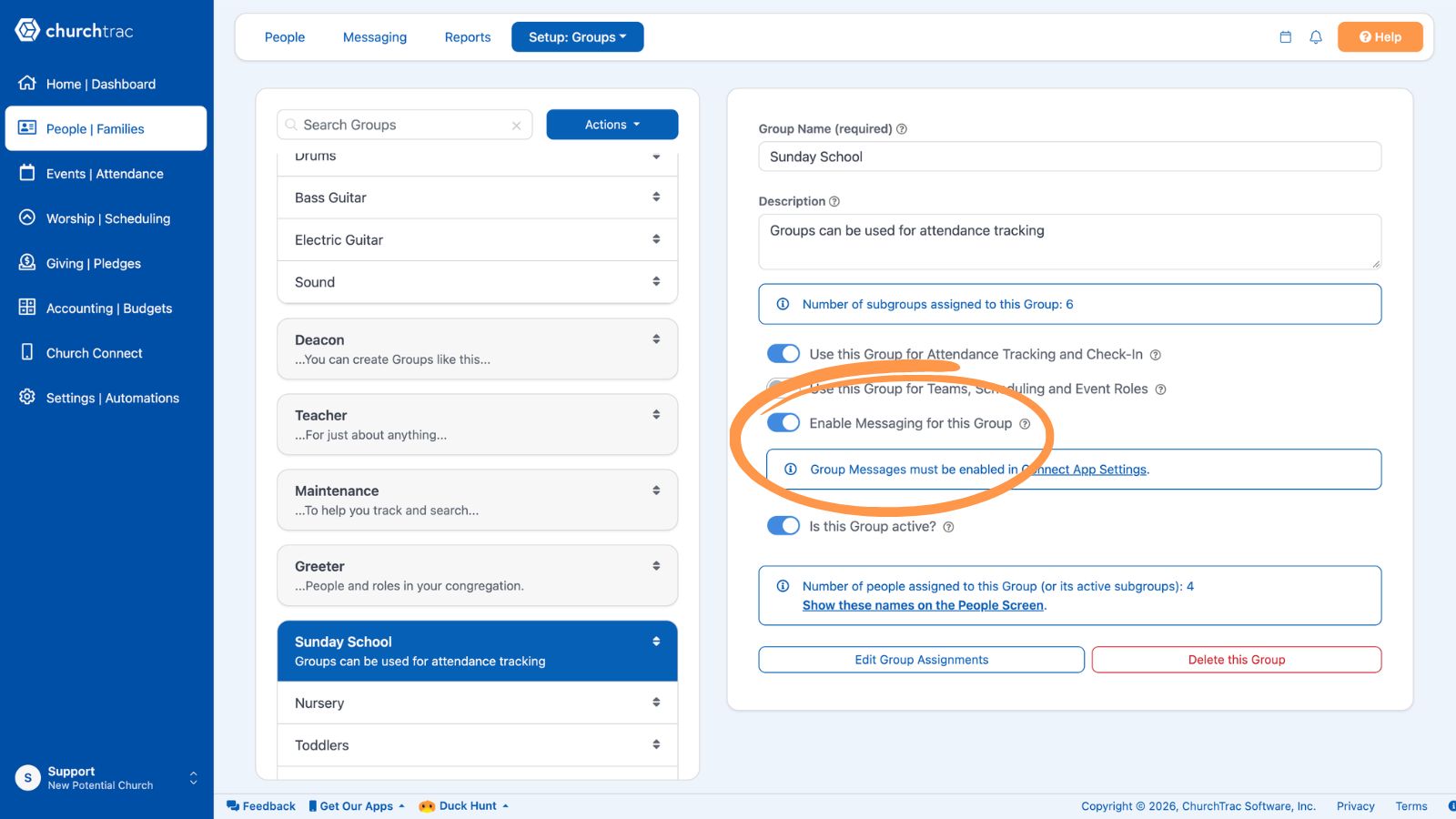
Messaging is not enabled by default, and you enable it one group at a time, so you can decide which of your groups should have a chat. Learn more about Creating and Editing Groups ›
Setting Group Leaders
You can give certain people extra permissions within a group by setting them as a group leader.
On the People screen, select a person's name, then open their Groups tab. Set them as a leader for any group they're assigned to. This is the same place you enable attendance tracking for a person.
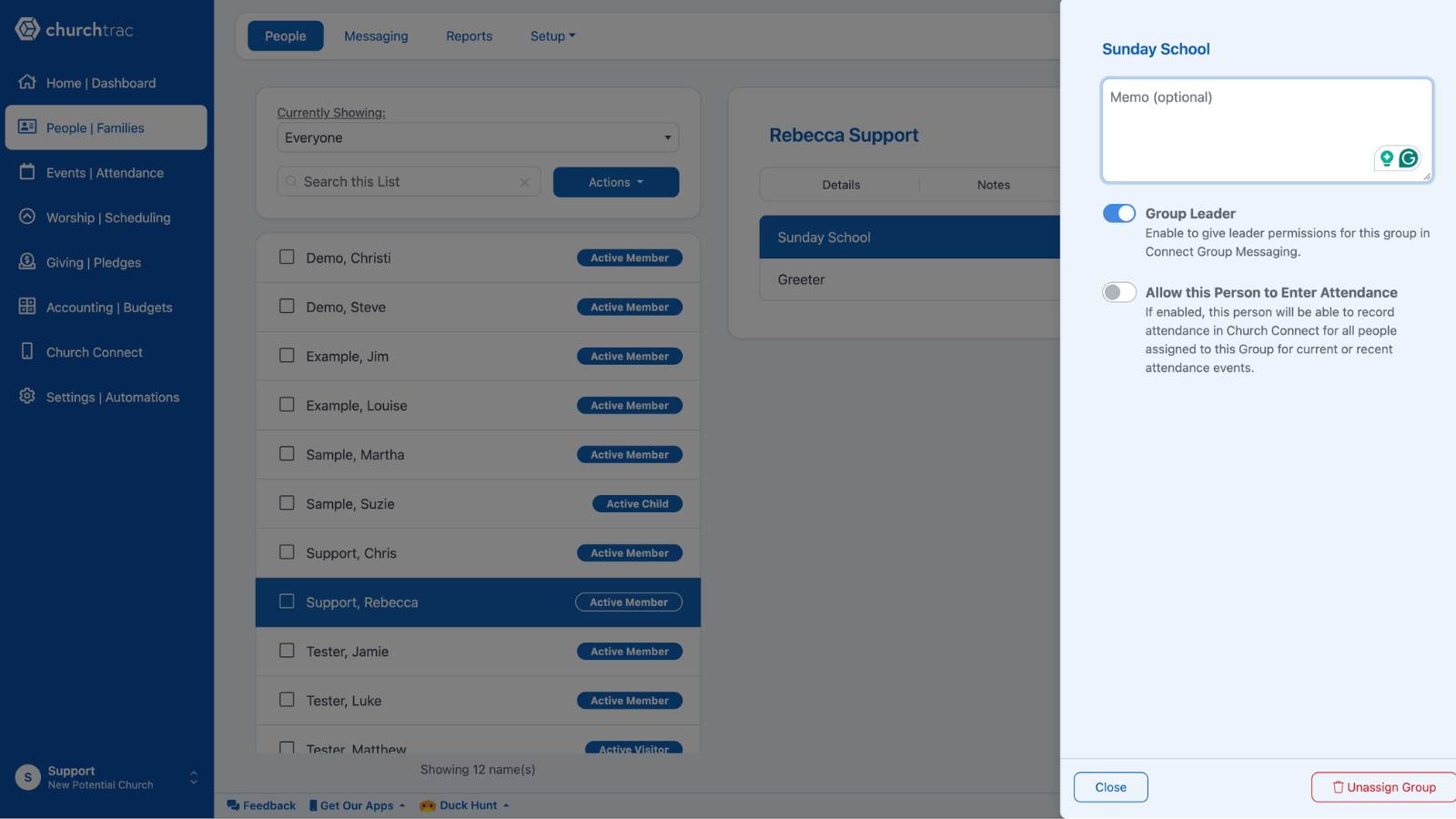
Group leaders have additional options in their group chat, such as creating polls, registrations, and removing messages from a chat. Learn more about Assigning People to Groups ›
Sending a Group Message (For Members)
Once you've completed setup, your members can start chatting right away.
- Tap the Groups button at the bottom of the app.
- Select a group to open its chat.
- Type a message and send. Everyone in the group will see it and can reply.
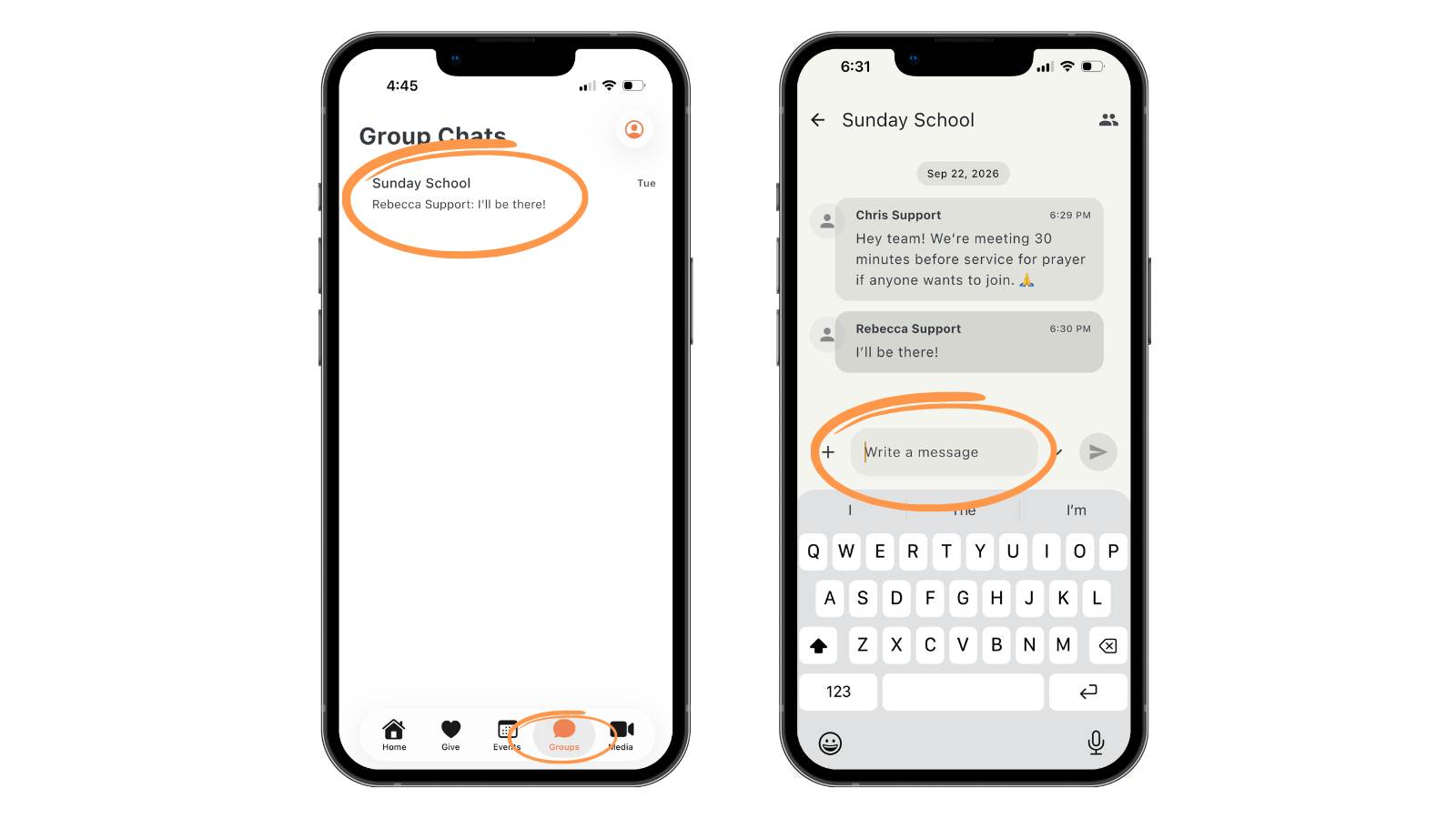
Pro Tip: Share our Using Church Connect (For Church Members) › guide with your congregation so they know how to find their groups and start a chat.
Group Messaging FAQs
Does group messaging use messaging credits?
No. Group messages are sent in the Church Connect app and don't use any messaging credits.
Do I need Enhanced Messaging to use group messaging?
Yes. Group Messaging is an Enhanced Messaging feature.
Why doesn't a group have a chat?
Check that the Groups tab is enabled in your Connect App Settings, that messaging is turned on for that group, and that the group has at least 3 members using Church Connect.
Why can't a member see the group chat?
They need a Church Connect account, they need to be logged in, and they need to be assigned to the group on the People screen. People with the Child family role can't participate in group messaging.
Can children participate in group messaging?
No. People with the Child family role can't take part in group chats, even if they have a Church Connect account.