Church Member Status
Church membership tracking is done with the member status field. It enables you to create and assign a specific membership type or category to an individual.
- Customizing Types of Church Membership
- Assigning an Individual Membership Status
- Bulk Edit Membership Status
- FAQS
Customizing Types of Church Membership
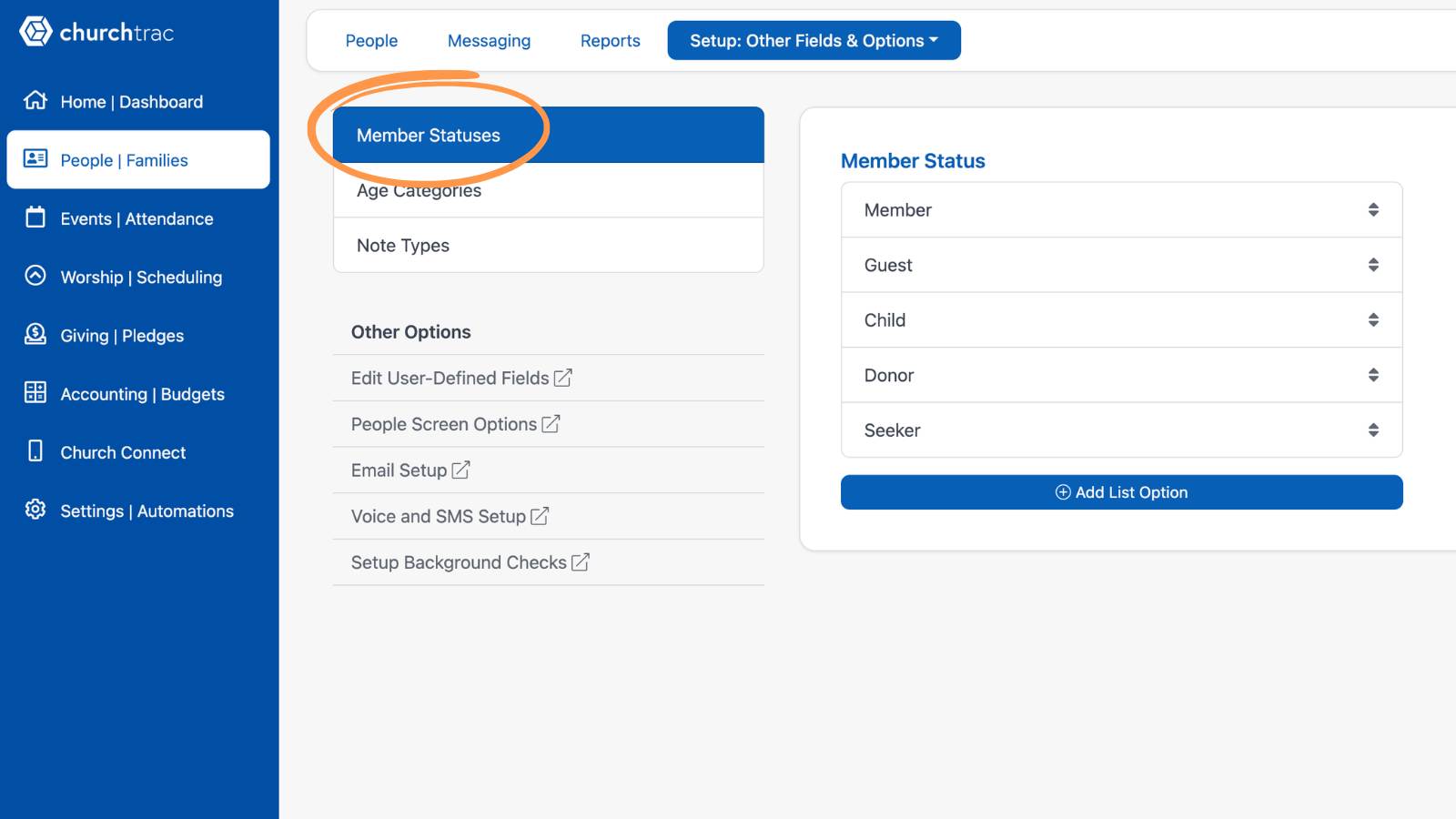
We recommend customizing your member status field to the needs of your ministry. In the Setup tab, select "Other Fields & Options" and "Member Statuses." Then, select "Add List Option" to customize and add new statuses.
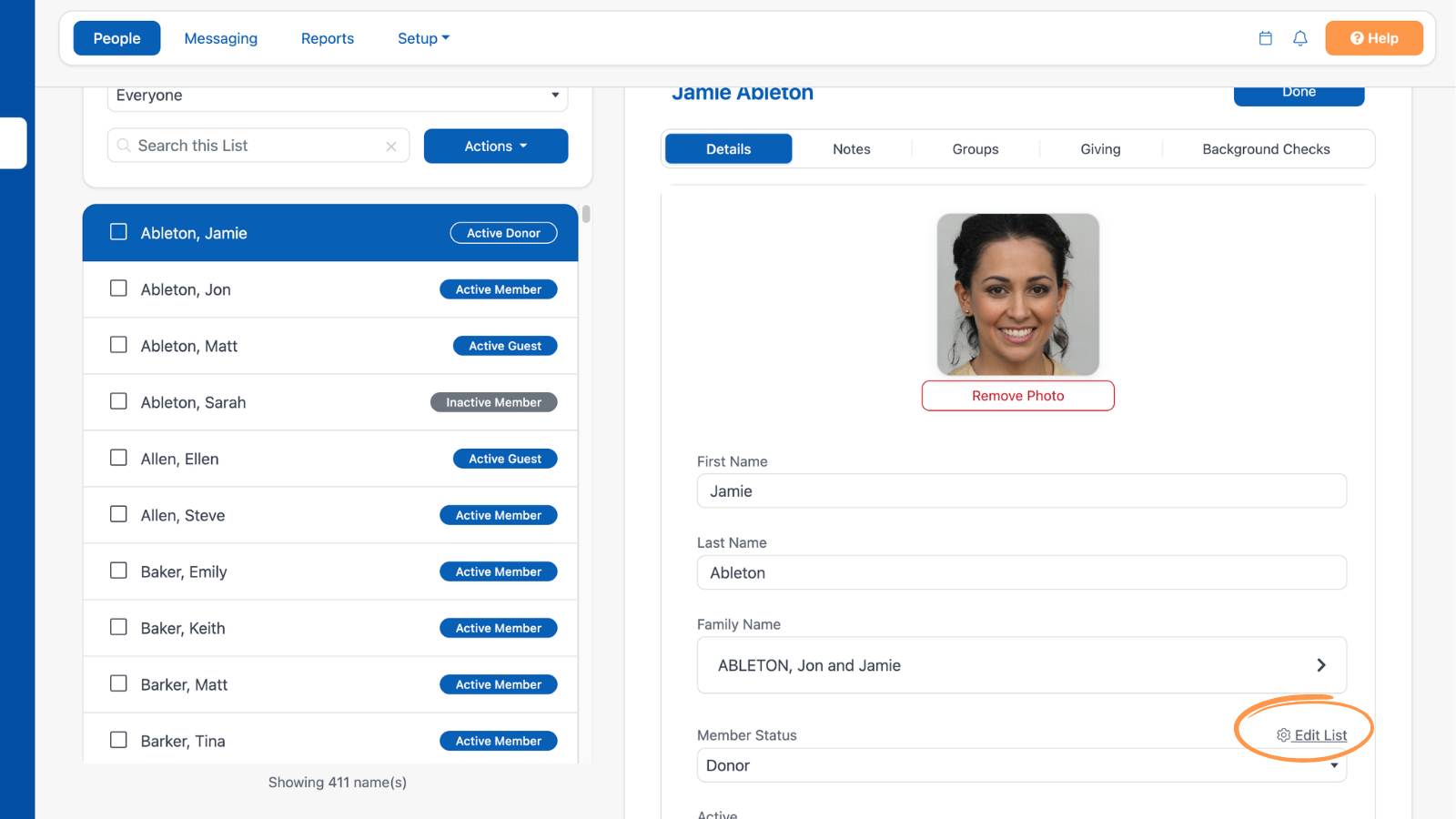
Additionally, you can select one of the example individuals in the People screen, then select the "Edit" button above their profile. Scroll until you find the "Member Status" field, then select the "Edit List" button to the right.
In the slideout menu, make any changes to the terminology to reflect the nomenclature that your ministry uses to refer to its members.
Assigning an Individual Membership Status
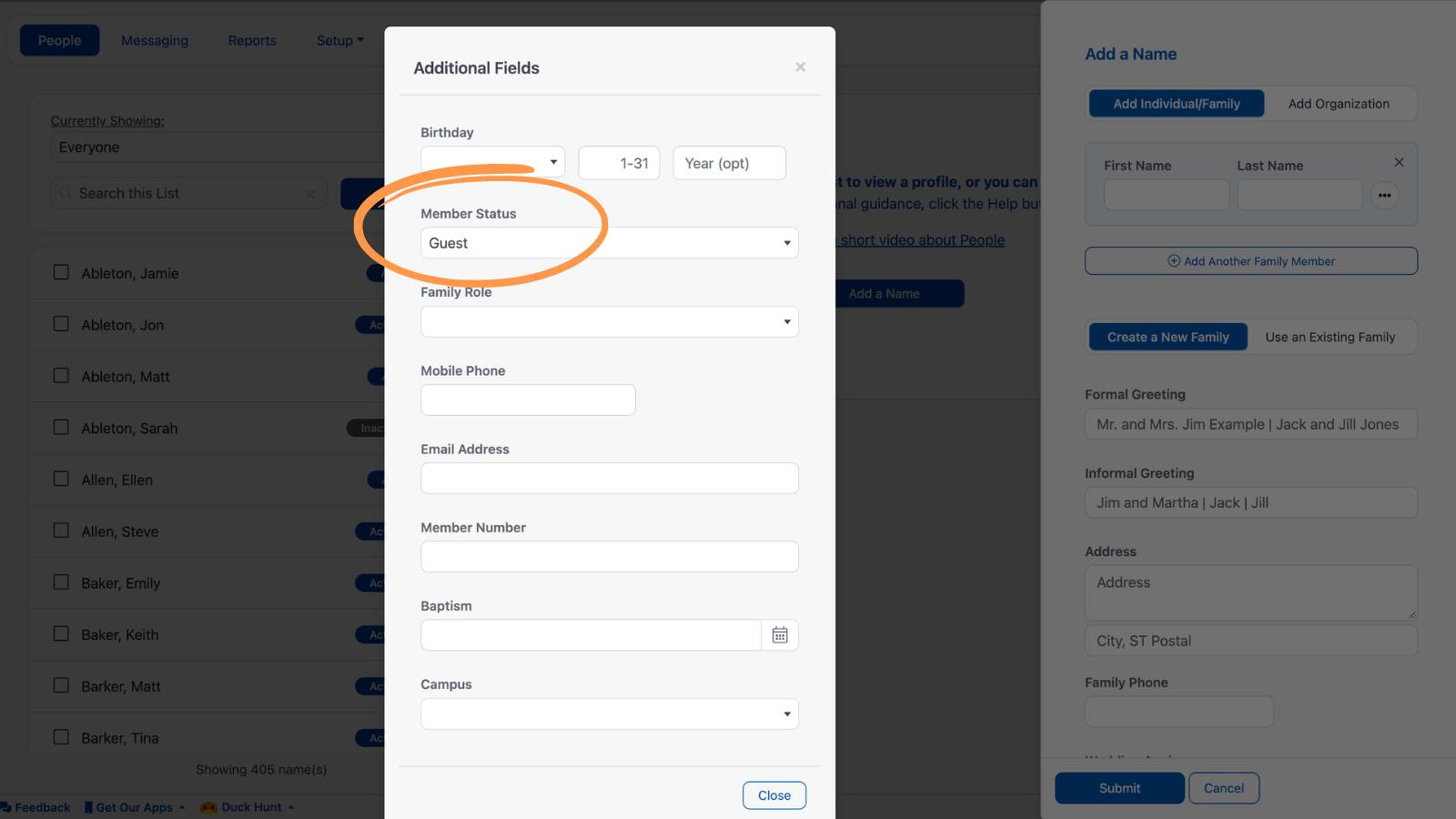
When adding an individual to your database, you can assign a member status to that individual and additional members in their family.
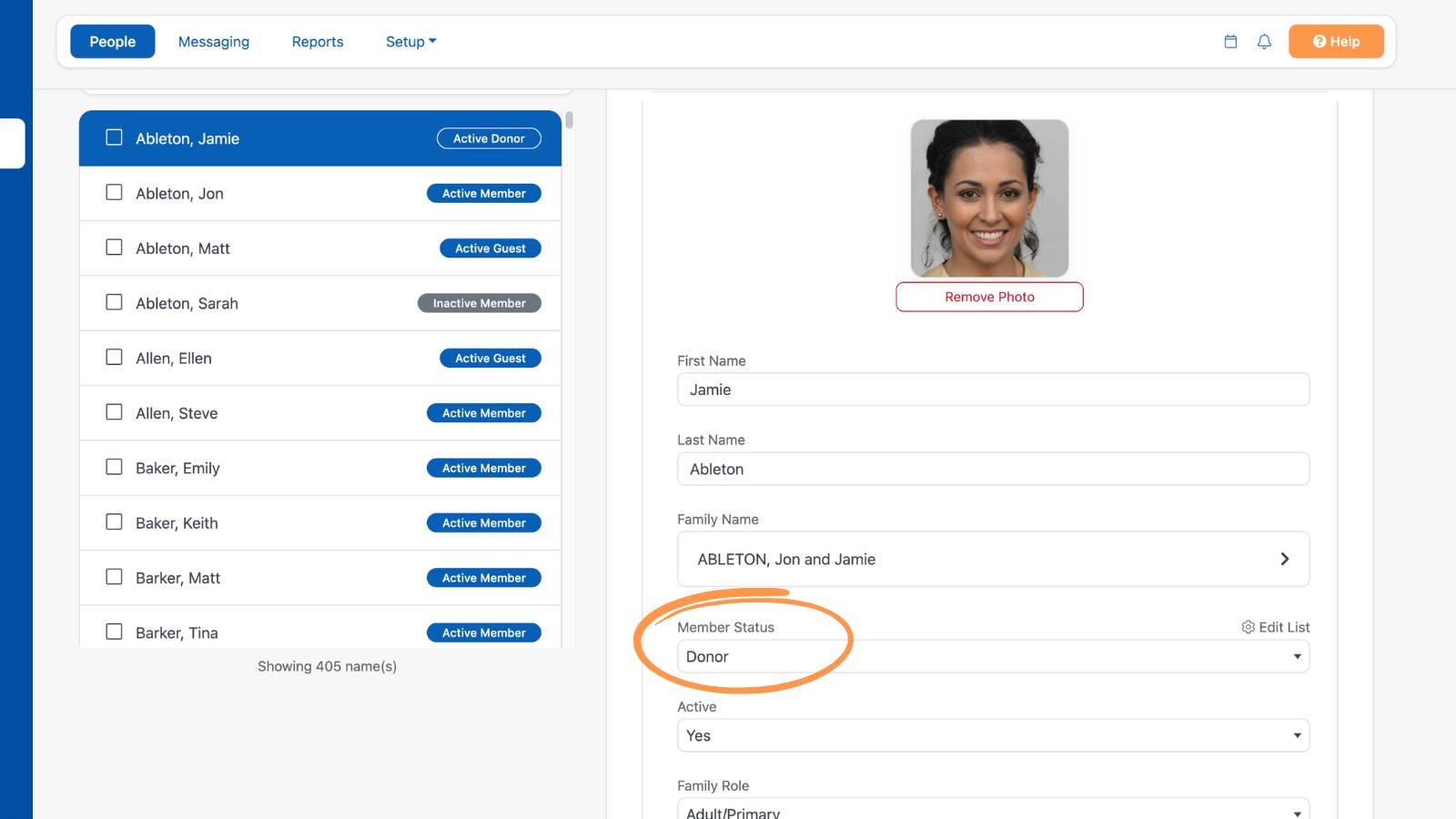
You can also change the membership status of an individual when editing their profile.
Bulk Edit Membership Status
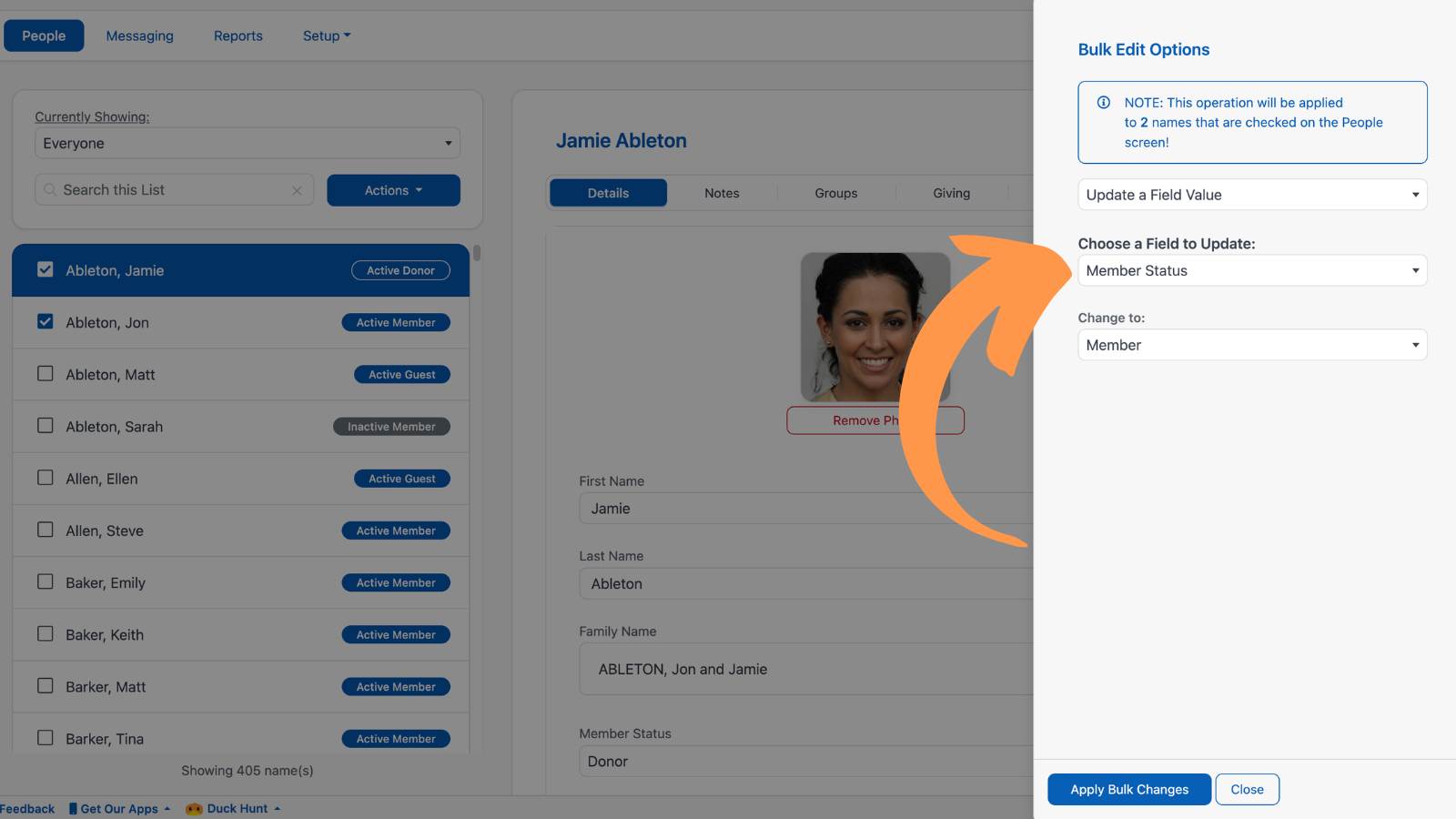
If you need to assign a member status to multiple individuals in your church database, use the Bulk Edit Tool. This feature will save you a great deal of time.
FAQS
Yes. This will save you time in managing your church's database. This will help you avoid needless bulk edits and changing an individual's status afterward.
No. The member status field is only the membership designation of an individual. All individuals in your church's database are counted towards your name tier. However, archived individuals do NOT count towards your name tier. Learn more about Archiving Names ›
We get asked this question a lot! Most churches have 3-5 types of church members. These commonly include Member, Guest, Child, and Donor.
However, every church is different. Your church may use different nomenclature or have other designations you prefer. But we recommend not creating more than 7 church membership types to avoid unnecessary complexity and confusion.