Software Updates: User Permissions and More

We’ve just launched a handful of new improvements to many different areas of the software. Not big changes, but small incremental (and much welcomed) changes. Especially with regards to user permissions.
Here’s a quick rundown of what’s been added/changed...
User Permissions Overhaul
Access to user defined fields, projects, calendars, and note types (formerly note categories) are now available on a per-user basis, without previous access being affected. This new approach in not only more customizable, but much easier to understand than the previous permission levels of pastor, leader, etc.
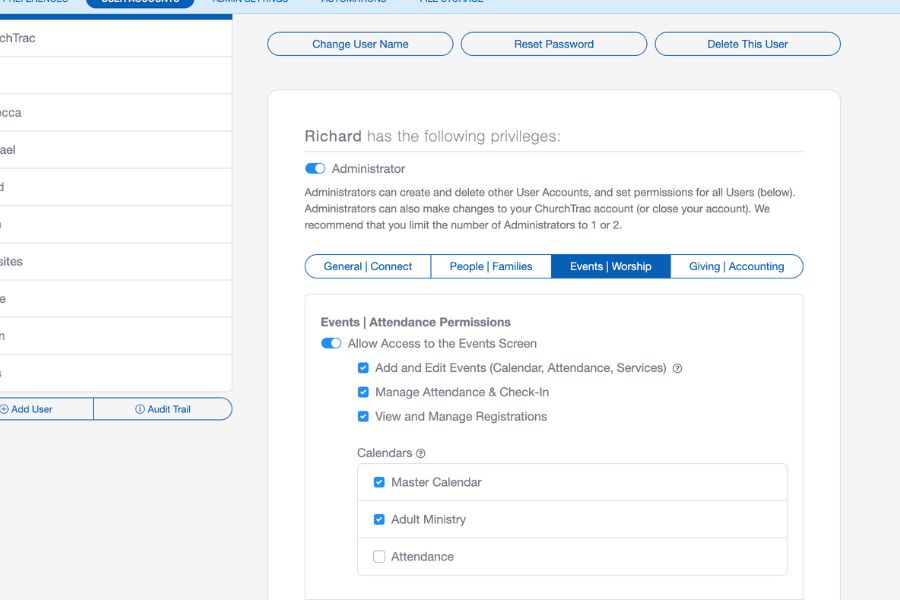
The UI is consolidated into tabs and will now display a list of user defined fields, projects, calendars, and note types that have specified users assigned. You can add or remove a user from these lists right from the user accounts screen.
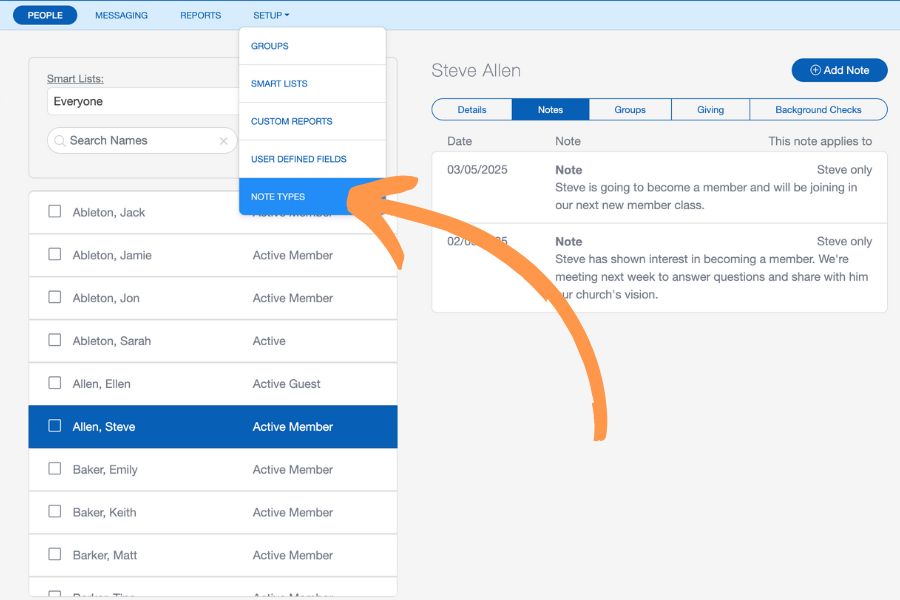
Note Types
Note types have moved from the notes screen and can be accessed from the setup dropdown.
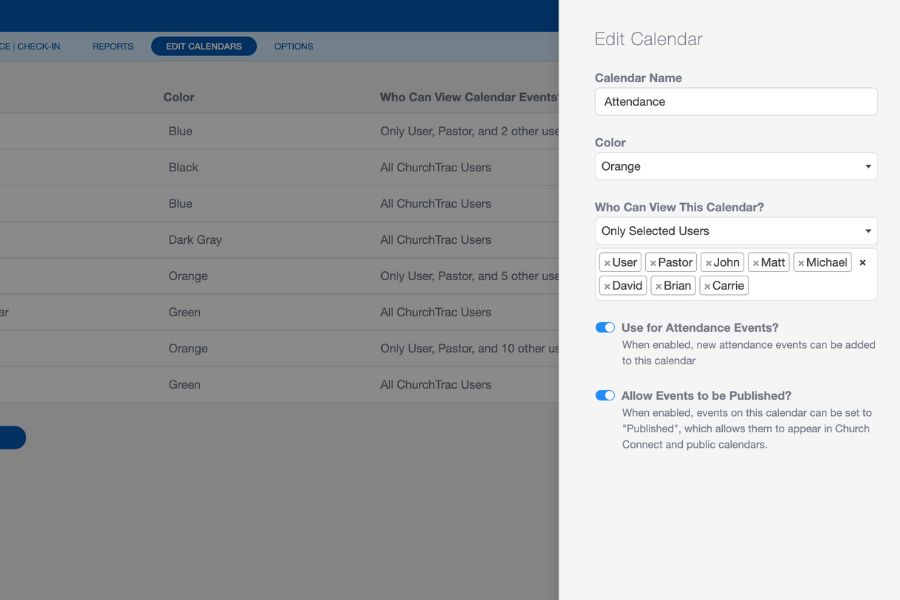
Church Calendar Permissions
There is no longer a ‘who can edit this calendar’ option; instead, if you have permission to edit events, you can make changes to a calendar. There are also two new options for calendars; enable or disable a calendar for attendance events and enable or disabled a calendar to allow published events.
User-Defined Fields
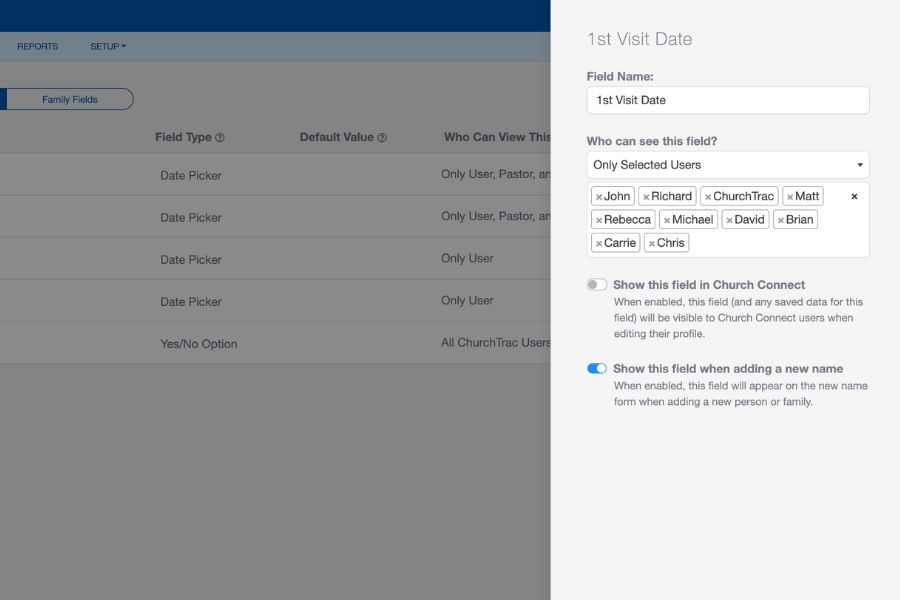
We've updated the user defined fields (custom church fields) screen for admins. There is a new option to allow access to a user defined field in Church Connect, as well as an option to include or exclude the field when adding a new name.
Monthly Church Budgets
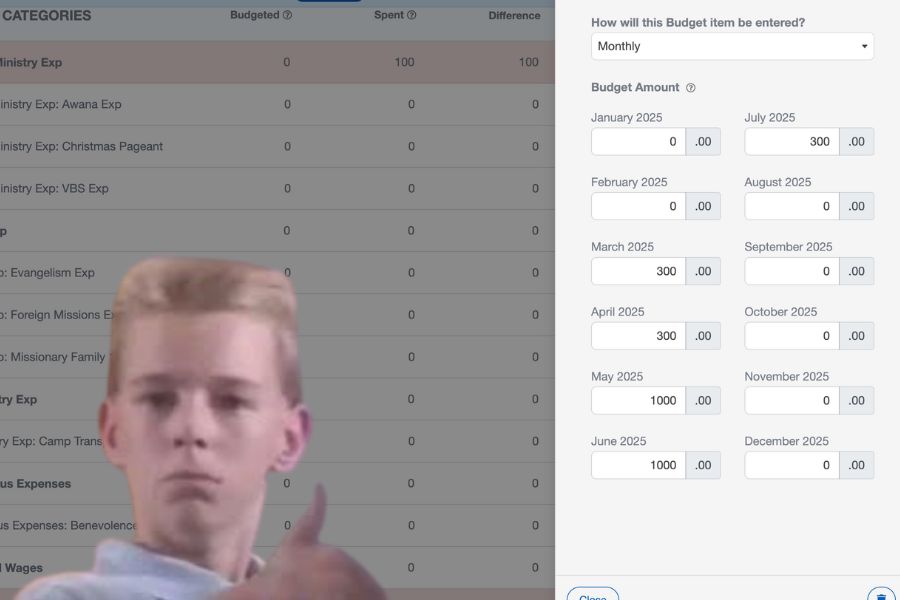
When toggling a budget category to monthly, you have to option to budget for each month individually. This is perfect for items that you need to only budget for on certain months... like VBS!
Minor ChMS Updates
- Only admins can control who has access to a user defined field, project, calendar, or note type, whether they are available to all or specified users.
- Changes from the projects screen: the public/private options have been replaced by this new user approach.
- Every report section in ChurchTrac now includes reports using our new reporting engine.
- In Worship > Team | Roles, the report button has moved above the team list, and you can now select specific teams to include in the report, as well as participant status.
- Some of the reports include charts and other customizable options, such as the ability to change font size or the report title.
One last thing...
In the coming weeks, we will be announcing something really BIG.
How big? Let's just say that your church members are going to love it! Join our Facebook Group to be the first to know about our latest new updates and features.