ChurchTrac Logo ChurchTrac Logo
Help & Resources
Help Center
Browse answers, or connect with our team
Watch our Videos
Watch our tutorials and live streams
Read the Blog
News, tips and the latest happenings
Hear Our Story
The 9 things that make us unique
Explore Plans & Pricing
Affordable options for every church
Pricing
Help Center
Browse answers, or connect with our team
Watch our Videos
Watch our tutorials and live streams
Read the Blog
News, tips and the latest happenings
Hear Our Story
The 9 things that make us unique
Explore Plans & Pricing
Affordable options for every church
Login
Start For Free
 Blog Home  /  Giving Update: Importing Transactions

Giving Update: Importing Transactions

profile-image
By Rebecca Closser | 10/22/2020
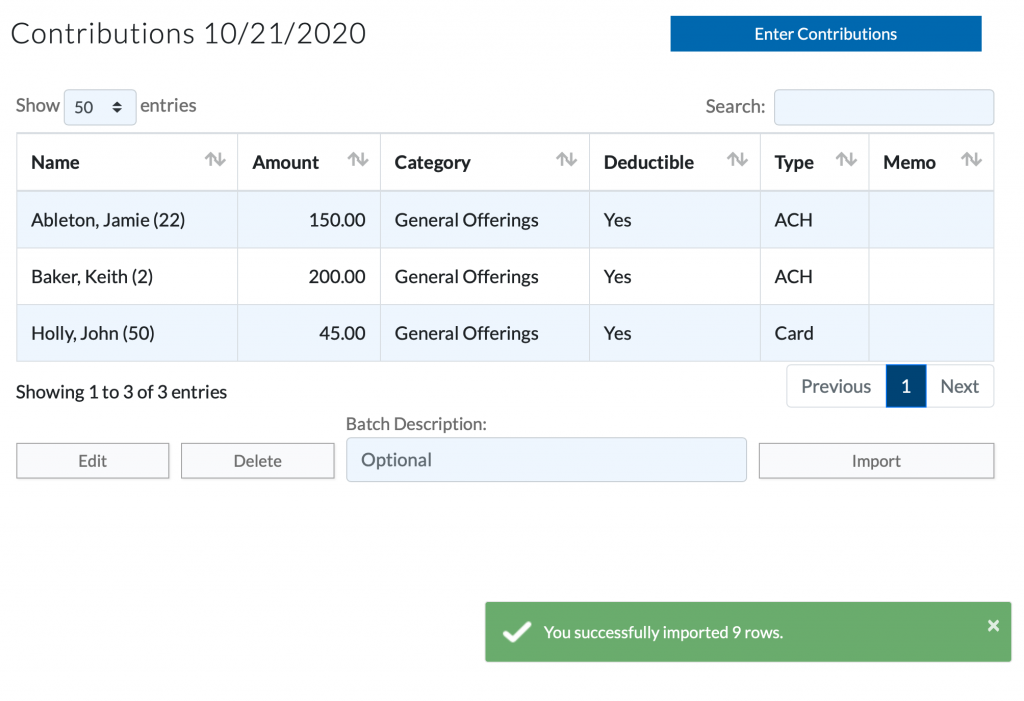
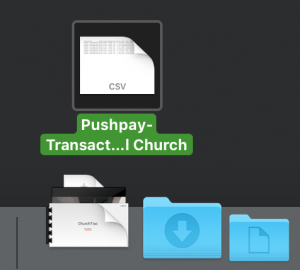
If you're using another Online Giving platform like Tithely, Supsplash, Vanco, or Pushpay... then we have some great news for you! We have now simplified the process of importing your giving transactions into the ChurchTrac Giving Screen. Now, you can simply drag and drop your export CSV file directly into ChurchTrac, and let ChurchTrac import all of the transactions and match the names and dates instantly. Seriously!
How is this different from the original way?

With the old import process, all of your giving transactions would be tied to one date. Though this didn't affect total numbers for year-end contribution statements, you would ultimately end up having multiple donations recorded for a date that might have happened on a different date. In many cases, you had to reformat your CSV file too.

What if I use a different provider?

You can still import the spreadsheet. You'll just need to reformat your CSV file. Learn how to do this in our user guide. You can also create a support ticket to see if it is possible for us to integrate with your current provider.

How to get started-

Step 1: Download your CSV file from your Online Giving Provider

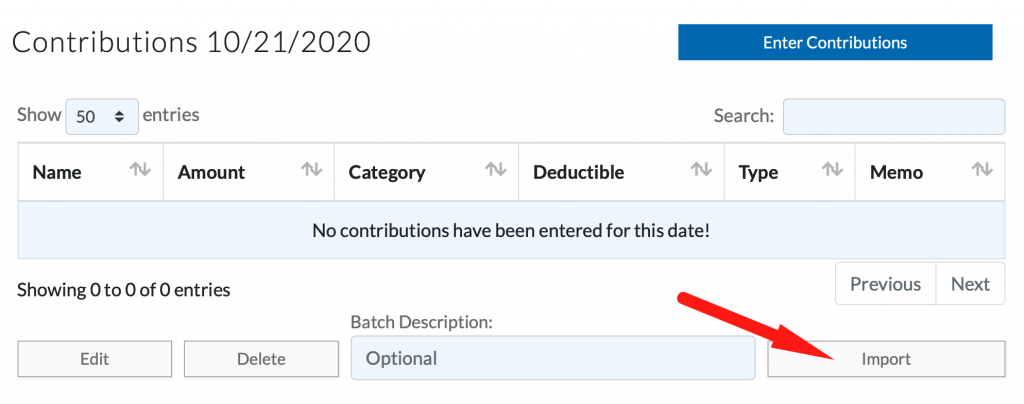
Step 2: Select "Import" on the giving date

Step 3: Drop in your CSV File
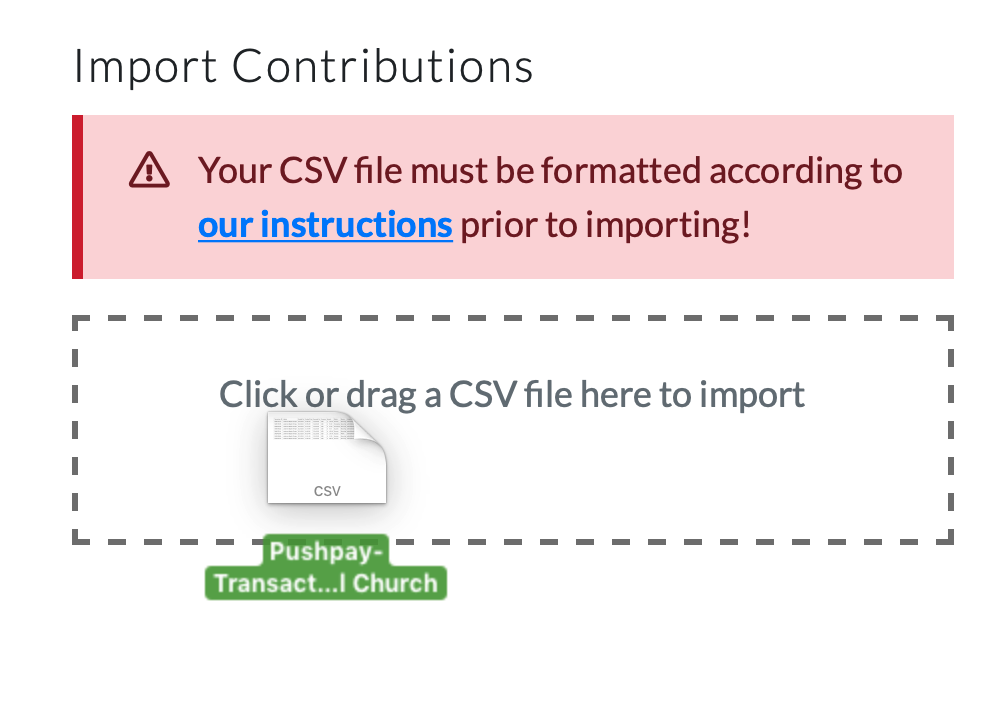
 

Step 4: And... you're done! ChurchTrac will automatically import your giving transactions and even create additional dates when needed to add transactions to.

Takeaway

This new update in Giving Imports will simplify your workflow and save you lots of time! This will also help you keep more accurate giving records with dates matching each giving entry. Learn more about giving importing contributions HERE.

Want to save even more time and money?

The easiest way to keep track of your Online Giving is by using ChurchTrac Online Giving. What makes ChurchTrac Online Giving Great?
    <
  1. Credit card rates as low as 2.2% for Non-Profits
  2. 25 cent flat rate ACH transactions
  3. Mobile Friendly
  4. Recurring Giving
  5. And so much more!
You can set up ChurchTrac Online Giving in as little as 10 minutes. Get started HERE. Till next time ?
Start your free trial

Explore ChurchTrac for yourself by starting a free 30 day trial.

Get Started Now
ChurchTrac Logo

Your All-In-One Church Software.

Facebook Twitter Youtube Vimeo

Products & Features

Donations and Online Giving Church Website Builder Church App Builder People & Messaging Events & Attendance Child Check-In Church Automations Church Accounting Worship and Scheduling Custom Built Websites Accounting Service Security & Integrations

How We Compare

ChurchTrac vs Planning Center ChurchTrac vs Tithe.ly ChurchTrac vs Breeze ChurchTrac vs QuickBooks ChurchTrac vs Aplos See all comparisons

Software Solutions

For Church Plants For Small Churches For Mid-Size Churches See more solutions

Company

About ChurchTrac Terms of Service Privacy Policy Copyright Policy

Quick Links

Login to Your Account ChurchTrac Pricing Start a Trial Getting Started Join a Live Demo Contact Us | Tech Support

Recent Posts

  • Buying Church Software? Avoid This One Fatal Mistake
  • Best Church Management Software Picks (2026)
  • 4 Youth Ministry Podcasts Every Leader Needs to Hear
  • 5 Teen Study Bibles You Can Actually Trust
  • Don't Overpay for Online Giving: The Best Platform for Small and Mid-Size Churches
  • View more blog posts...