New Feature: First Time Donor Automation


We're excited to announce that we've added a new automation feature that we know you're going to love!
Now, you can be notified immediately when a person donates to your church for the first time. This is all made possible with our latest new automation trigger.
How Does This Church Automation Work?
In the Automations feature, select "Add". Give the automation a name and choose "People Automation".
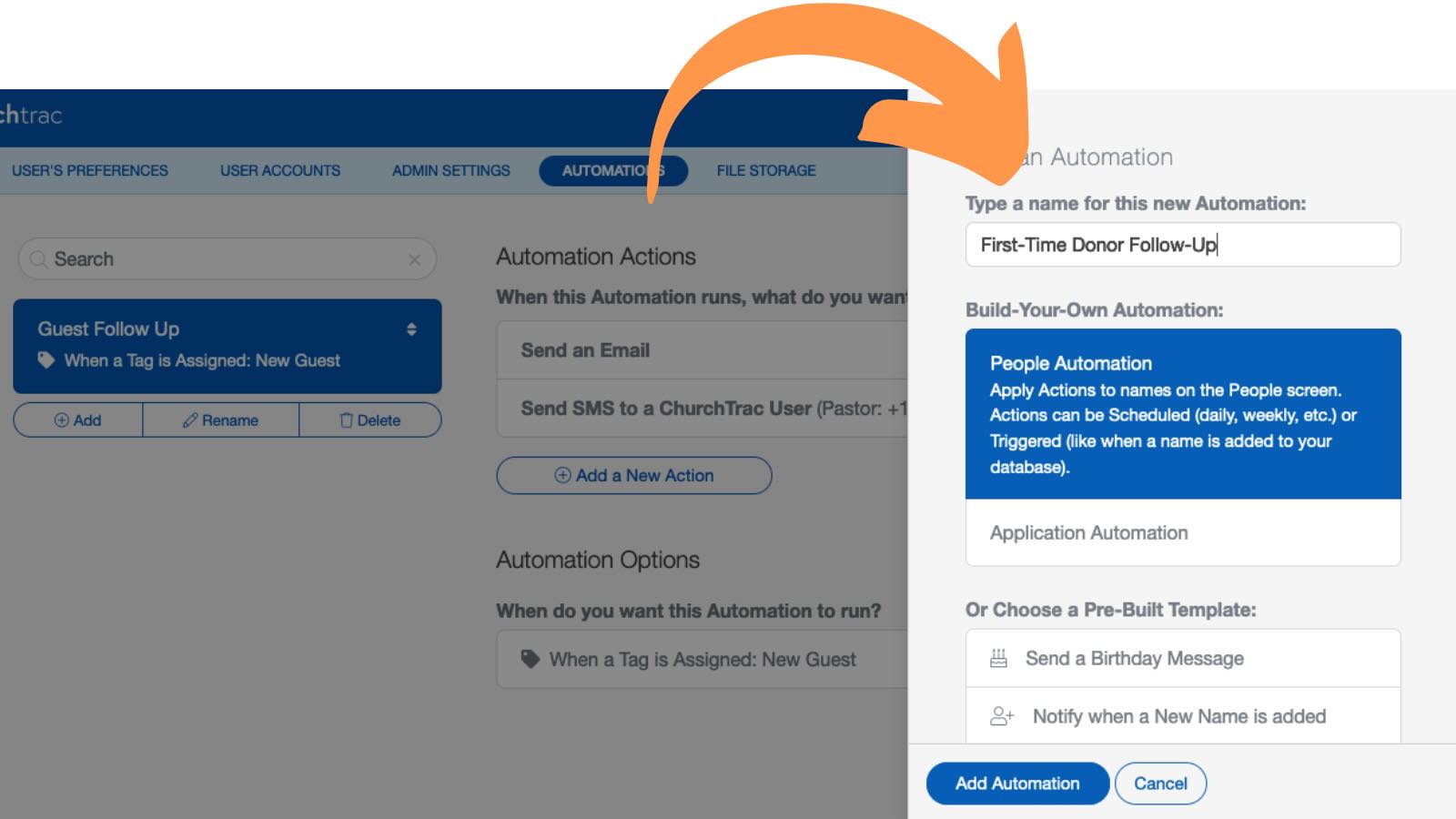
Next, choose an action. I would recommend sending an SMS or an email (or both) to the first time donor.
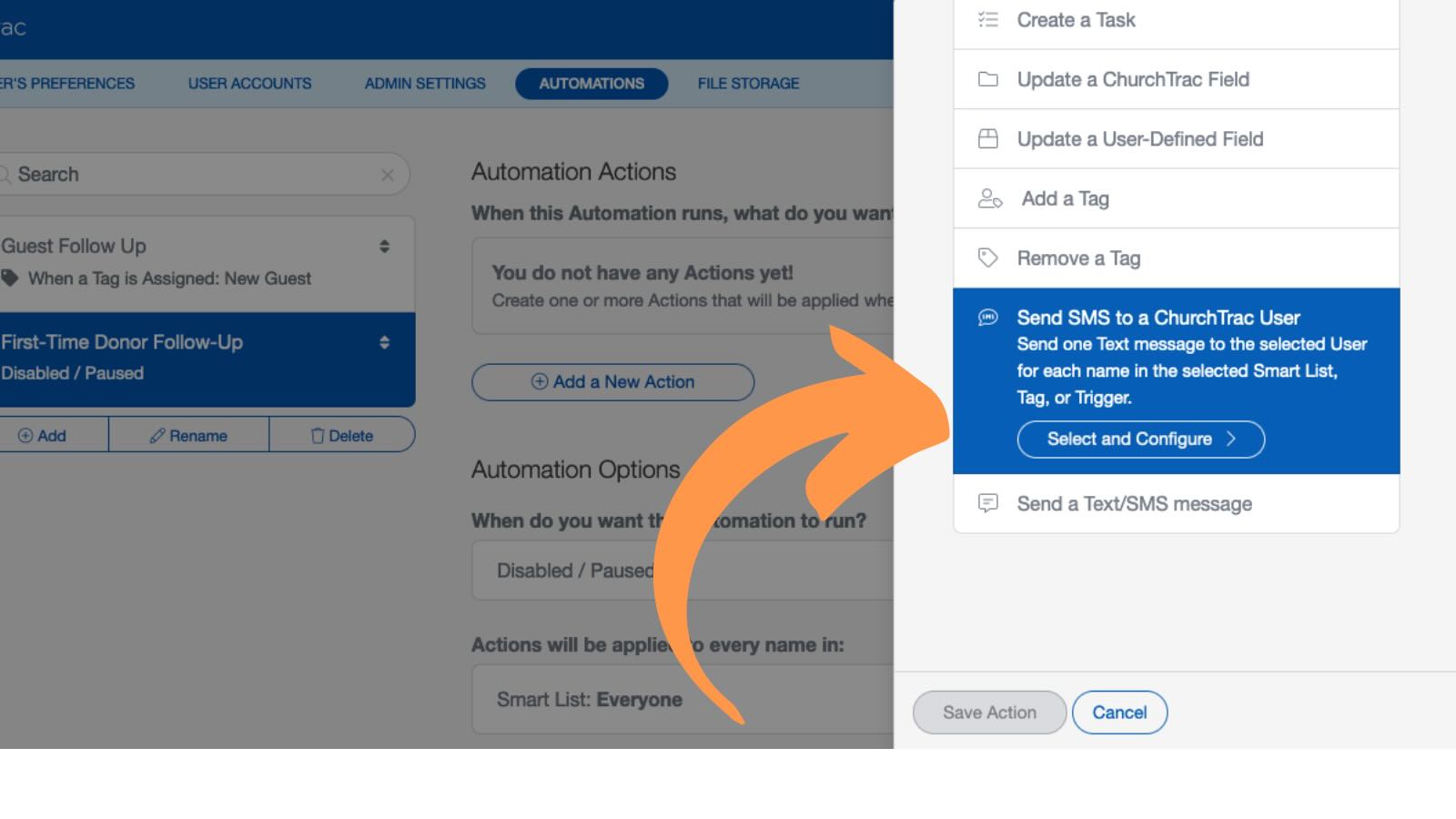
Customize that message to thank the donor.
Once you have your actions customized, select the "When a Person Gives the First Time" option in the "Triggered" menu for when you want this automation to run.
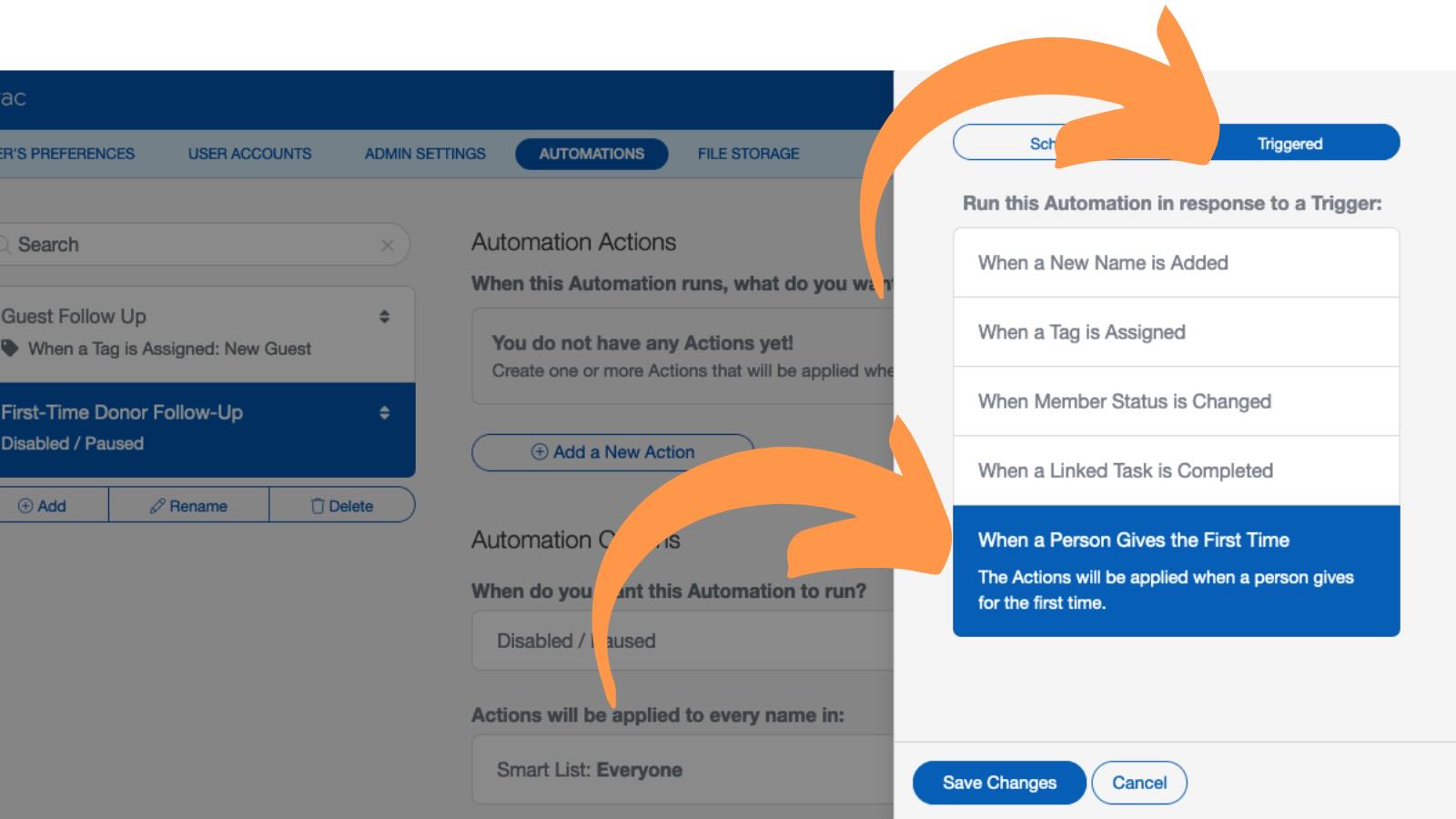
Whenever you record a donation in ChurchTrac for the first time from one of your members, that person will receive a message from the church with a heartfelt thanks.
First-Time Donation Pro Tip
If you want to take your first-time donor follow-up even further, you can create multiple actions such as creating a task that notifies you (or another ChurchTrac user) to personally reach out.
Adding that personal touch will go much further to build a relationship with new donors and grow their faith.
Who This Automation Is For
This new automation is perfect for churches that want to:
- Develop relationships with their first time donors
- Celebrate a new step in someone's faith journey
- Not take our church donors for granted
If your church doesn't prefer to focus on donations in this way, no problem! Just make sure to not select this option as a trigger for any automations you create.