ChurchTrac Logo ChurchTrac Logo
Help & Resources
Help Center
Browse answers, or connect with our team
Watch our Videos
Watch our tutorials and live streams
Read the Blog
News, tips and the latest happenings
Hear Our Story
The 9 things that make us unique
Explore Plans & Pricing
Affordable options for every church
Pricing
Help Center
Browse answers, or connect with our team
Watch our Videos
Watch our tutorials and live streams
Read the Blog
News, tips and the latest happenings
Hear Our Story
The 9 things that make us unique
Explore Plans & Pricing
Affordable options for every church
Login
Start For Free
 Blog Home  /  The #1 Way To Teach New Worship Songs In Your Congregation

The #1 Way To Teach New Worship Songs In Your Congregation

profile-image
By Weston Williamson | 12/03/2020
The #1 Way To Teach New Worship Songs In Your Congregation
As worship leaders, it can be really easy to live inside a bubble of praise and worship music. The bulk of our people don't listen to worship music as much as us. How can get them on the same page during a worship service and avoid having half of our congregation look at us like a deer in the headlights when we introduce a new worship song?
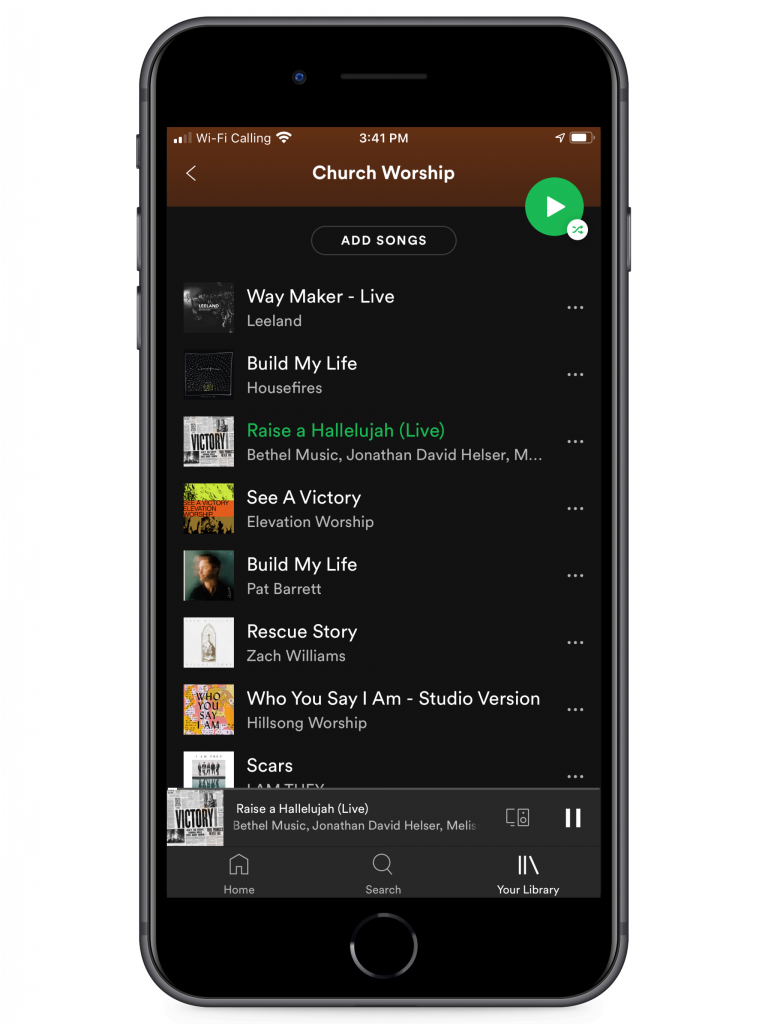
The #1 way to teach new worship songs to your congregation is to have a public playlist of all your worship music.

Why create a worship music playlist?

Creating a playlist of all your church's worship music gives your congregation (and your worship team) the ability to listen to all the songs you play in the service wherever they are. It can be in the car, at work, taking a walk, or cooking dinner... they'll have the opportunity to hear all the new worship songs. Filling this playlist with every song your church has done along with new worship music you're about to do will give them the opportunity to become familiar with all the worship music. Even if they don't memorize the lyrics, they can still be familiar with the melodies and structure of a new worship song before you even play it in service.

Creating your new worship song playlist

Since playlists are so easy to create, go ahead and make your church's worship playlist on Youtube, Spotify, and Apple Music. This will ensure that the maximum number of people can have access to the playlists, no matter what streaming service they have access to.

Sharing your new worship playlist with your church

Sharing your playlist with your congregation can be done in multiple ways. Here are a few of the best ways to share your playlist with your congregation...

Project it

Before and after the service, project your Playlist Picture code or your Church Connect QR code. You can even have a subtle QR code placed at the bottom corner of the screen within other slides too.

Mention it

In between songs during your congregational worship, make mention to your people that they can listen to all the songs your church plays at home. You could even have another pastor or welcome person mention it too. Just make sure you flash a QR code or link on your projector when it is mentioned.

Print it

If you have bulletins or worship guides within your worship center, have your playlist mentioned within it somewhere. The best practice would be a QR code for simplicity and ease.

Web

Everywhere your church has a web presence, make sure your playlist is visibly there or somehow linked. If you're using Church Connect, try either a link or page card. Be sure to make a Facebook post about it.

Email & Text

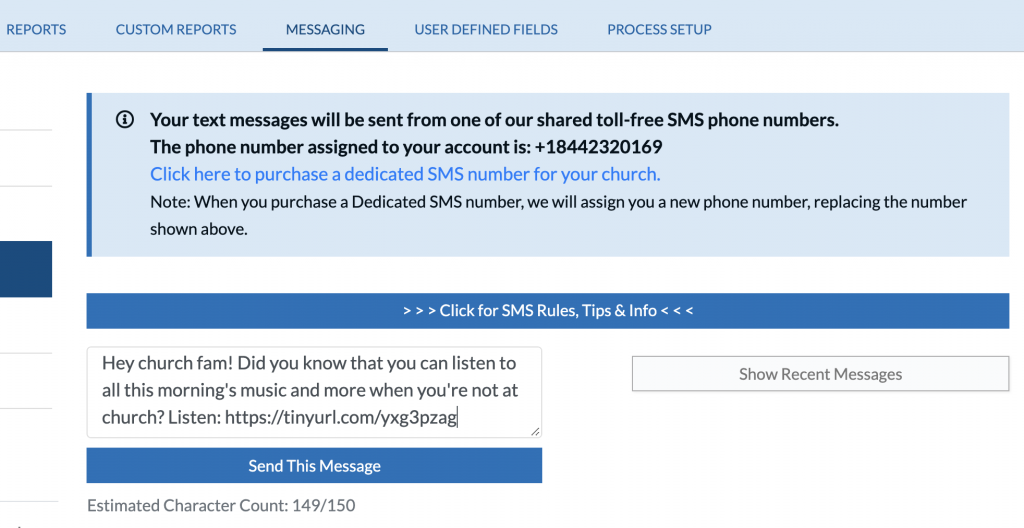
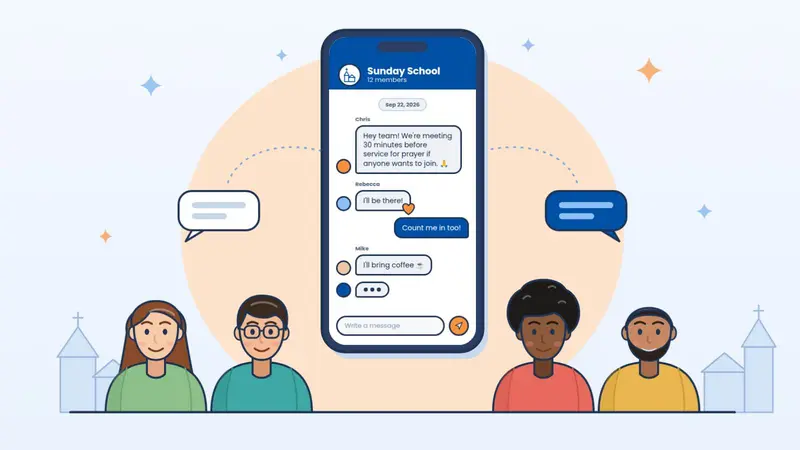
If your church has a newsletter or sends mass text messages regularly, this would be a fantastic opportunity to share your church's new worship music playlist. Did you know that SMS messages have an open rate of over 90%? FYI: If you're not using ChurchTrac Messaging yet to text in church and send mass emails, you totally should be.


Your new playlist could help you avoid fails too

Let's face it. No matter what, some new worship songs just don't resonate with every congregation. Even avoiding the 5 Reasons why New Worship Songs Fail won't completely guard you. But your playlist could... Try this... Create a Church Connect Form card or create a poll on Facebook asking your people which of the new worship songs you should do next. Songs that remain unpicked could be an indication that they may just not be the best fit for your congregation.

At the end of the day...

Giving our people a playlist of worship music goes beyond teaching them new worship songs for our congregational worship. We usher in opportunities for our people to worship outside of the church walls. In most cases, we have no idea what our people are going through the other 6 days a week. That simple worship playlist we made from our phone app in 20 minutes could provide words of encouragement or peace to dozens (or hundreds) of people within your congregation and beyond! Have a worship playlist? We're always looking for fresh new worship music. Till next time ?
Start your free trial

Explore ChurchTrac for yourself by starting a free 30 day trial.

Get Started Now
ChurchTrac Logo

Your All-In-One Church Software.

Facebook Twitter Youtube Vimeo

Products & Features

Donations and Online Giving Church Website Builder Church App Builder People & Messaging Events & Attendance Child Check-In Church Automations Church Accounting Worship and Scheduling Custom Built Websites Accounting Service Security & Integrations

How We Compare

ChurchTrac vs Planning Center ChurchTrac vs Tithe.ly ChurchTrac vs Breeze ChurchTrac vs QuickBooks ChurchTrac vs Aplos See all comparisons

Software Solutions

For Church Plants For Small Churches For Mid-Size Churches See more solutions

Company

About ChurchTrac Terms of Service Privacy Policy Copyright Policy

Quick Links

Login to Your Account ChurchTrac Pricing Start a Trial Getting Started Join a Live Demo Contact Us | Tech Support

Recent Posts

  • Buying Church Software? Avoid This One Fatal Mistake
  • Best Church Management Software Picks (2026)
  • 4 Youth Ministry Podcasts Every Leader Needs to Hear
  • 5 Teen Study Bibles You Can Actually Trust
  • Don't Overpay for Online Giving: The Best Platform for Small and Mid-Size Churches
  • View more blog posts...