Managing Promotion Sunday
Promotion Sunday is when children and students move up to their next age or grade group.
Think of it like a school promotion:
- Kids move from one Sunday School class to the next grade/age level
- Students move up within youth ministry (middle school → high school, etc.)
- New leaders/teachers may step into new roles
It usually happens once a year, often at the end of summer (around August or early September), to line up with the school calendar.
In ChurchTrac, Age Categories may not always line up perfectly with grade promotions, so for Promotion Sunday, you’ll typically use Groups and Bulk Edit to make updates.
Step 1: Review Each Grade Group
Run a Group Report for each grade or age group to see who is currently assigned.
Make sure you’ve already:
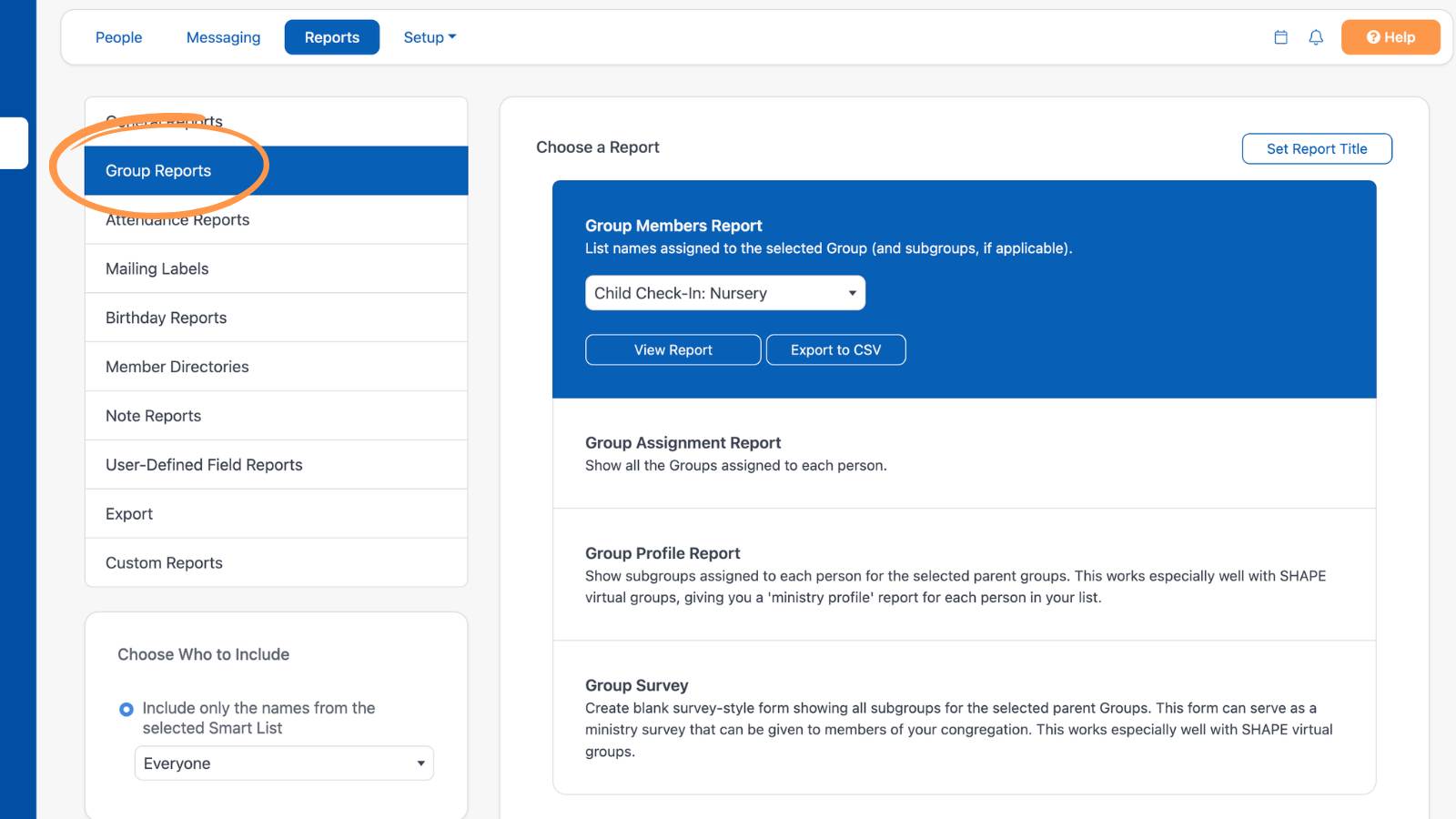
To generate a group report, go to People -> Reports -> Group Reports -> Group Members Report ->[Select Group] -> View Report.
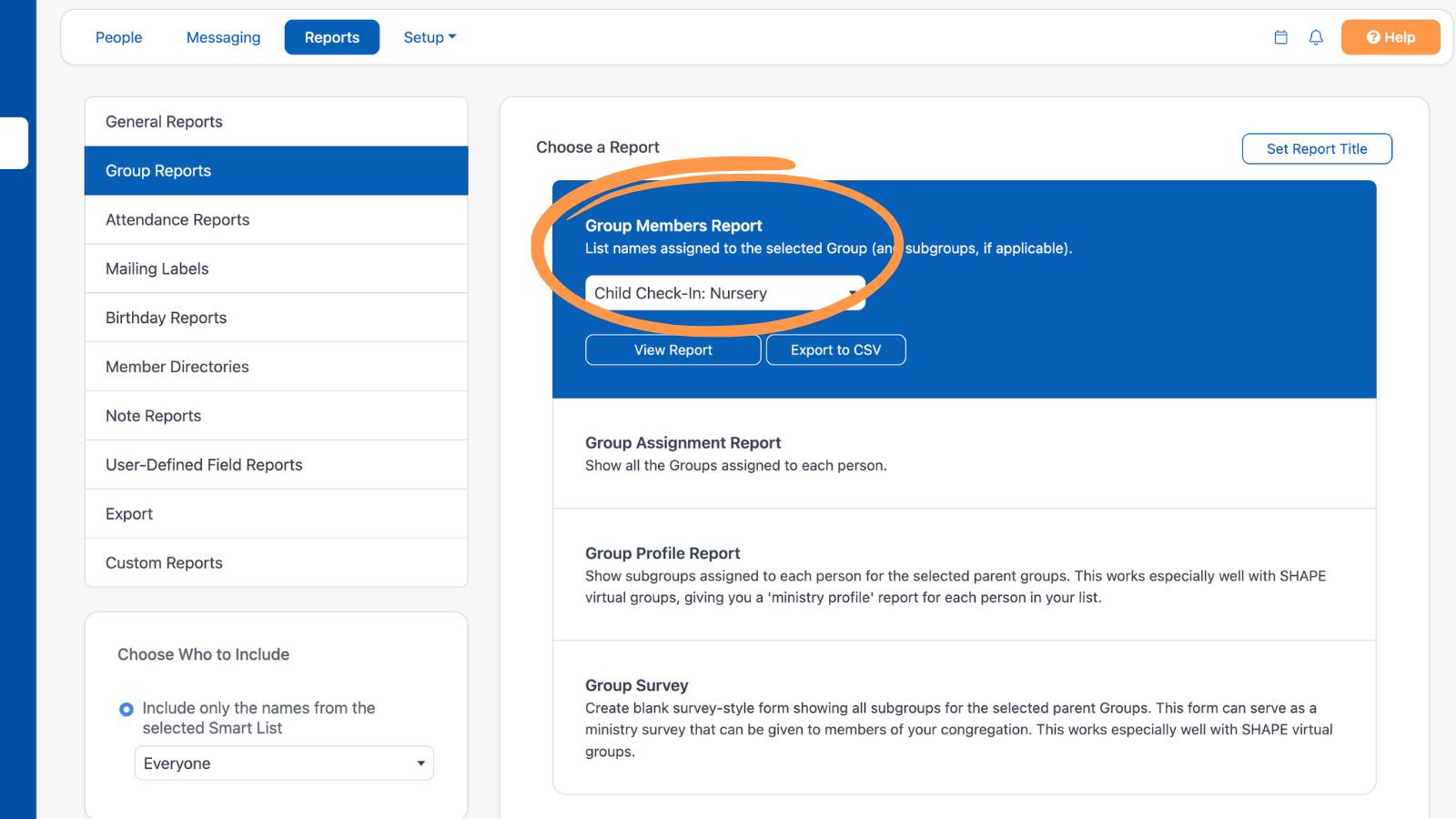
You can do this for each of your Sunday School groups. Reviewing these reports helps you quickly spot who needs to be moved up.
Step 2: Update Grades with Bulk Edit
Once you’ve reviewed your lists, use Bulk Edit to update grades where needed.
This allows you to:
- Move entire groups of kids up at once
- Keep everything accurate without editing profiles one by one
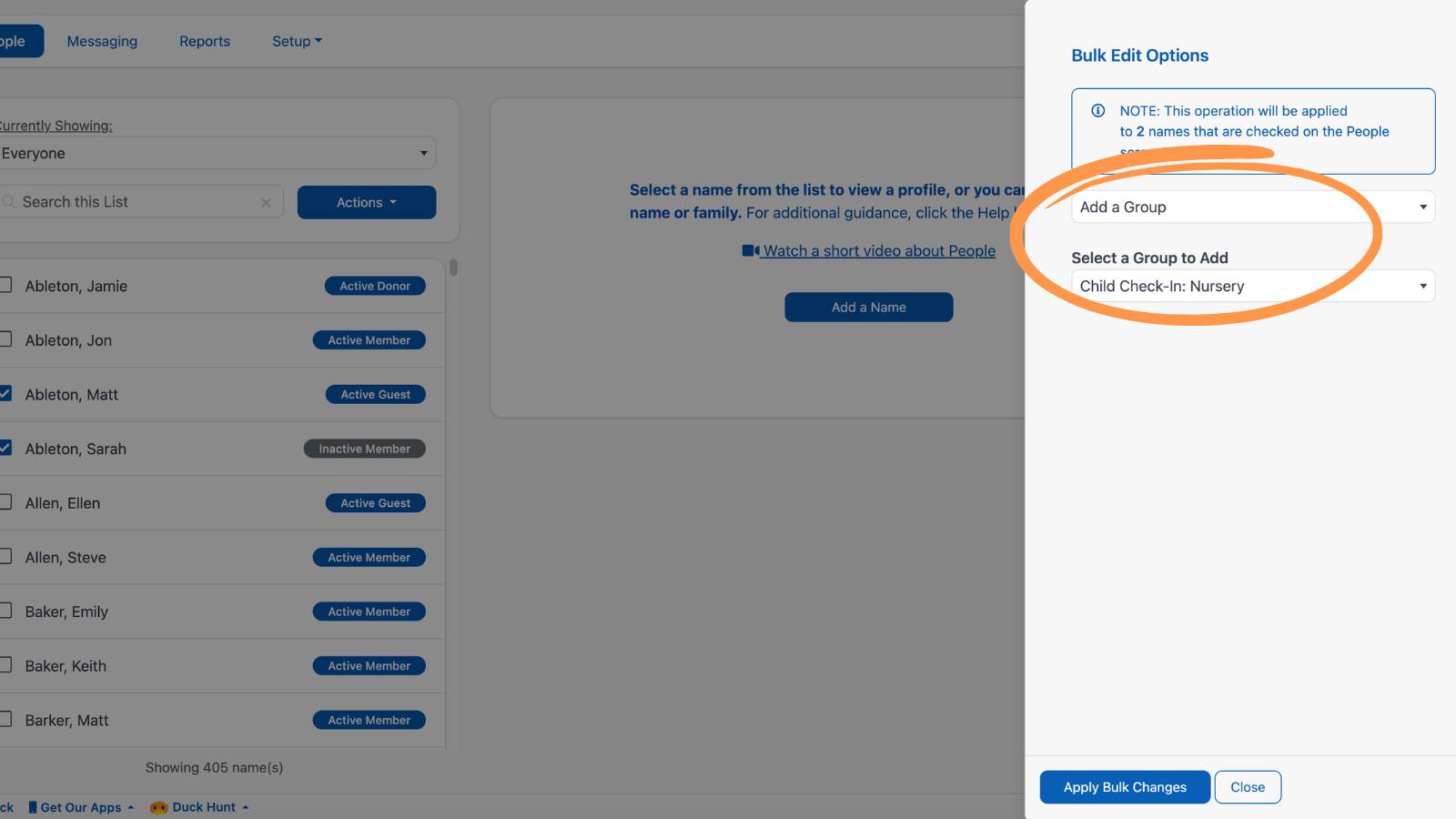
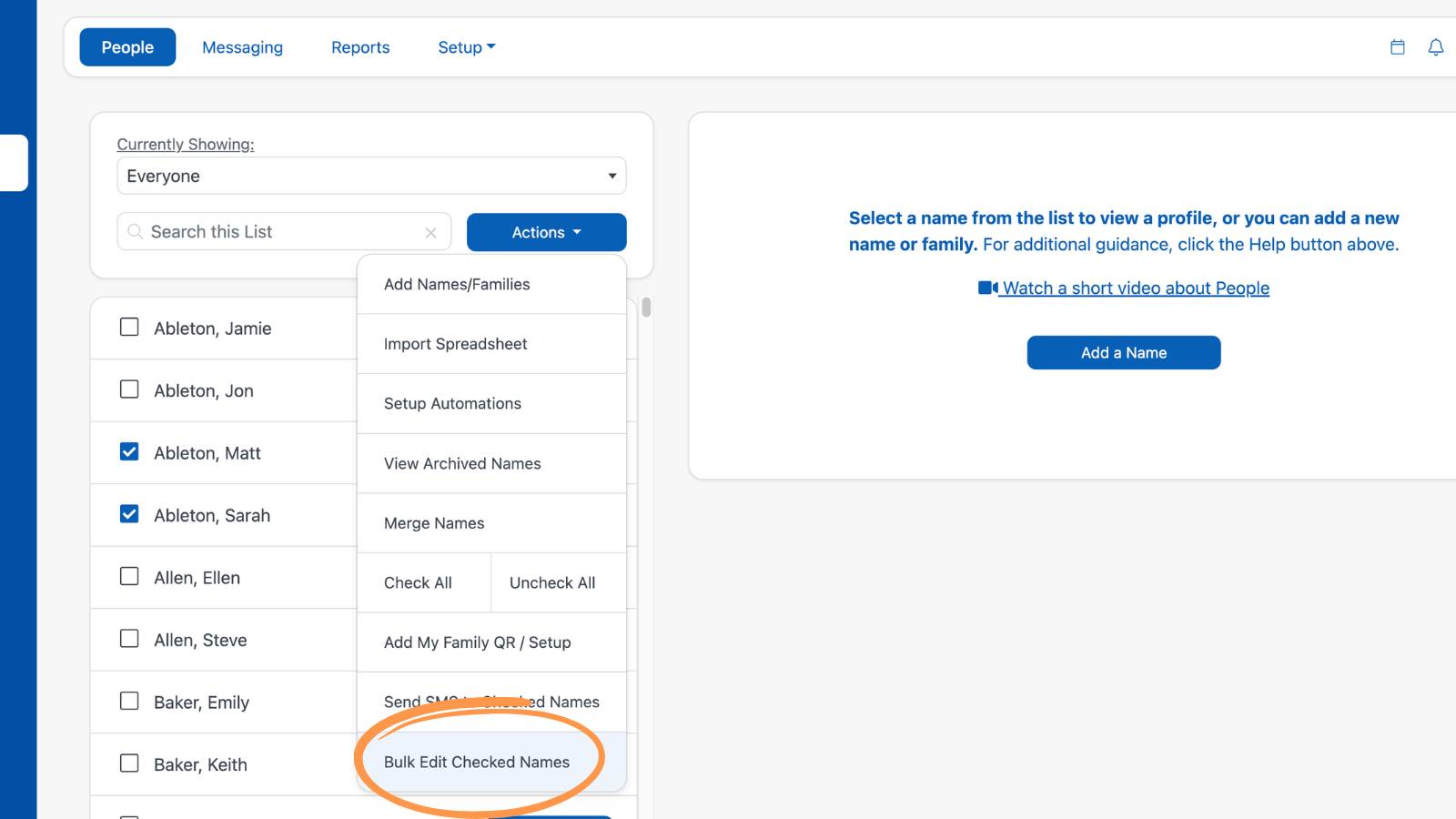
To use Bulk Edit, go to People -> Actions -> Bulk Edit Checked Names -> Add a Group -> [Select Group] -> Apply Bulk Changes.