Migrating To ChurchTrac Online Giving


When it comes to switching online giving providers, churches often feel stuck.
Why?
- They depend on their old platform for a large % of donations.
- They worry switching could result in losing some donors.
- All web links, social media, and QR codes point to the old platform. Who's got time to go back and make all those changes?!
Thankfully, switching to ChurchTrac Online Giving is easy. Here's how you do it...
Step 1: Setup ChurchTrac Online Giving [Only takes about 20 minutes]
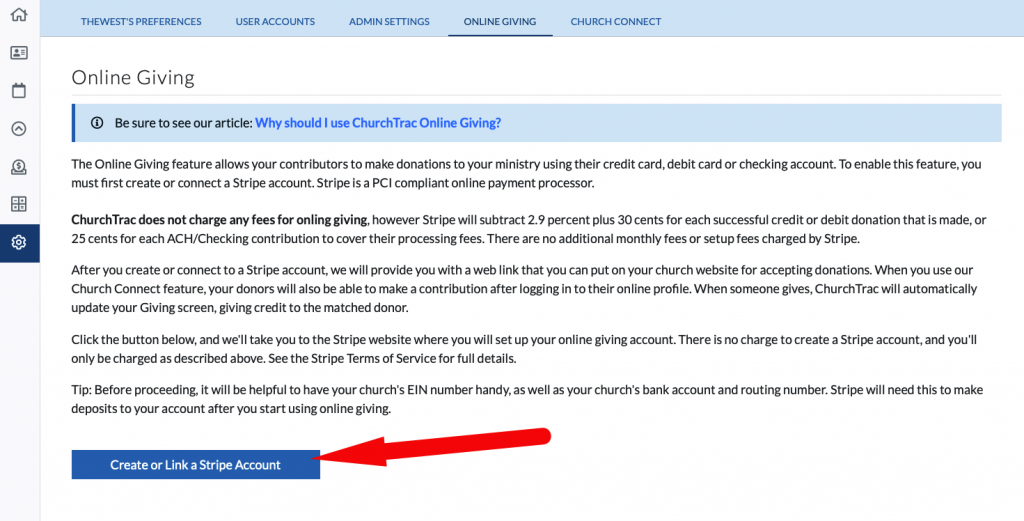
Setting up Online Giving requires that you have your EIN number handy. You'll also need your bank account info, billing address, church website, and other basic info. When you have these things ready, begin the setup process HERE.
If your ministry has nonprofit status, you are eligible for reduced pricing as well. Check this page for more info and steps to apply.
Step 2: Get all staff and leadership on board
In your next staff meeting, make an announcement that your ministry is making the switch to ChurchTrac Online Giving. Show them that the switch to ChurchTrac is in an effort to reduce costs and better streamline the church's admin efforts. Show them the benefits donors receive as well (like text giving, recurring donations, ACH support, and more).

Step 3: Change your links and physical media
Once your staff and leadership are on board, update your website links for Online Giving to the new ChurchTrac Online Giving link. Any donate buttons on social media like Facebook, Instagram, and Twitter will need to be updated as well. If you include a link or QR code on a bulletin or worship guide, go ahead and change them to your new link or provided QR code. You can obtain your new link and QR code by navigating to SETTINGS > ONLINE GIVING.

Step 4: Message your people
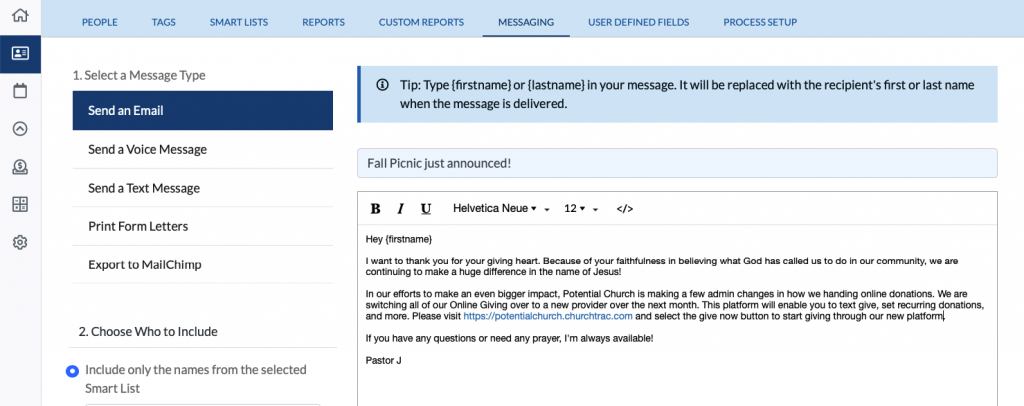
We recommend emailing and texting all of your people. Provide them with the link to your ChurchTrac Online Giving. Like in your staff meeting, show them the benefits they receive as donors (like text giving, recurring donations, ACH support, and more).
Step 5: Follow-up messages & announcements
Follow-up Message: About a month after you've emailed and sent a mass SMS message to your donors about the switch, proceed in sending a follow-up message to those who have not switched. Remind them of the benefits that they will receive by switching.
Announcements: Make an announcement in your worship services and small groups about the switch. If you show informational slides on the projector before and after service, add this as one of those slides as well.
That's it!
After completing these 5 easy steps, you will have successfully migrated to ChurchTrac Online Giving. You and your people can begin to enjoy the many benefits of our built-in giving platform that integrates perfectly with everything else in your ChurchTrac database and Church Connect.
FAQS about migrating to ChurchTrac Online Giving
Can I use multiple online giving providers at the same time?
A. Absolutely! Migrating is a process, not an all-or-nothing approach. With our Giving Imports Tool, you can easily import your CSV files from other providers like Givelify, PayPal, Pushpay, and more!
How long does it take to migrate my people over to ChurchTrac Online Giving?
A. Most ministries are able to get all their people to migrate over in about 1-3 months.
What if I can't get all my people to migrate away from our old church donation platform?
A. You can still easily import third-party CSV files into ChurchTrac Giving. Either way, you can keep all your data in one place.
What benefits do I get from switching to ChurchTrac as my church donation software?
A. Quite a few. For starters, our free church donation software has no monthly fees. On top of that, our rates are some of the lowest available. We could go on about text giving and recurring donations...but you get the point.
Until next time 👋