ChurchTrac Logo ChurchTrac Logo
Help & Resources
Help Center
Browse answers, or connect with our team
Watch our Videos
Watch our tutorials and live streams
Read the Blog
News, tips and the latest happenings
Hear Our Story
The 9 things that make us unique
Explore Plans & Pricing
Affordable options for every church
Pricing
Help Center
Browse answers, or connect with our team
Watch our Videos
Watch our tutorials and live streams
Read the Blog
News, tips and the latest happenings
Hear Our Story
The 9 things that make us unique
Explore Plans & Pricing
Affordable options for every church
Login
Start For Free
 Blog Home  /  How To Create An Online Connect Card

How To Create An Online Connect Card

profile-image
By Weston Williamson | 09/28/2022
How To Create An Online Connect Card

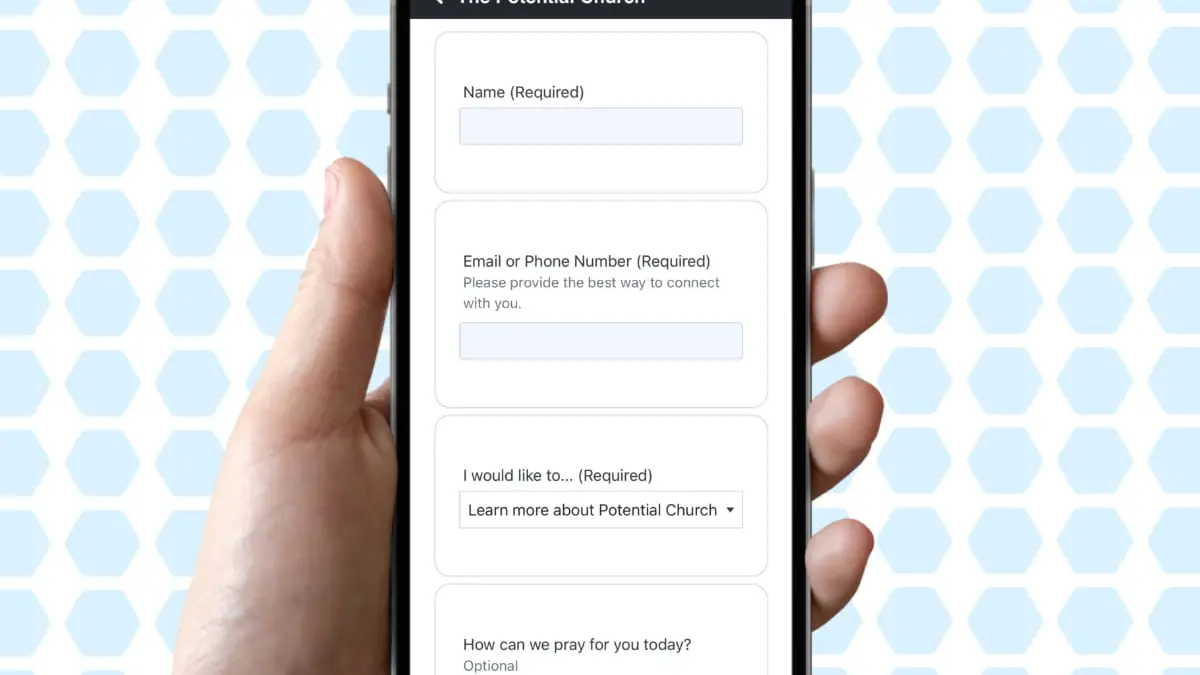
Thanks to QR codes and smartphones, it's sometimes easier for guests to fill out an online connection card than it is to complete a physical one. Let's talk about some of the benefits of virtual connection cards and how you can easily create one directly within ChurchTrac.

Going Virtual

I can speak from my own experience that it can be difficult to get people to do the one thing we want them to do with connection cards: actually fill them out. But going digital does have some benefits...

  • Most of the people attending your church are familiar with QR codes (many now expect it)
  • Digital connect cards are usually filled out faster than physical cards
  • Responses for digital church forms are instant and emailed immediately
  • Virtual connection cards will never get lost

How to create a Virtual Connect Card

  1. First, you need a Church Connect Page. If you have not created yours yet, start HERE ›
  2. After you've created your Connect Page, create a Form Card. Learn how HERE ›

The process of creating a Form Card takes only minutes, thanks to the pre-build fields we offer and the ability to import fields you've made in the past.
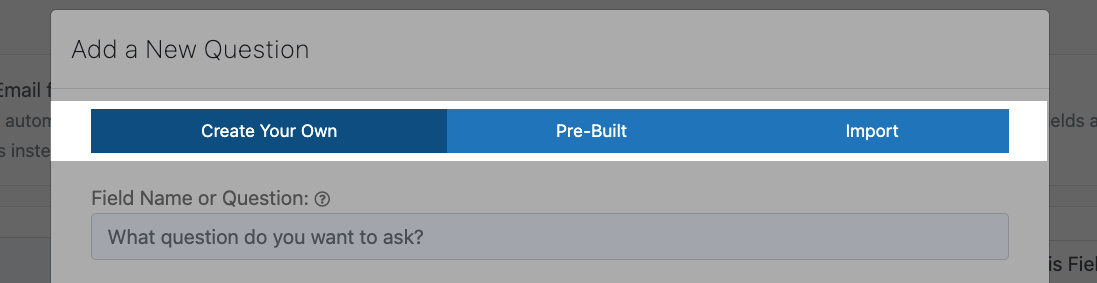
Form Field Options
Speaking of going virtual...

Your volunteers & members can take your forms everywhere they go with the Church Connect smartphone app.

Learn more ›
 

Want Inspiration?

Check out our demo Church Connect page HERE › to see what these Form Cards can do for you.

Need more help?

Our "How To Create Church Forms (That Actually Get Filled Out)" webinar is packed with info & tips to create both physical and virtual forms for your church. Check it out below!

Start your free trial

Explore ChurchTrac for yourself by starting a free 30 day trial.

Get Started Now
ChurchTrac Logo

Your All-In-One Church Software.

Facebook Twitter Youtube Vimeo

Products & Features

Donations and Online Giving Church Website Builder Church App Builder People & Messaging Events & Attendance Child Check-In Church Automations Church Accounting Worship and Scheduling Custom Built Websites Accounting Service Security & Integrations

How We Compare

ChurchTrac vs Planning Center ChurchTrac vs Tithe.ly ChurchTrac vs Breeze ChurchTrac vs QuickBooks ChurchTrac vs Aplos See all comparisons

Software Solutions

For Church Plants For Small Churches For Mid-Size Churches See more solutions

Company

About ChurchTrac Terms of Service Privacy Policy Copyright Policy

Quick Links

Login to Your Account ChurchTrac Pricing Start a Trial Getting Started Join a Live Demo Contact Us | Tech Support

Recent Posts

  • Buying Church Software? Avoid This One Fatal Mistake
  • Best Church Management Software Picks (2026)
  • 4 Youth Ministry Podcasts Every Leader Needs to Hear
  • 5 Teen Study Bibles You Can Actually Trust
  • Don't Overpay for Online Giving: The Best Platform for Small and Mid-Size Churches
  • View more blog posts...